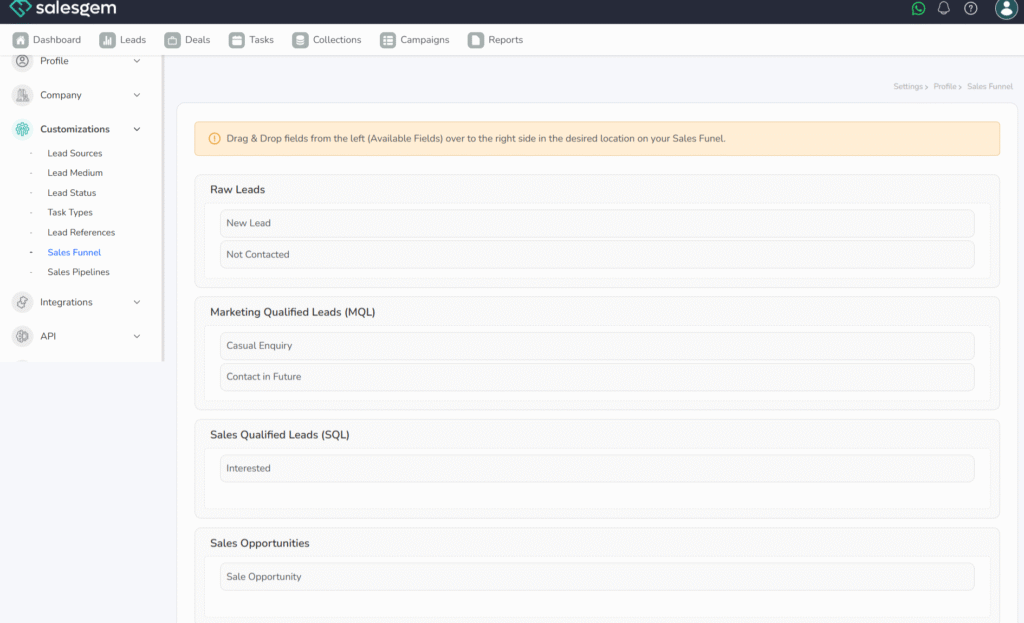
What is a Sales Funnel in Salesgem?
A Sales Funnel in Salesgem is a visual representation of how leads move through different stages of the sales process, from the initial enquiry to the final conversion. It helps businesses understand how many leads are present at each stage and how effectively those leads are progressing toward becoming customers.
How is a Sales Funnel useful to your business?
For example, suppose a real estate company receives 1,000 leads through its marketing campaigns. These leads may move through different stages such as New → Contacted → Interested → Site Visit → Negotiation → Converted. Out of 1,000 new leads, the sales team may contact 800, 400 may show interest, 150 may visit the property, 50 may enter negotiation, and 20 may finally purchase the property.
By looking at the Sales Funnel, the business can understand how leads are progressing and where potential customers are being lost. For example, if many leads are dropping between the Interested and Site Visit stages, the sales manager can investigate the reason and improve the follow-up process.
To manage the Sales Funnel in Salesgem, log in to your account and go to the Sales Funnel or Pipeline section from the main dashboard. Here, you’ll see your funnel broken into different stages such as prospecting, qualification, proposal, negotiation, and closure (the exact stages depend on how your funnel is set up). You can add new leads into the funnel or update existing ones by moving them across stages. This can usually be done by dragging and dropping leads in the funnel view or by changing their status from the lead details page. This helps track exactly where each lead stands in the sales journey.
Salesgem also provides options to customize funnel stages from the settings so that the funnel aligns with your business process. You can assign leads to sales reps, add tasks or reminders, and monitor their progress in real time. Reports and filters let you analyze conversion rates, identify bottlenecks, and measure team performance. Actively managing the funnel ensures that leads are not missed, follow-ups are consistent, and your sales pipeline remains organized for higher conversion success.
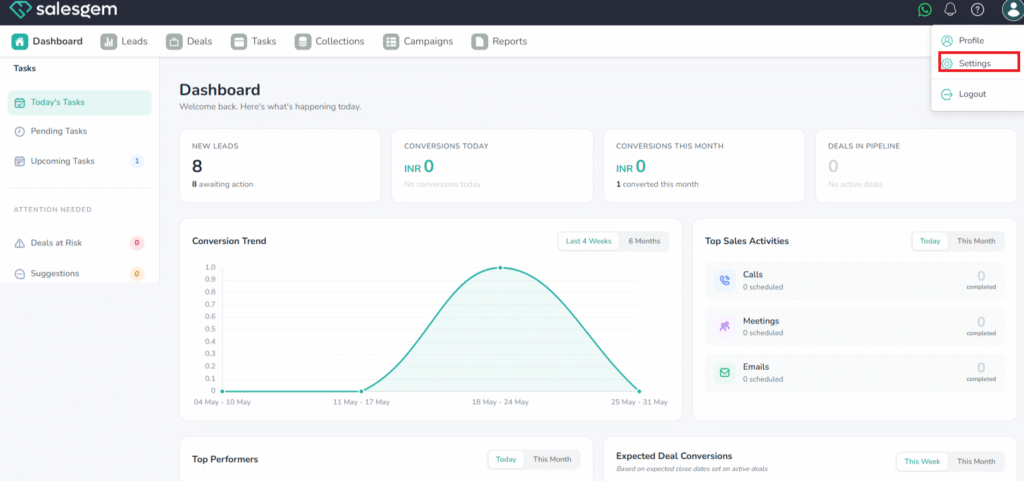
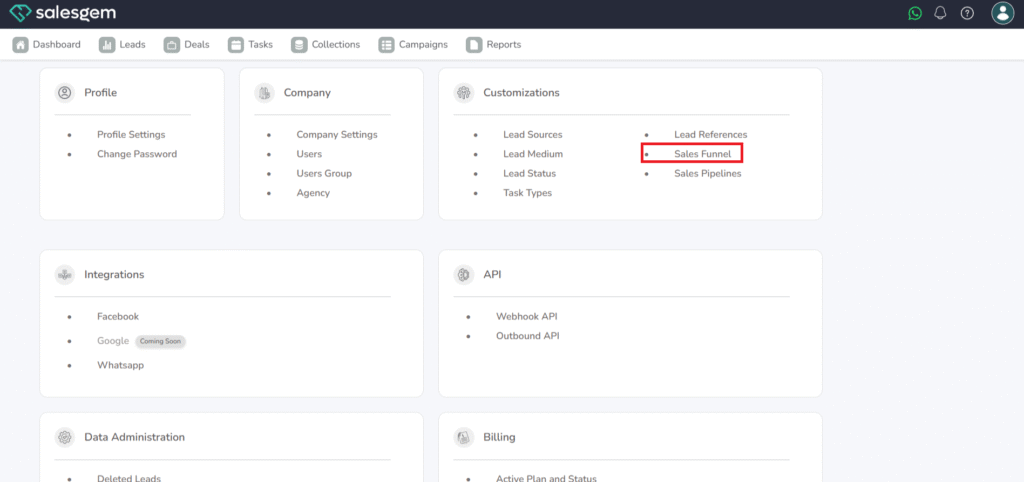
Go to Settings → Customization → Sales Funnel.
Drag & Drop fields from the left (Available Fields) over to the right side in the desired location on your Sales Funnel.