What is Detailed Lead View in Salesgem?
The Detailed Lead View in Salesgem provides a complete overview of an individual lead in one place. It allows the sales team to view important lead information, including contact details, lead status, source, assigned user, sales activities, tasks, notes, and other relevant information associated with the lead. This gives the sales representative a clear understanding of the lead without having to check different sections separately.
How is Detailed Lead View useful to your business?
For example, suppose a customer submits an enquiry for a property. When the sales representative opens the Detailed Lead View, they can see the customer’s contact information, the property they are interested in, the current lead status, previous calls or follow-ups, notes from other team members, and upcoming tasks. If the customer was previously contacted and requested a follow-up call after two days, the sales representative can see this information directly in the lead’s details.
This helps the sales team understand the complete history of a lead, avoid repeated questions, manage follow-ups effectively, and provide a more personalized customer experience. For example, before calling a customer, the sales representative can review the previous conversation and activities to understand what was discussed earlier. This saves time and helps the representative continue the conversation smoothly.
Steps:
- Go to Leads.
- Click on the eye icon near lead name.
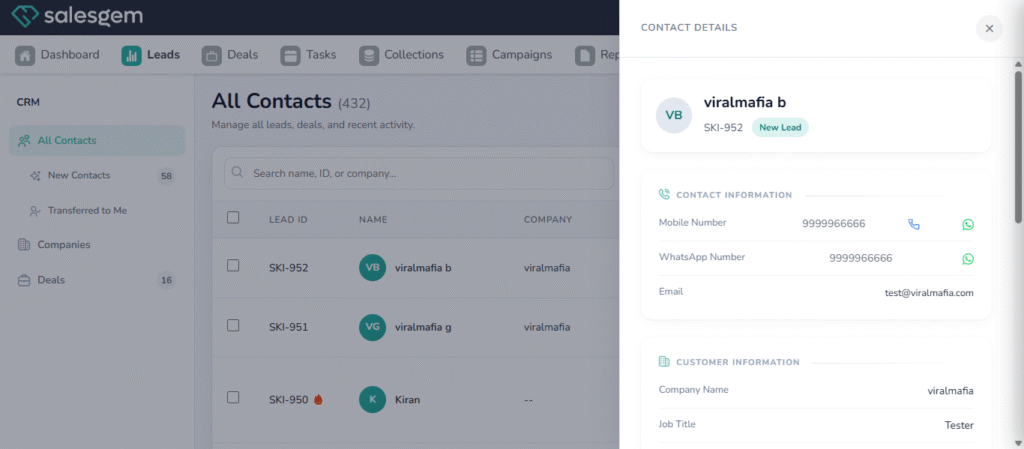
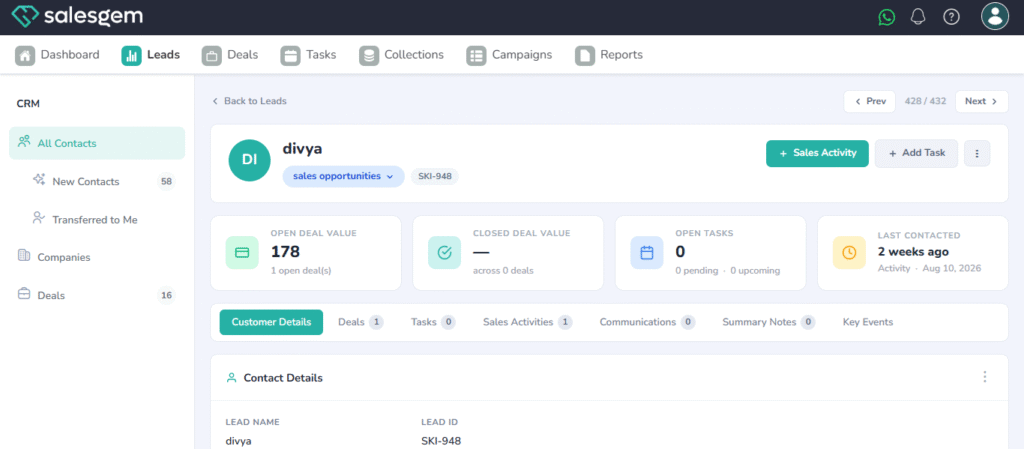
4. Review the details.