What is Sales Activity in Salesgem?
In Salesgem, Sales Activity refers to the interactions and actions performed by the sales team while managing a lead or customer. It helps sales representatives record important activities such as calls, meetings, follow-ups, emails, or other customer interactions. By recording these activities, the sales team can maintain a clear history of communication with each lead.
How is Sales Activity useful to your business?
Sales Activities are useful for tracking customer interactions, maintaining follow-up records, and ensuring that important sales activities are not missed. For example, if a sales representative calls a customer who is interested in a property, they can record the call as a sales activity and add relevant details about the conversation. If the customer requests a follow-up call after three days, the sales representative can schedule the next activity accordingly. This helps the sales team keep track of previous conversations, plan future follow-ups, and manage leads more effectively throughout the sales process.
STEPS TO ADD ACTIVITY
Steps:
- Go to Leads.
- Go to Sales Activity Notes.
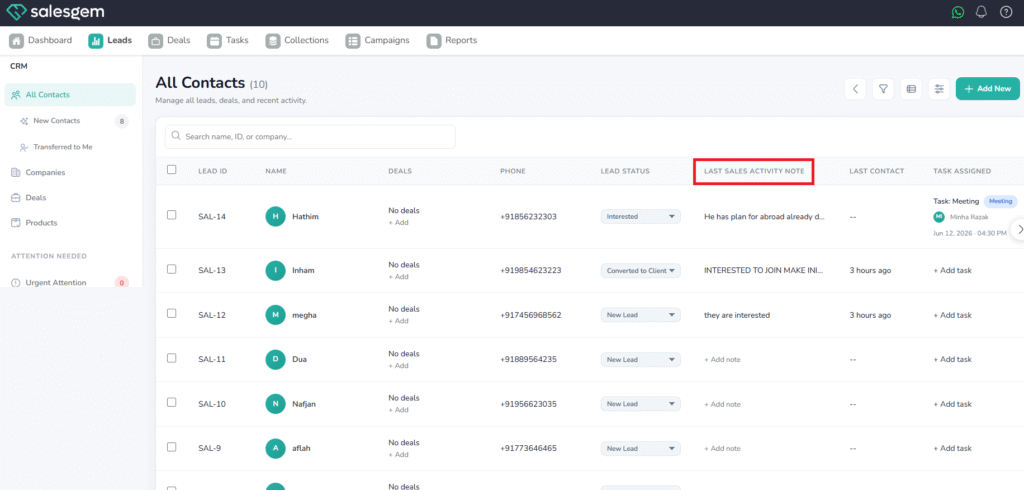
- Select an activity from the options.
- (Optional) Add notes.
- Save.
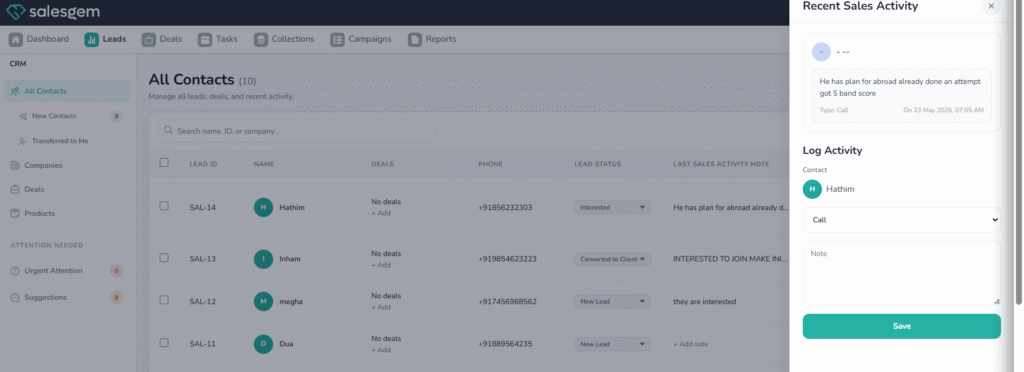
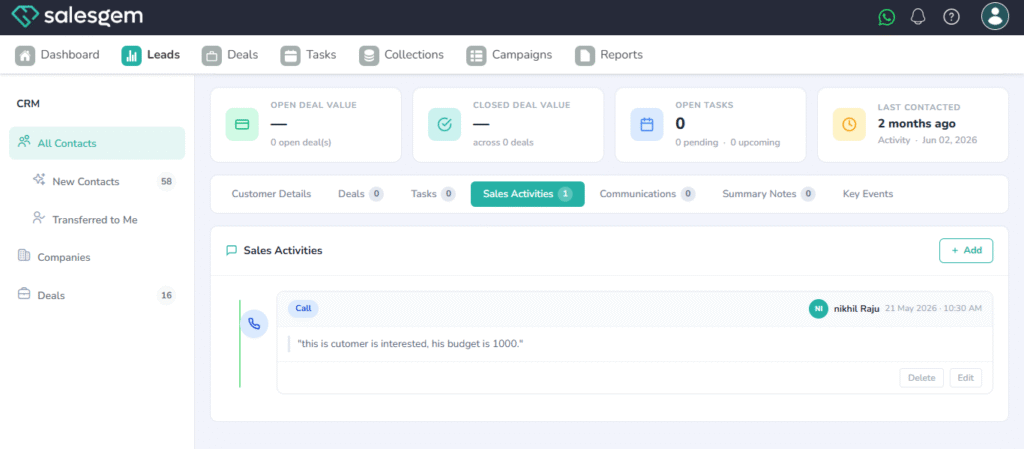
Salesgem allows you to track every interaction with a prospect or customer by adding sales activities directly to a lead. From the Leads module, open a specific lead and navigate to the Activities section. Here, you can log actions such as calls, meetings, emails, or follow-ups by selecting the activity type and filling in details like notes, timing, and responsible agent. Once saved, the activity becomes part of the lead’s history, helping sales teams maintain a clear record of communications and ensuring no important touchpoint is missed during the sales process.