To import leads in Salesgem, go to the Leads section, click Import Leads, upload your file, and map the fields.
This lets you quickly bring large batches of contacts from spreadsheets or other CRMs into Salesgem so all prospects are in one place.
Steps:
- Log in to Salesgem.
- Go to Leads.
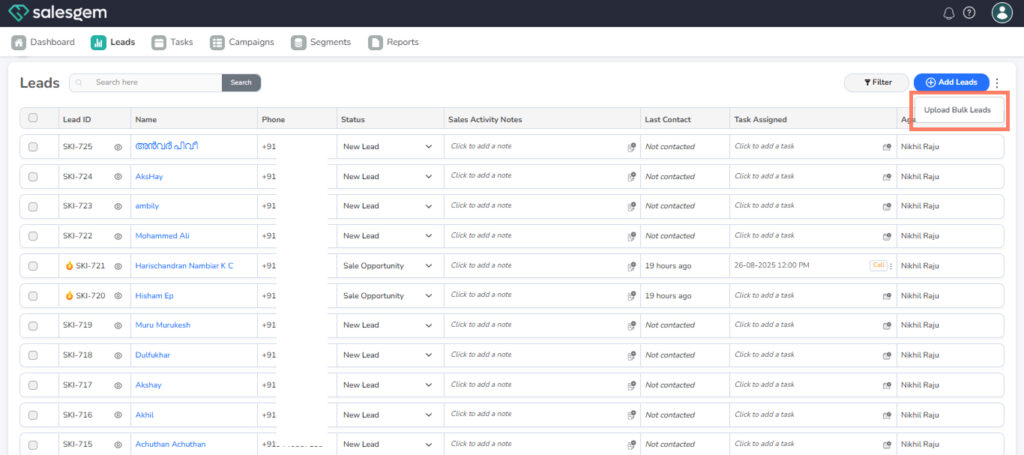
- Click upload bulk leads.
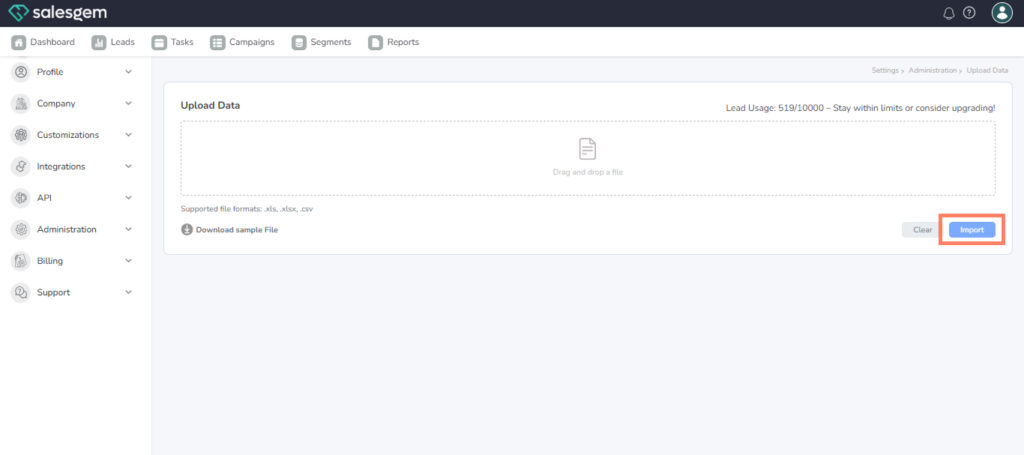
- Upload your CSV file.
- Map your CSV columns to Salesgem fields.
- Click Import to finish.