To delete a lead, select it in Leads, click Delete Lead, and confirm.
This will remove it from the active list, but the data will not be permanently deleted.
Steps:
- Go to Leads.
- Select the lead.
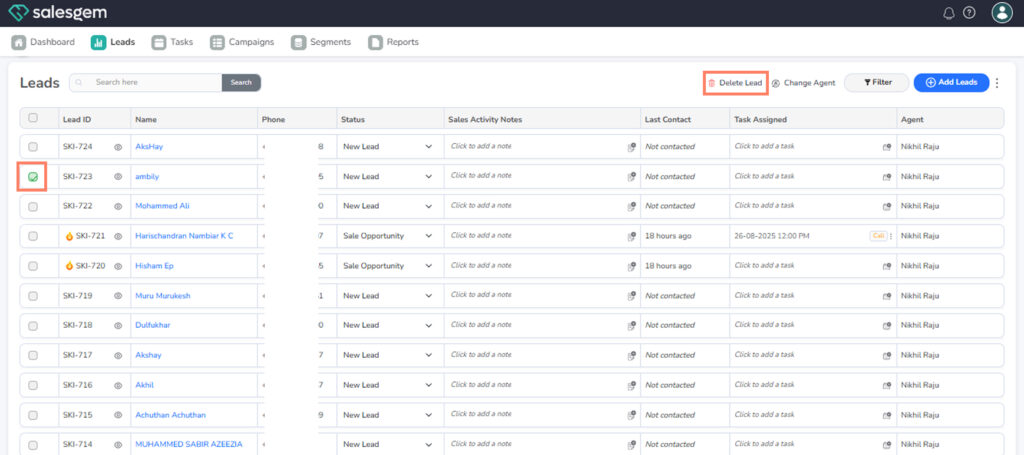
3. Click Delete Lead.
4.Confirm the deletion
To delete a lead, select it in Leads, click Delete Lead, and confirm.
This will remove it from the active list, but the data will not be permanently deleted.
Steps:
3. Click Delete Lead.
4.Confirm the deletion