What is a Sales Pipeline in Salesgem?
In Salesgem, a Sales Pipeline is a structured view of the different stages a lead or sales opportunity moves through before becoming a successful sale. It helps the sales team clearly understand the current stage of each opportunity and what action needs to be taken next.
Example
For example, consider a real estate company selling apartments. When a customer submits an enquiry for an apartment, the opportunity can move through the following pipeline stages:
New Lead → Contacted → Interested → Site Visit → Negotiation → Won
If the customer has just submitted an enquiry, the opportunity is placed in the New Lead stage. After the sales representative contacts the customer and confirms their interest, it can be moved to Contacted or Interested. If the customer agrees to visit the property, it moves to Site Visit. After discussing the price, it can move to Negotiation. Once the customer completes the purchase, the opportunity is moved to Won.
How is it useful to us?
A Sales Pipeline helps the sales team track every opportunity, manage follow-ups, identify pending deals, and understand how close each customer is to making a purchase. It also helps managers monitor the overall sales progress and identify opportunities that need more attention.
Steps:
- login to your salesgem account
- Go to Settings → Company → Users List.
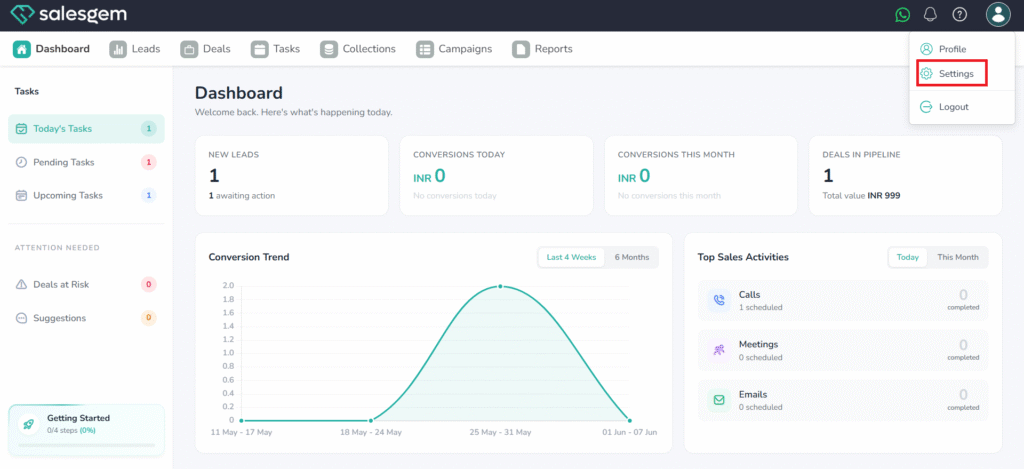
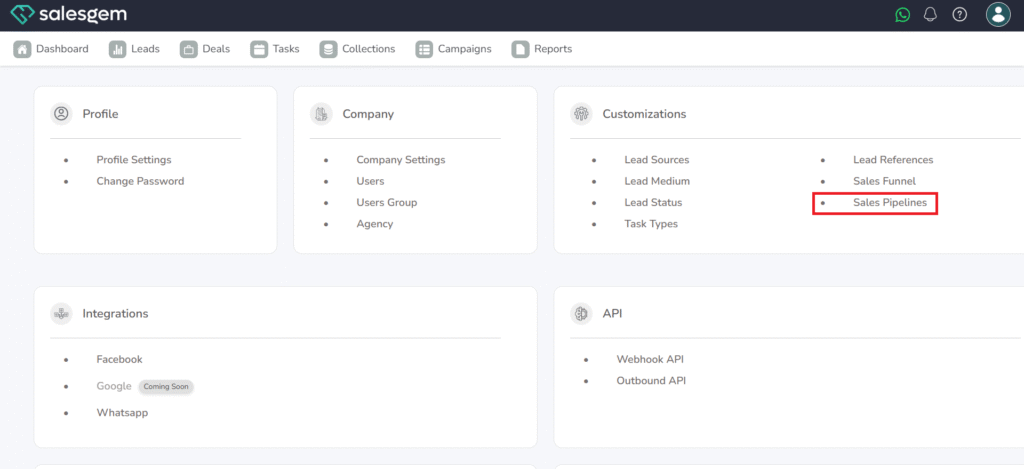
3.Click sales pipelines.
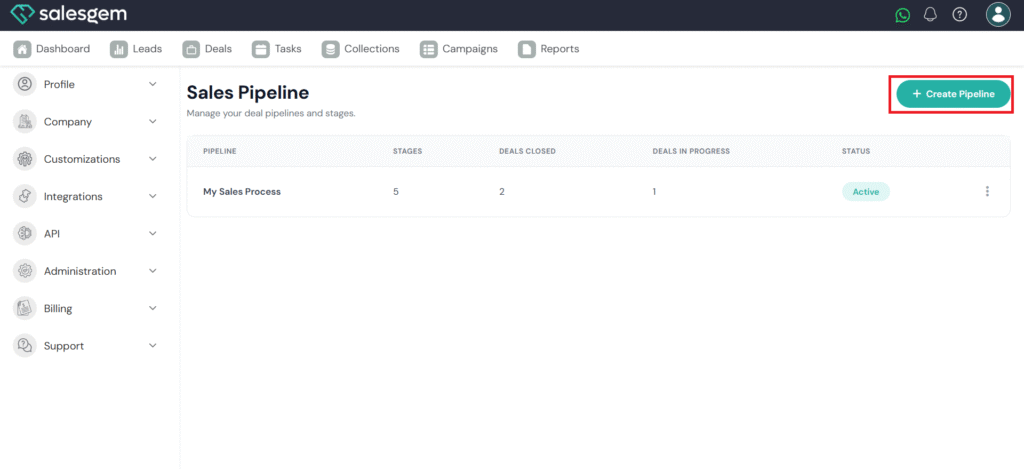
4. click create pipeline
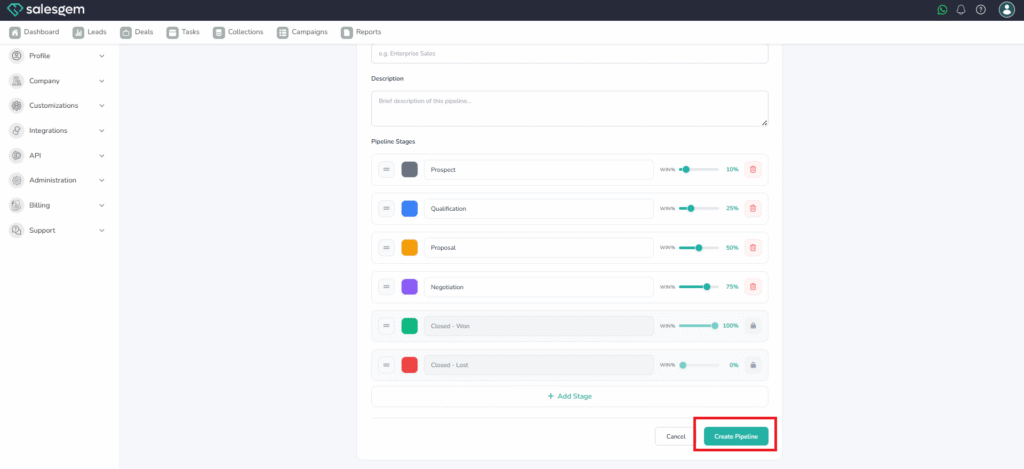
5. Enter pipeline details like Name, Add a description
6. Customize Your Pipeline Stages Edit Stage Names, Adjust Win Probabilities (WIN%)
7. Rearrange Stages, Delete Unwanted Stages
8. Add new stages
9.click on create pipeline