What are Products in Salesgem?
In Salesgem, Products are the goods or services that a business offers to its customers. Adding products to the CRM helps businesses maintain and organize information about what they sell and connect products with their sales activities and customer requirements.
How are Products useful for your business?
Products are useful for organizing the products or services offered by the business and managing customer interest more effectively. For example, if a real estate company sells different properties, it can add each property as a product in Salesgem, such as a 2 BHK apartment, 3 BHK apartment, or villa. When a lead shows interest in a particular property, the sales team can identify the product the customer is interested in and manage the sales process accordingly. This helps the team understand customer requirements, manage product-related sales activities, and track sales more efficiently.
What is Product Category in Salesgem?
In Salesgem, a Product Category is used to organize similar products or services into specific groups. It helps businesses classify their products based on their type, purpose, or other business requirements. Instead of managing all products together, businesses can arrange them into relevant categories, making it easier to identify and manage them.
How is Product Category useful to your business?
For example, suppose a real estate company sells different types of properties. The company can create product categories such as Apartments, Villas, and Commercial Properties. Individual properties can then be added under the appropriate category. For instance, a 3 BHK apartment can be added under the Apartments category, while a villa can be added under the Villas category.
This helps the business organize its products, quickly identify the type of product a customer is interested in, and manage product-related sales more efficiently. For example, if a customer is interested in an apartment, the sales representative can easily identify the relevant properties under the Apartments category and focus on those options.
To add a product category, we can edit the product from deals
Steps:
- Log in to your Salesgem account.
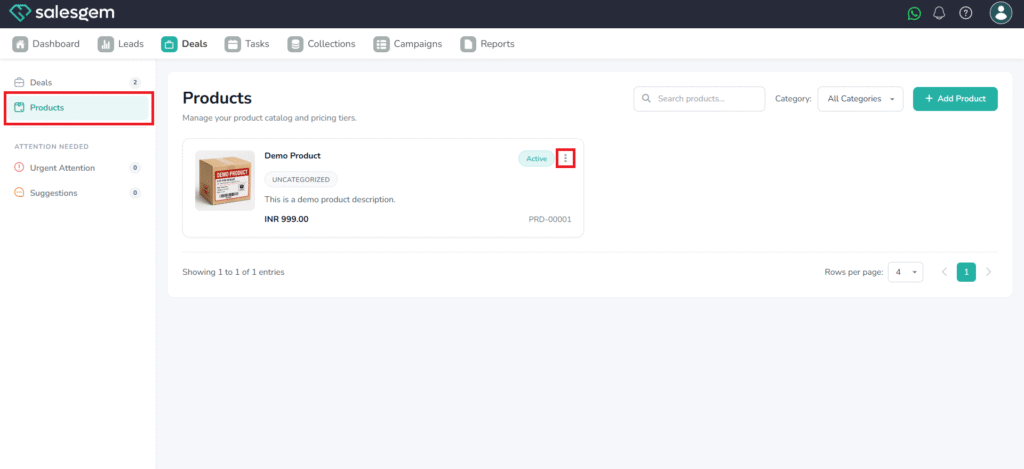
- Click on Deals
- Choose Product
- Click the three dots near the desired Product to edit.
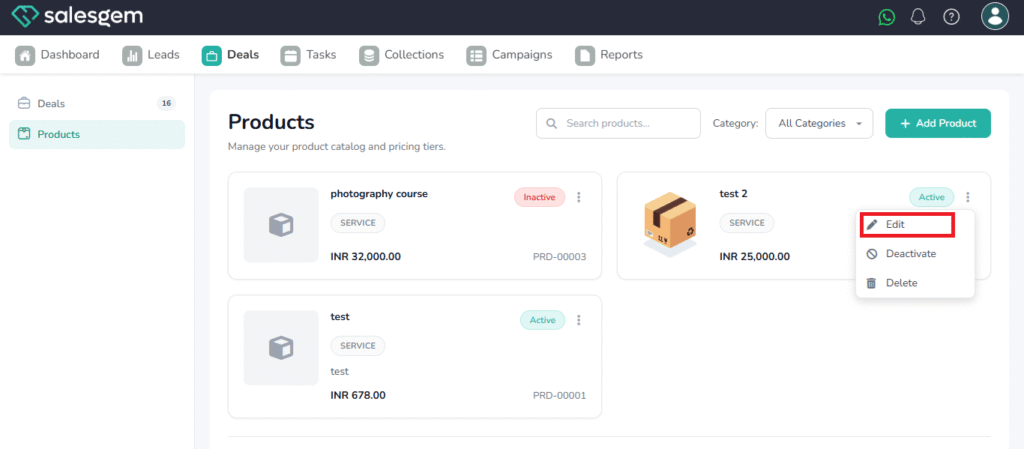
5. Choose Edit
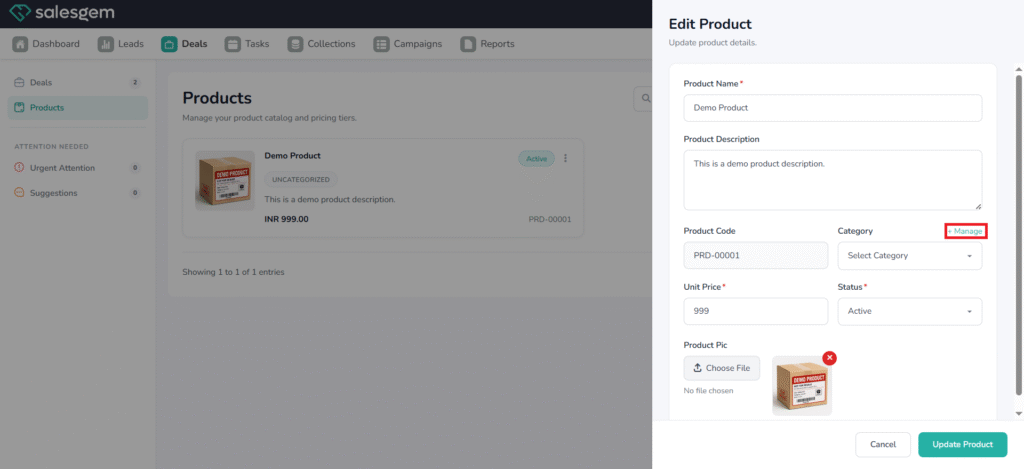
6. Click on +manage
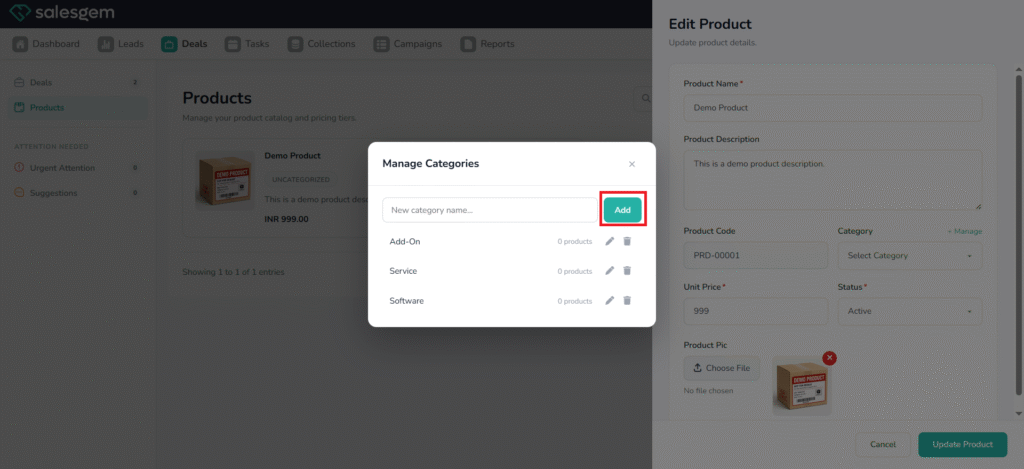
7. Type the category name
8. Click on Add