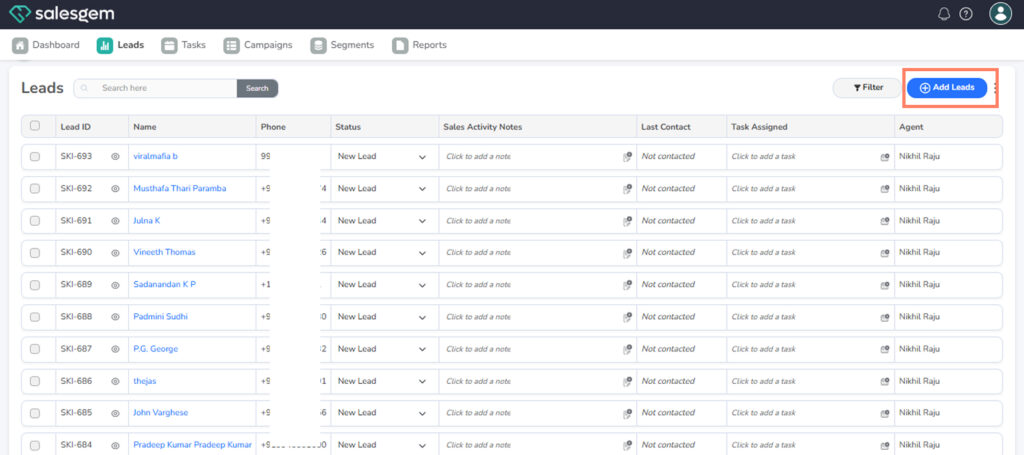
To create a lead, go to Leads, click Add Lead, fill in details, and save.
This is used to manually add prospects from meetings, calls, or events and keep their details up to date.
Steps:
- Go to Leads.
- Click Add Lead.
- Fill in lead details.
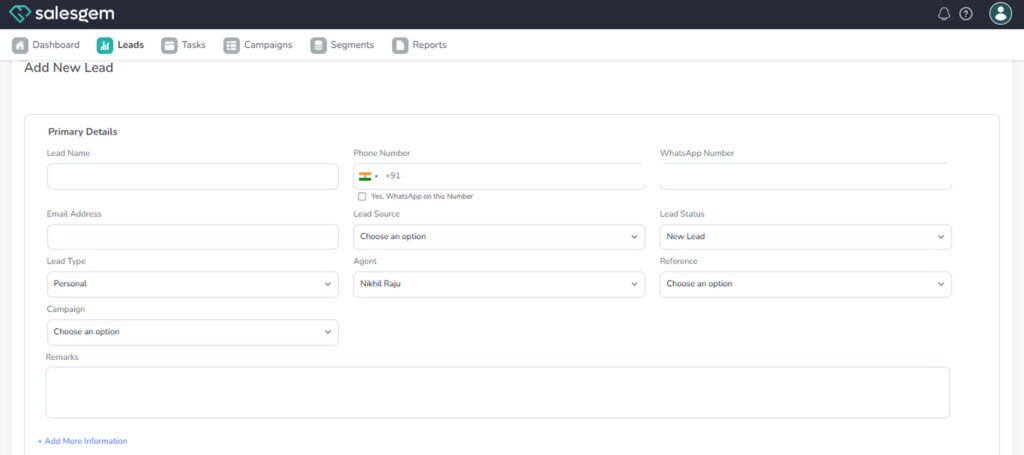
- Click Save.
In Salesgem, leads can be created by clicking the New Lead button, entering key details such as name, contact information, source, and status, and saving the record. Once created, leads can be managed through the Leads tab, where users can edit information, update status, assign ownership, and log activities like calls or emails.
The detailed lead view also allows attaching documents, setting reminders, and tracking interactions. This ensures that sales teams can nurture prospects effectively and move them through the pipeline until conversion. Keeping lead records updated and categorized improves reporting and overall sales performance.