What are Users in Salesgem?
In Salesgem, Users are the individual team members who have access to the CRM and are responsible for managing leads, sales activities, tasks, and other sales-related activities. Adding users allows a business to bring its entire sales team into one CRM system and assign responsibilities to the appropriate team members.
How are Users useful to your business?
For example, suppose a real estate company has 5 sales representatives who handle property enquiries. The company can add all 5 representatives as Users in Salesgem and assign leads to them based on their responsibilities. When a new lead is received, it can be assigned to a particular sales representative. That user can then contact the customer, update the lead status, add sales activities, create follow-up tasks, and manage the lead until it is converted.
This helps the company distribute leads among team members, clearly assign responsibilities, track individual sales activities, and monitor the progress of each lead. For example, if one sales representative has 30 assigned leads and another has 10, the manager can identify the workload and distribute new leads accordingly. Therefore, Users help businesses manage their sales team, improve coordination, and ensure that every lead is handled by the right person.
Steps:
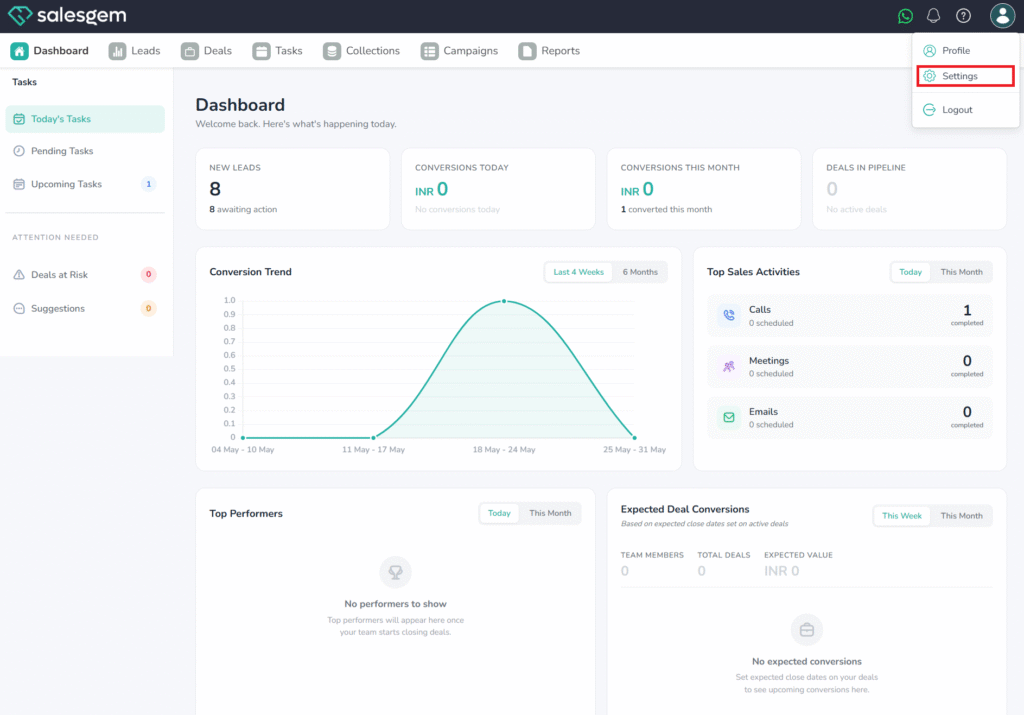
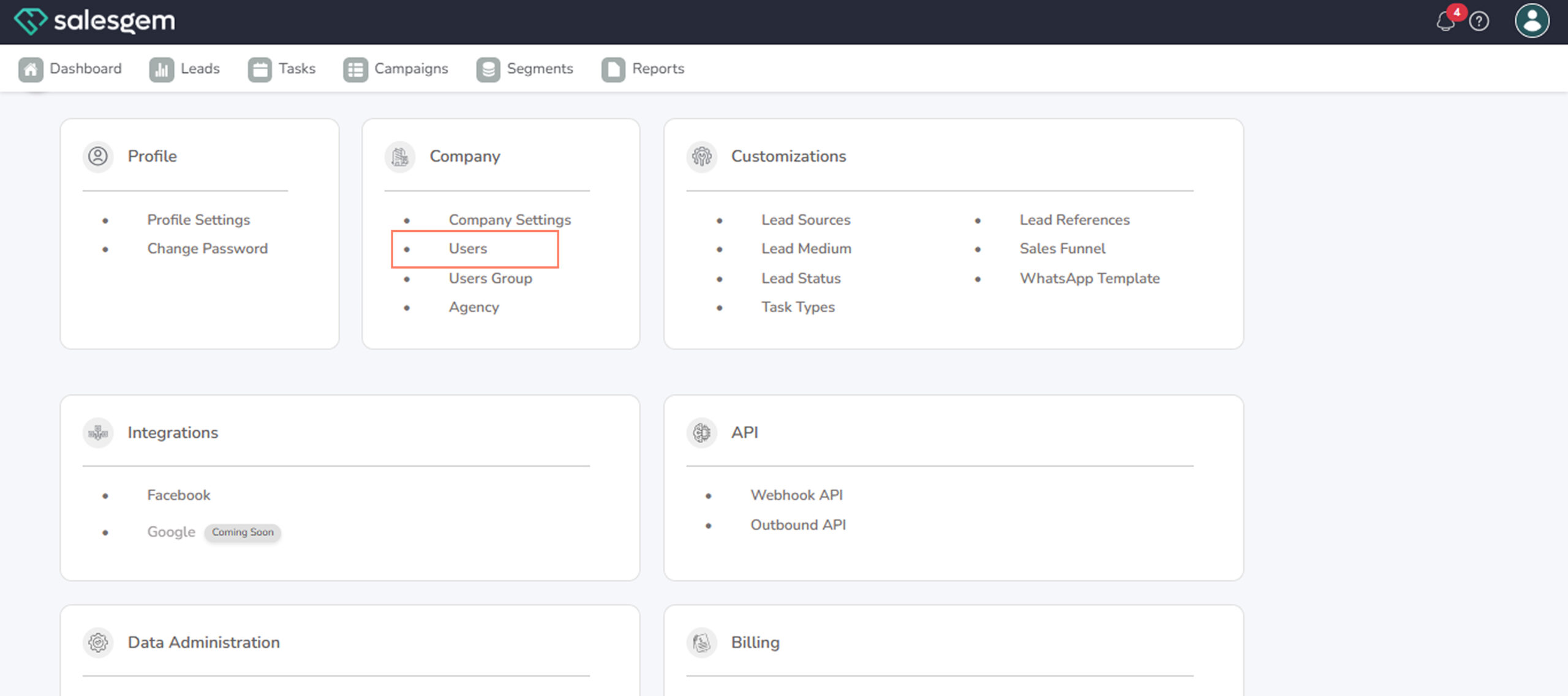
- Go to Settings → Company → Users.
- Locate the user whose password you want to change.
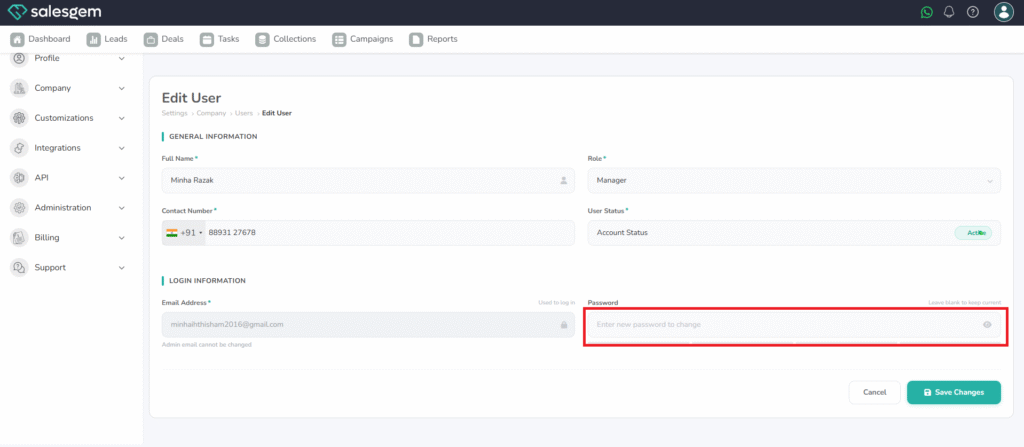
- Click Edit User.
- Select Change Password.
- Enter the new password.
- Save your changes.
FAQs:
- Q: Will the user be notified?
A: Yes, they’ll receive a notification after the change. - Q: Can users reset their own password?
A: Yes, through their profile settings or “Forgot Password” link.