What are Users in Salesgem?
In Salesgem, Users are the people in your organization who have access to the Salesgem CRM and use it to manage leads, sales activities, tasks, and other CRM operations. Users can be added based on their roles and responsibilities, allowing businesses to manage their sales team within a single CRM system.
How are Users useful to your business?
Users are useful for managing sales team members, assigning leads and tasks, and controlling access to CRM information based on their responsibilities. For example, if a company has five sales representatives, each representative can be added as a user in Salesgem. Leads can then be assigned to the appropriate sales representative, who can manage the lead, update its status, add sales activities, and follow up with the customer. This helps businesses distribute work among team members, monitor sales activities, and manage the overall sales process more efficiently.
HOW TO ADD USER:
Steps:
- Log in to your Salesgem account.
- Go to Settings → Company → Users List.
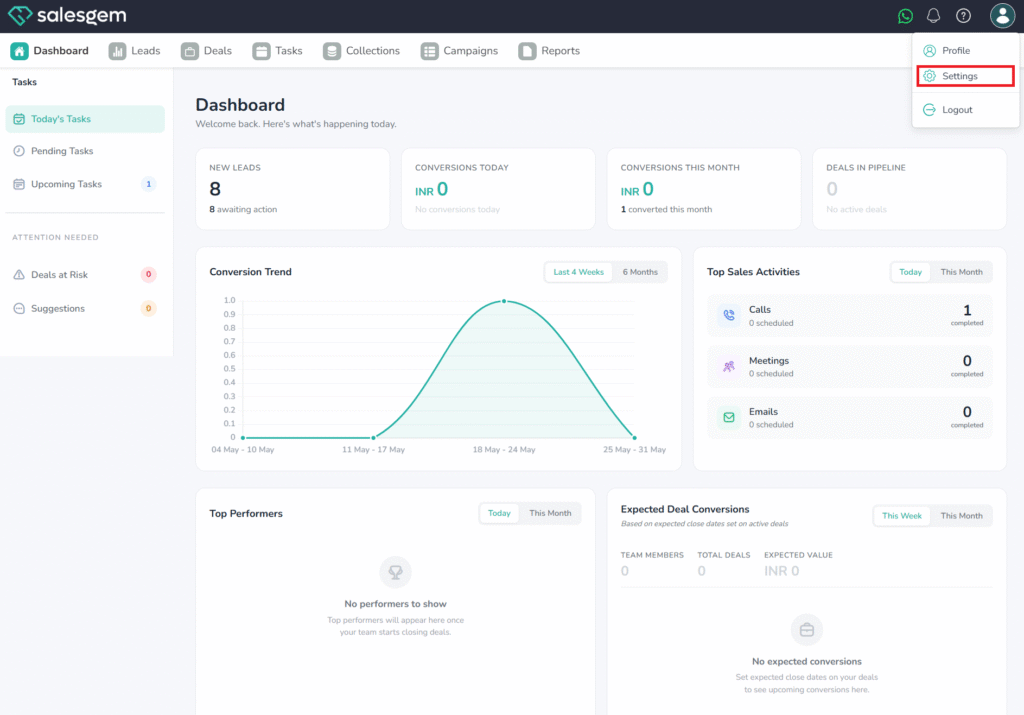
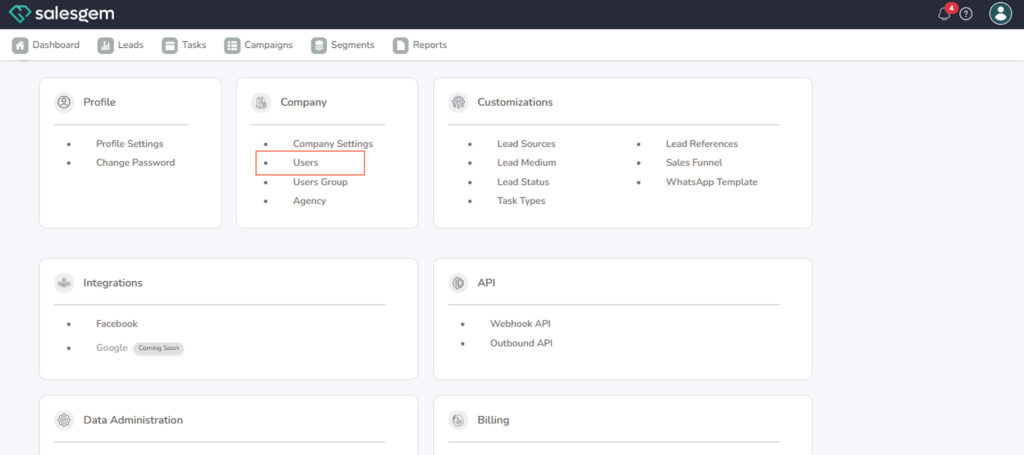
3. Click Add User.
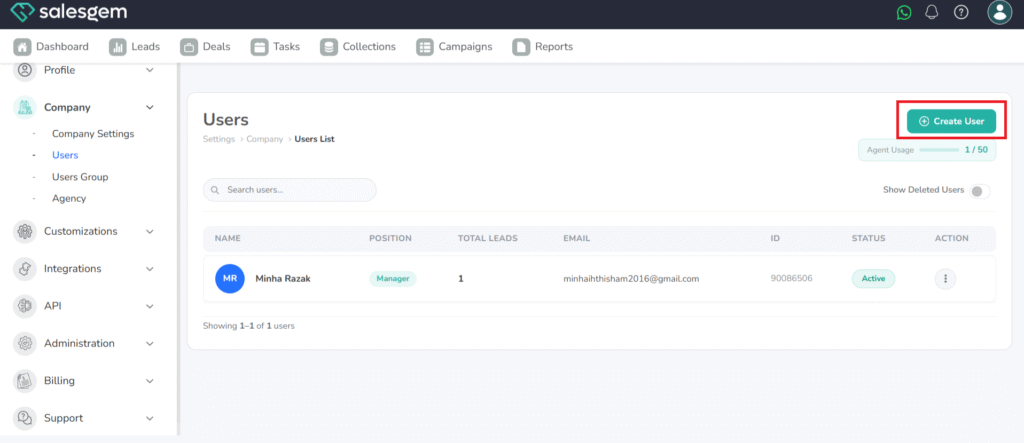
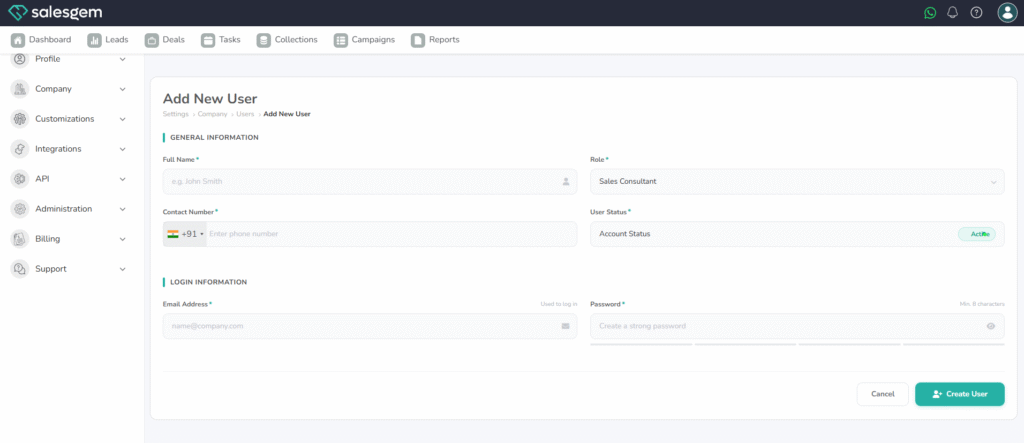
4. Enter the user’s email address.
5. Select the role (e.g., Admin, Manager, Sales Rep).
6. Click Create User.
FAQs:
Q: Can I add multiple users at once?
A: Users must be added one at a time.
Q: Will the invited user get an email notification?
A: Yes, they’ll receive an email to set up their account