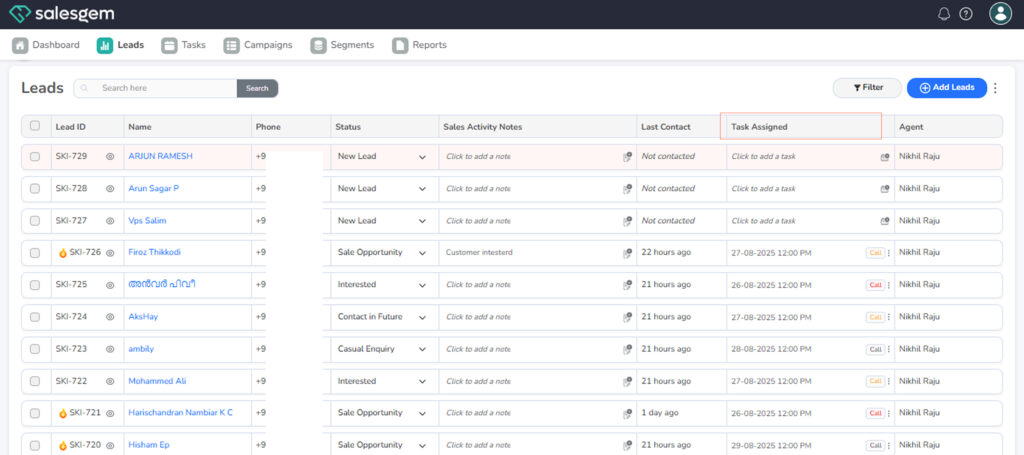
To add a task, go to the lead’s Task Assigned section, set the type, date, time, and link it to an activity.
Tasks help ensure timely follow-ups.
Steps:
- Go to Leads.
- Go to Task Assigned.
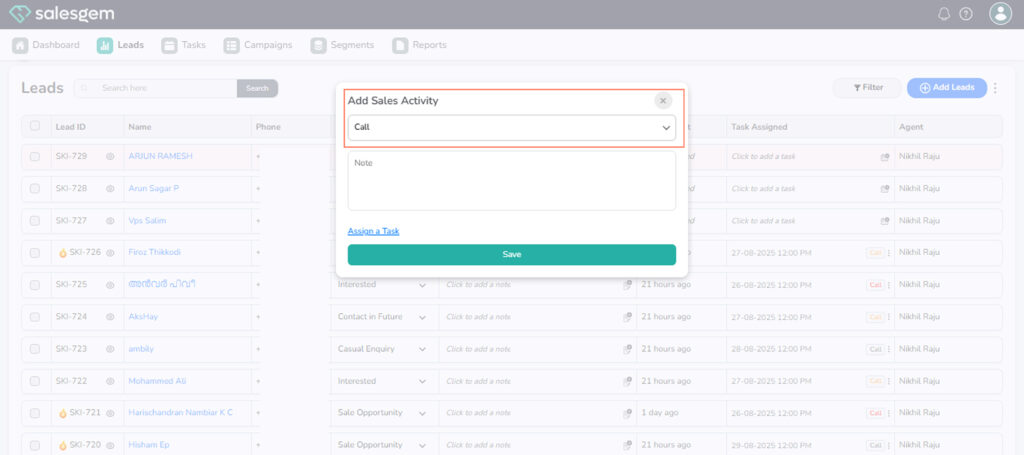
3. save
To add a task, go to the lead’s Task Assigned section, set the type, date, time, and link it to an activity.
Tasks help ensure timely follow-ups.
Steps:
3. save