To add a sales activity, go to the lead’s Sales Activity Notes, select an activity type, and optionally add notes.
This logs calls, meetings, and other interactions for reference.
Steps:
- Go to Leads.
- Go to Sales Activity Notes.
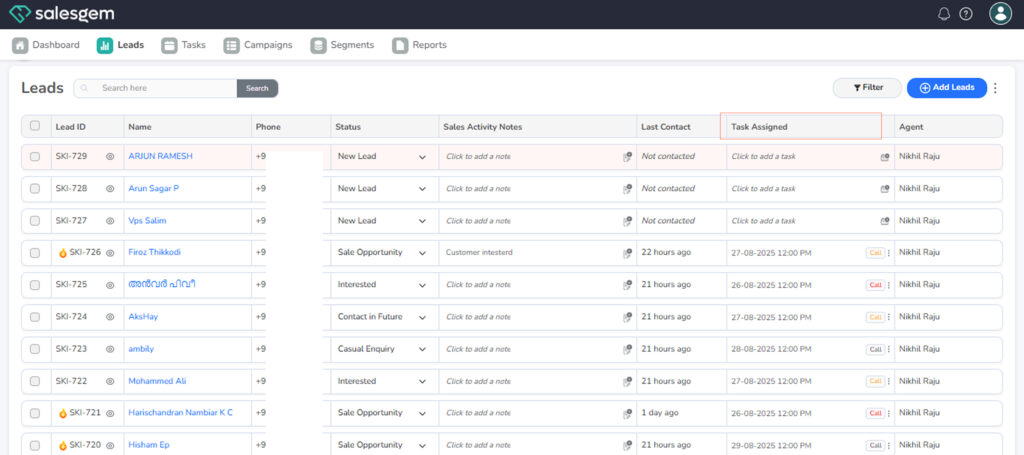
- Select an activity from the options.
- (Optional) Add notes.
- Save.
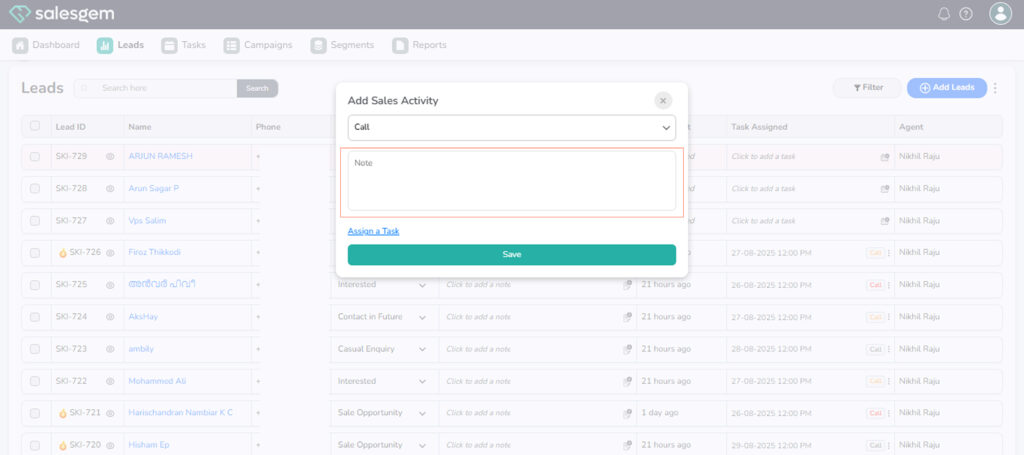
Salesgem allows you to track every interaction with a prospect or customer by adding sales activities directly to a lead. From the Leads module, open a specific lead and navigate to the Activities section. Here, you can log actions such as calls, meetings, emails, or follow-ups by selecting the activity type and filling in details like notes, timing, and responsible agent. Once saved, the activity becomes part of the lead’s history, helping sales teams maintain a clear record of communications and ensuring no important touchpoint is missed during the sales process.