To view full lead details, click a lead to open its detail page.
This shows all contact info, activities, tasks, and notes in one place.
Steps:
- Go to Leads.
- Click a lead.
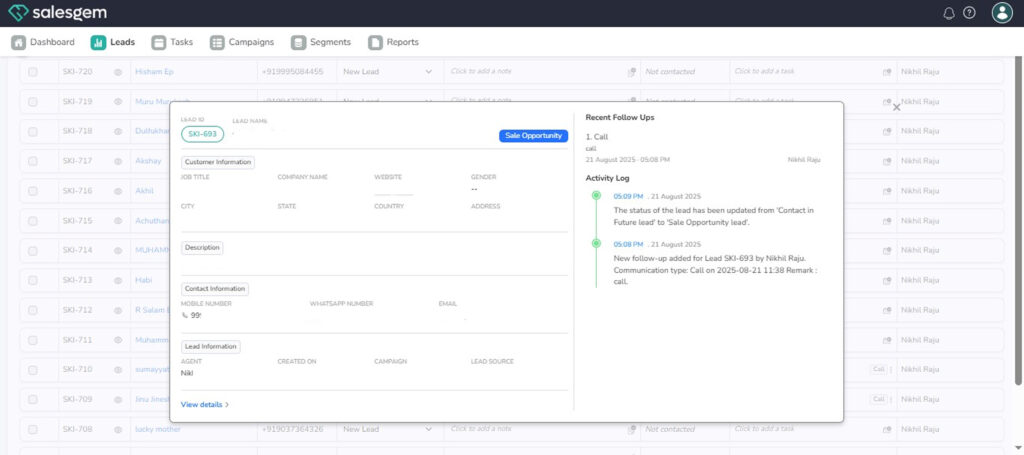
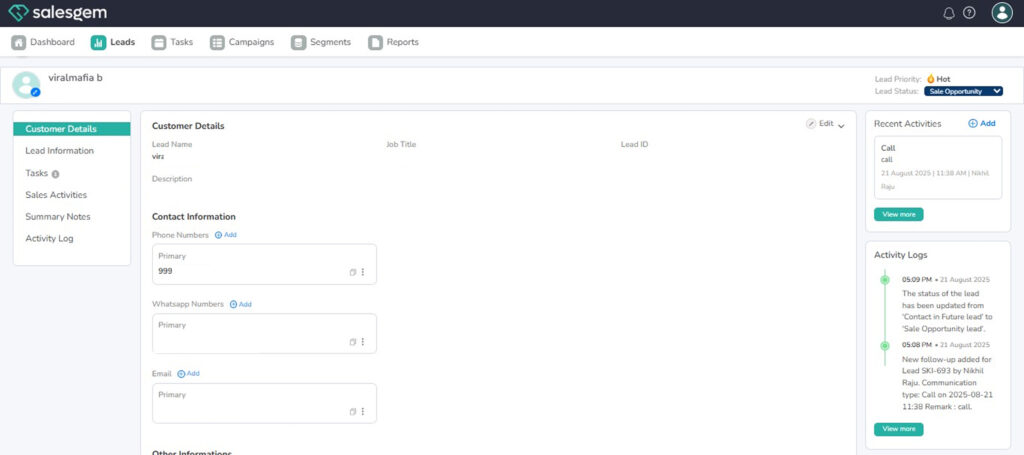
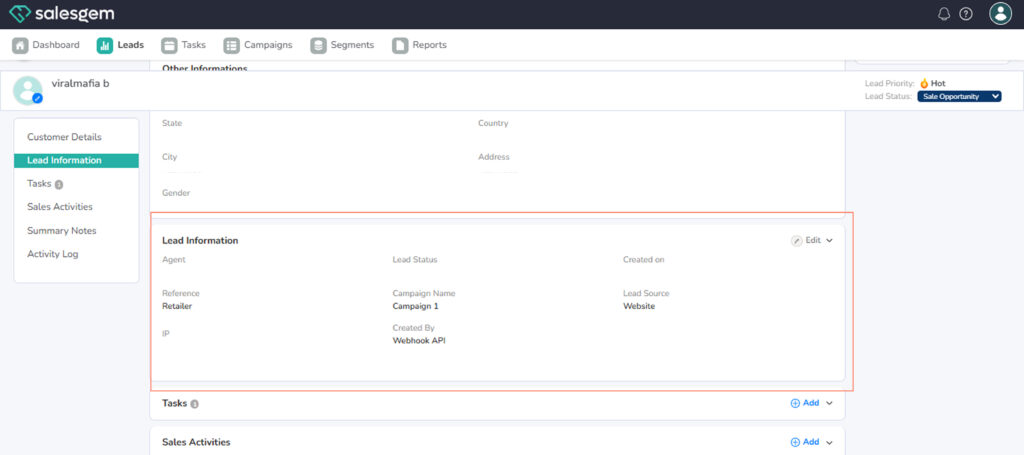
4. Review the details.
The Detailed Lead View in Salesgem provides a complete profile of each lead, bringing together all important information in one place. When you open a lead, you can see their basic details such as name, email, phone number, and company information, along with any custom fields your organization has added. The view also displays the lead’s status, source, and the user currently assigned to handle it, making it easy to track ownership and progress.
Below this, you’ll find a timeline of all activities linked to the lead, including calls, emails, notes, and tasks, ensuring that every interaction is documented for better follow-up. If campaigns or segments are connected, those details will also appear here. The Detailed Lead View is designed to give sales teams a 360-degree understanding of each prospect, helping them manage communication, track engagement, and move leads smoothly through the funnel.