What are Deal Stages in Salesgem?
In Salesgem, Deal Stages represent the different steps a sales opportunity goes through from the initial stage to the final outcome. They help the sales team understand the current position of a deal and track its progress throughout the sales process. Businesses can create stages according to their own sales process, such as New, Qualified, Proposal, Negotiation, Won, and Lost.
How are Deal Stages useful to your business?
For example, suppose a real estate company has a customer who is interested in purchasing a property worth ₹80 lakh. The deal can move through different stages such as New → Qualified → Site Visit → Negotiation → Won. When the customer first shows interest, the deal is placed in the New stage. After the sales representative confirms the customer’s requirements, it can move to Qualified. If the customer visits the property, it can move to Site Visit, followed by Negotiation when discussing the price. Once the customer completes the purchase, the deal can be moved to Won.
This helps the business track the progress of every sales opportunity, identify which deals require follow-up, prioritize high-potential opportunities, and monitor how close deals are to conversion. For example, if a manager sees several deals in the Negotiation stage, they can focus on those opportunities because they may be closer to becoming successful sales.
Steps:
- Log in to your Salesgem account.
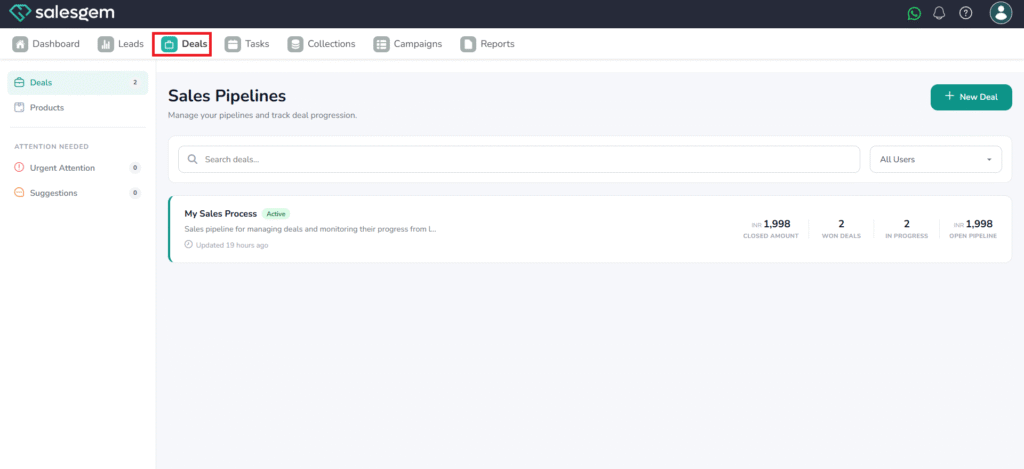
- Click on Deals
- Click on My sales process
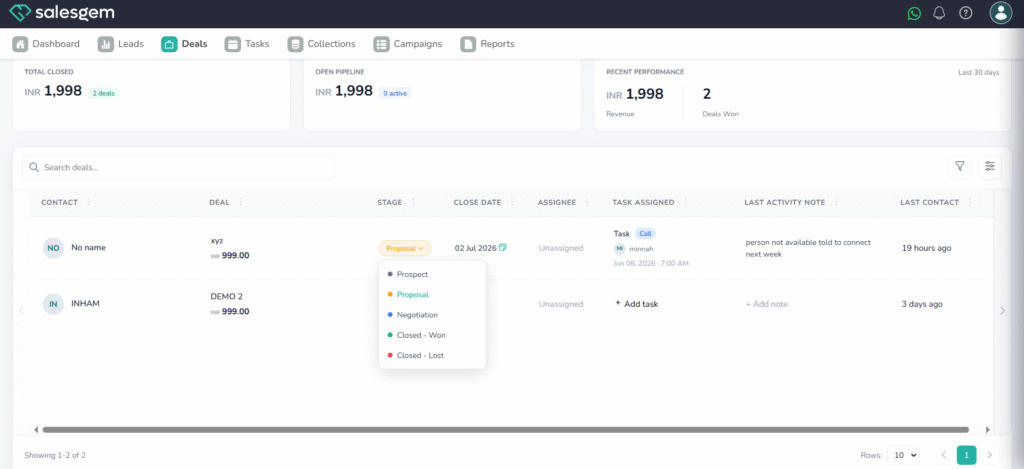
4. We can see the list of deals listed there
5. Under stages, we can see the stages of lead. We can change the lead from there
We have another option available
Steps:
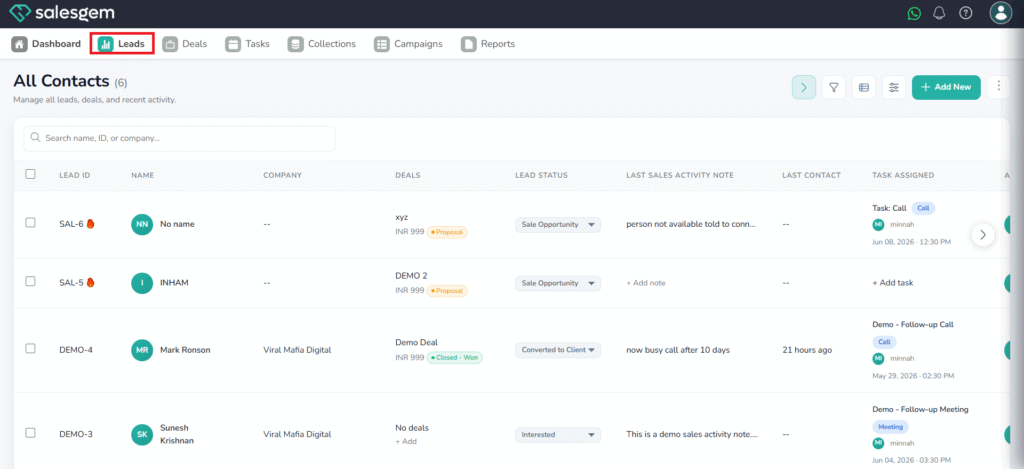
- Log in to your Salesgem account.
- click on leads
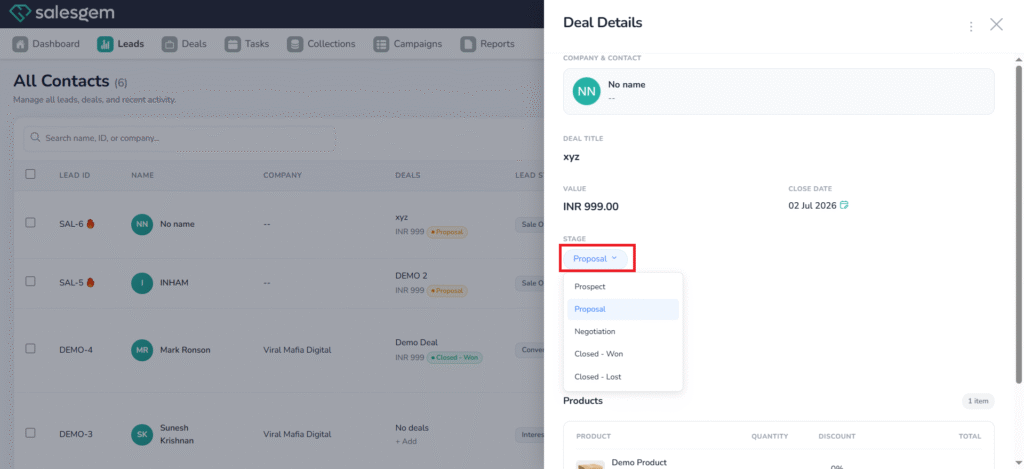
- Click on the deals you want to change status