Watch video Tutorial
What is a User Group in Salesgem?
In Salesgem, a User Group is used to organize users based on their team, location, department, or specific responsibilities. It is especially useful for companies that have multiple branches or teams and want to manage leads separately.
Example
For example, suppose a company has offices in Kochi and Calicut. The company can create two User Groups in Salesgem: Kochi Team and Calicut Team. The sales representatives working in Kochi can be added to the Kochi Team, while the representatives working in Calicut can be added to the Calicut Team. Leads generated from the Kochi area can then be assigned to the Kochi Team, while leads from Calicut can be assigned to the Calicut Team.
How is it useful to us?
User Groups help businesses organize sales teams based on location and distribute leads to the appropriate team. This makes lead assignment easier, prevents confusion between teams, and ensures that leads are handled by the sales representatives responsible for that particular location. It is particularly useful for businesses with multiple branches, regions, or sales teams.
Steps:
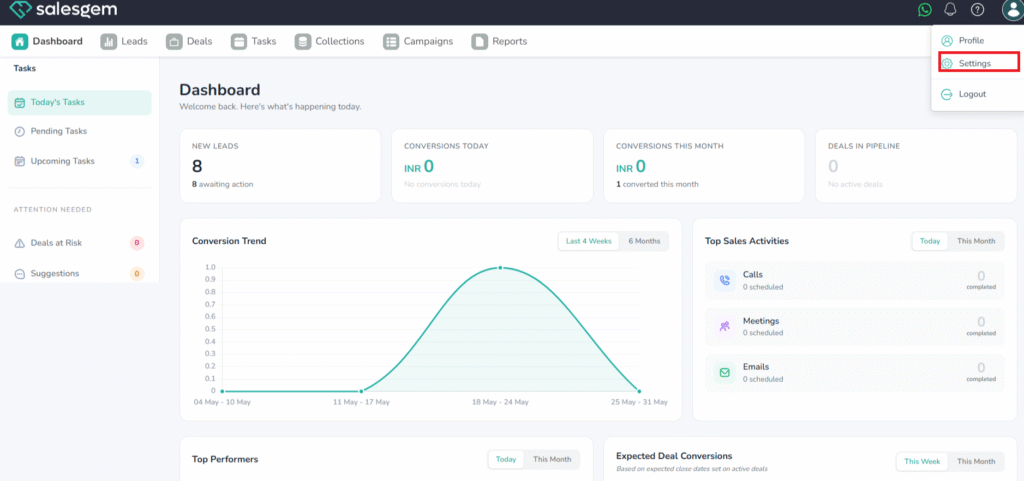
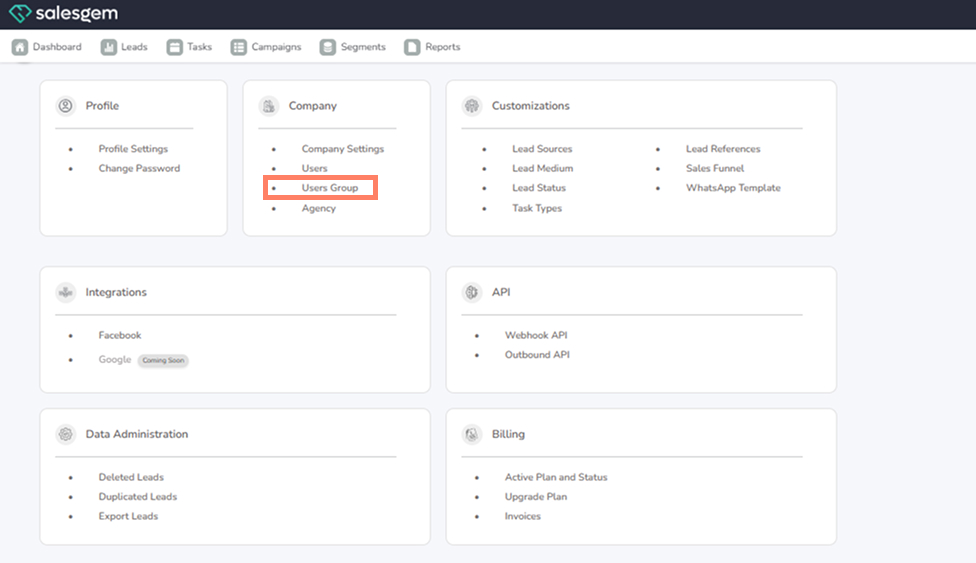
- Go to Settings → Company → User Groups.
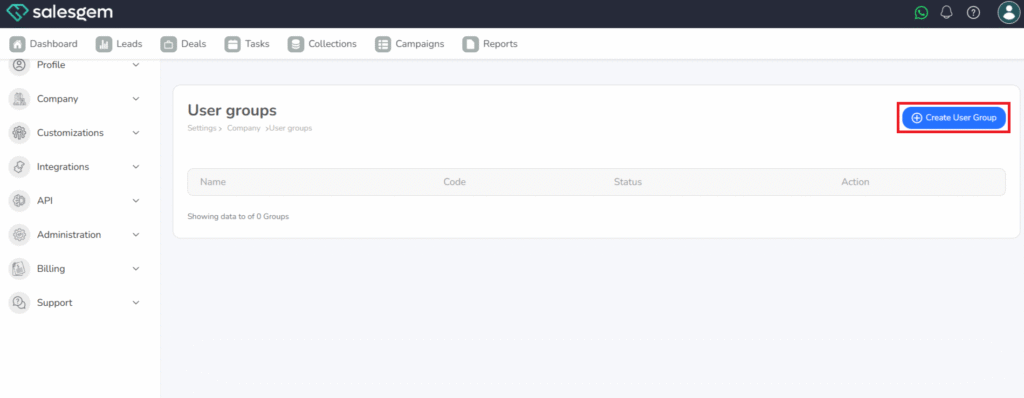
- Click Add Group.
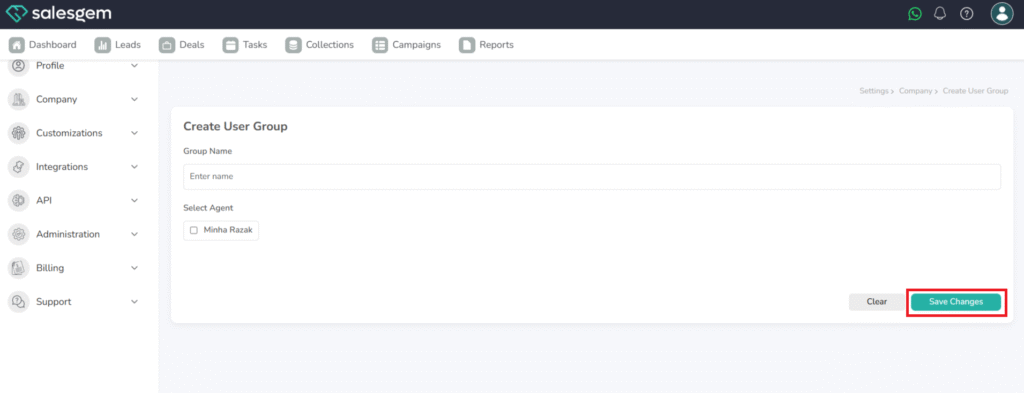
- Enter a group name.
- Add members to the group.
- Assign permissions for the group.
- Click Save.
FAQs:
Q: Can a user belong to more than one group?
A: Yes, they can be added to multiple groups.
Q: Can I delete a group?
A: Yes, but it does not remove the users from Salesgem