Admins can change or reset a user’s password directly from the Edit User page.
Steps:
- Go to Settings → Company → Users.
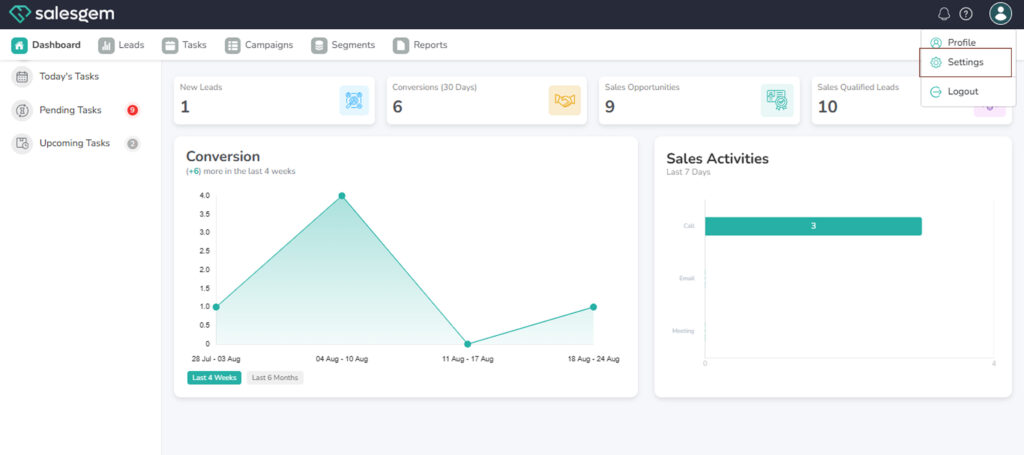
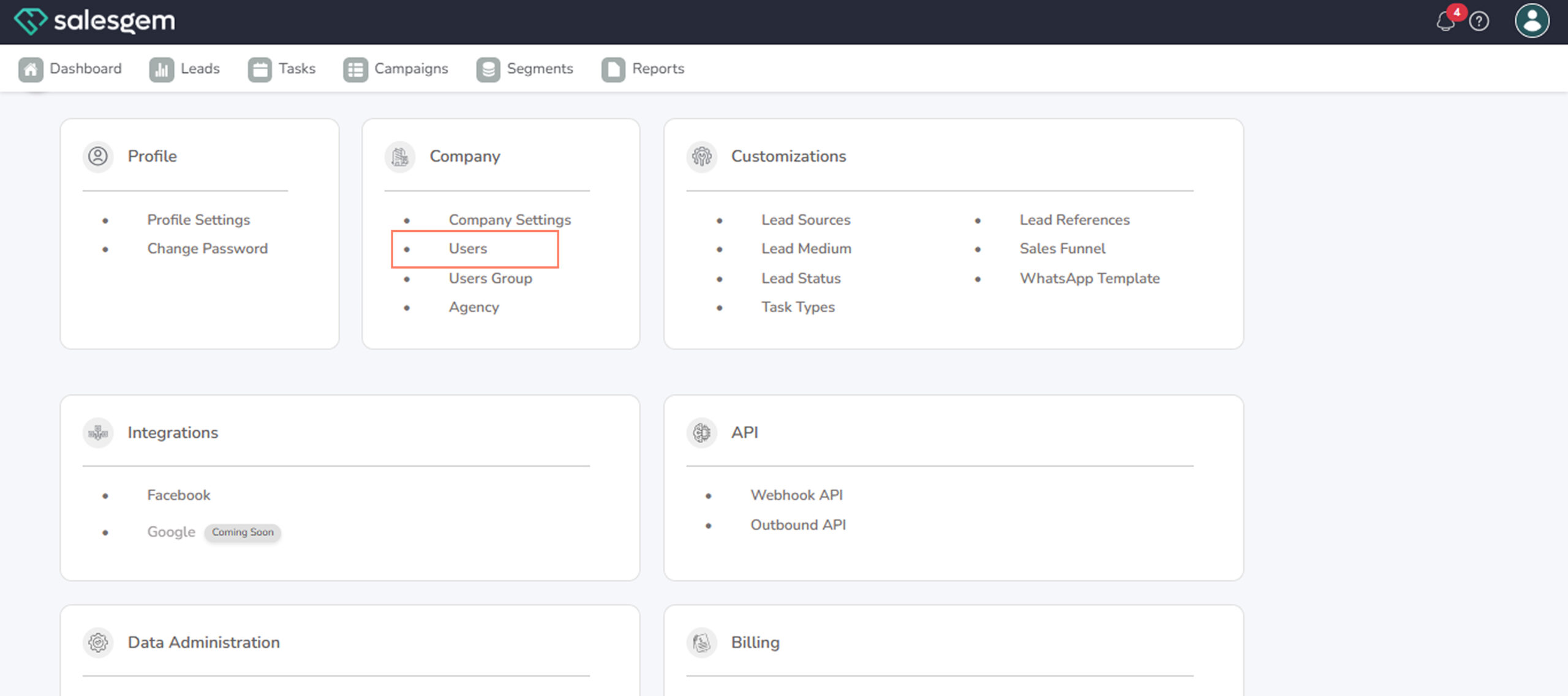
- Locate the user whose password you want to change.
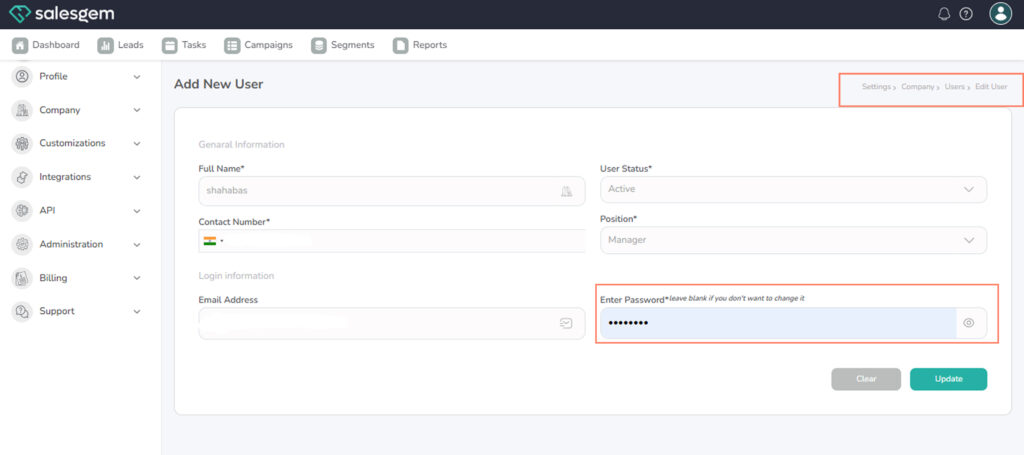
- Click Edit User.
- Select Change Password.
- Enter the new password.
- Save your changes.
FAQs:
- Q: Will the user be notified?
A: Yes, they’ll receive a notification after the change. - Q: Can users reset their own password?
A: Yes, through their profile settings or “Forgot Password” link.