What are Change Reasons in Salesgem?
In Salesgem, Change Reasons are used to record the reason why a lead or deal has been moved from one status or stage to another. They provide additional context about changes made during the sales process, helping the sales team and managers understand why an opportunity has progressed, been delayed, or moved to a different stage.
How are Change Reasons useful to our business? With Example
For example, suppose a customer is interested in purchasing a property, but after discussing the details, they decide to postpone the purchase for three months. The sales representative can update the deal stage and select a Change Reason such as “Purchase postponed”. Similarly, if a deal is marked as Lost, the reason could be “Price too high,” “Customer chose another property,” or “Not interested.”
This information helps the business understand why leads or deals are changing stages, identify common reasons for lost opportunities, and improve future sales strategies. For example, if many deals are marked as Lost because of pricing, the business can review its pricing or offer additional discounts or payment options.
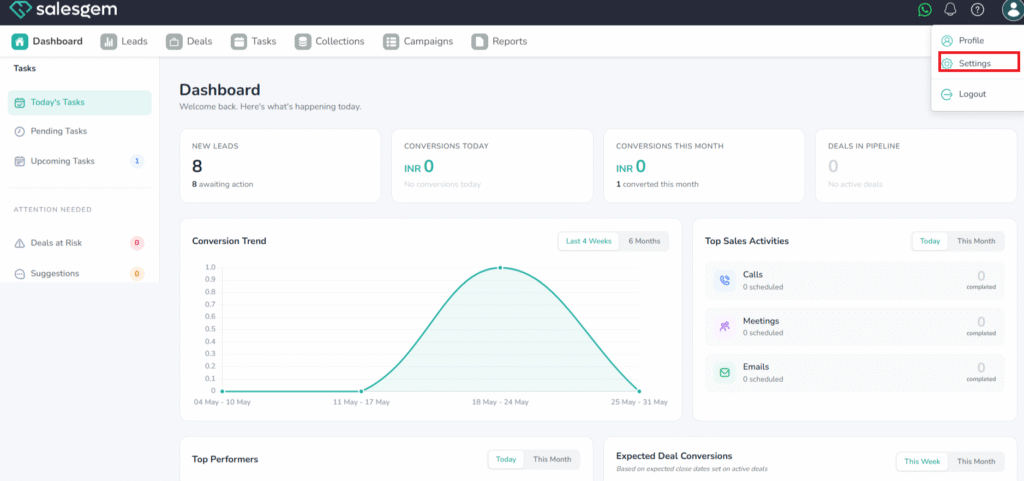
You can add or edit lead status change reasons in Salesgem from Settings → Lead Customizations → Status Change Reasons. These reasons help track why a lead moved from one status to another, giving your team better clarity and insights in reports.
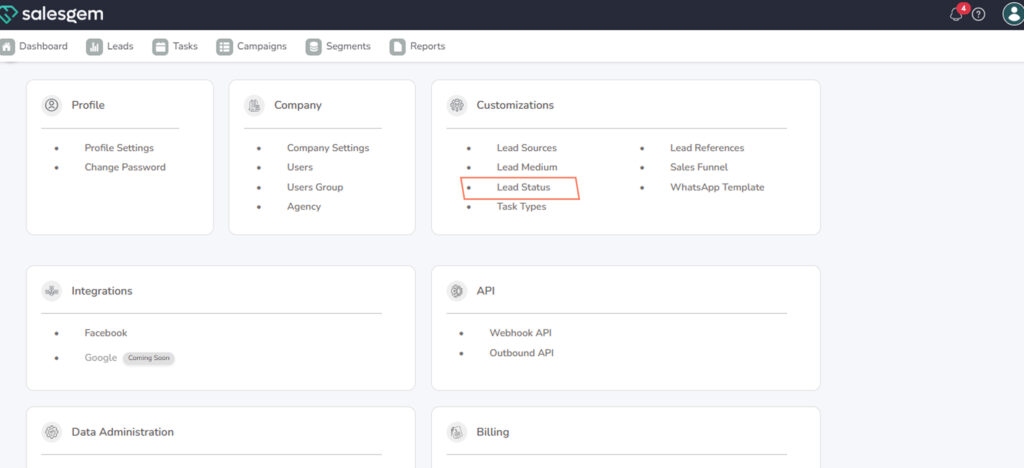
Click Lead status .
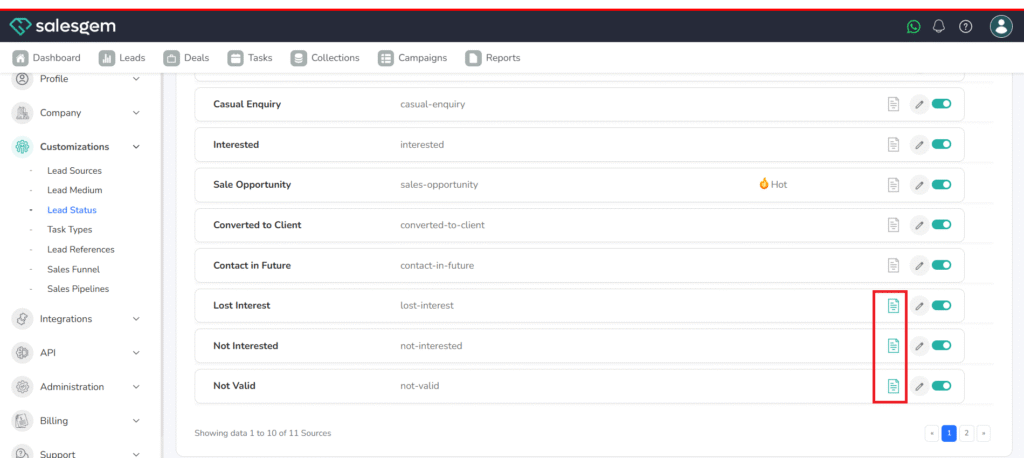
Select Status Change Reasons.
Click Add Reason (or New Reason).
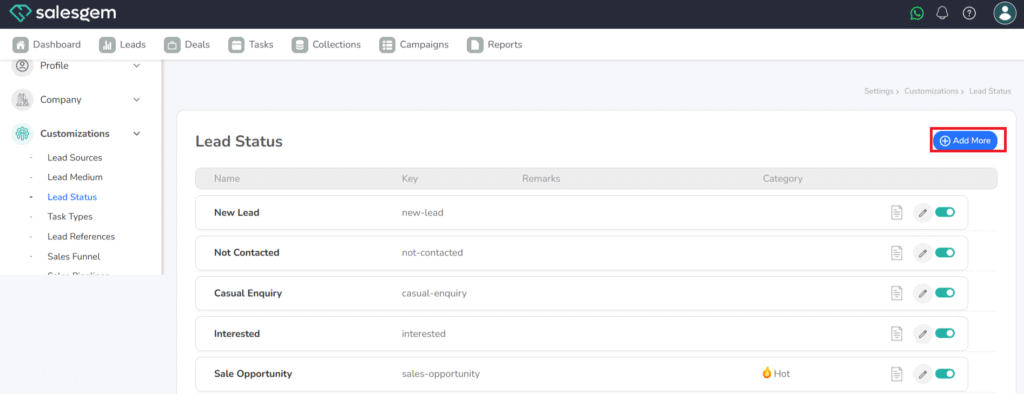
Enter the Reason Name