You can add or edit lead status change reasons in Salesgem from Settings → Lead Customizations → Status Change Reasons. These reasons help track why a lead moved from one status to another, giving your team better clarity and insights in reports.
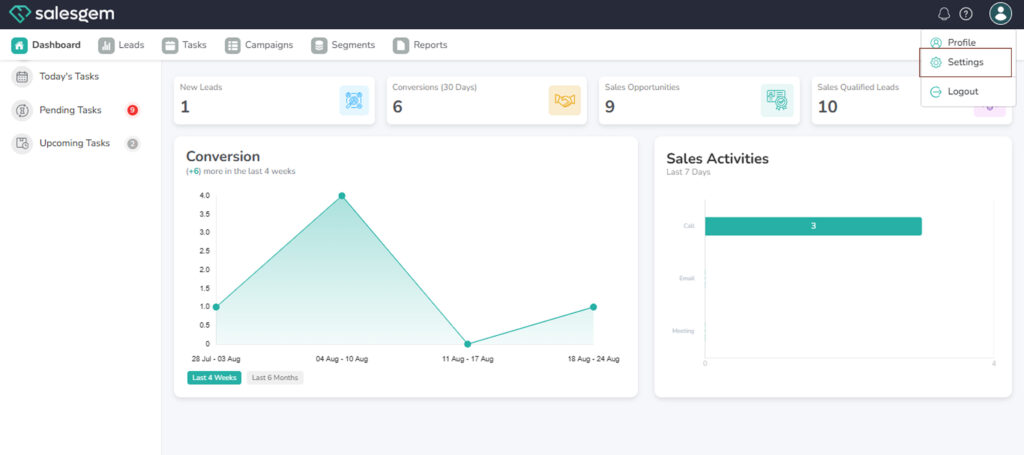
Click Lead status .
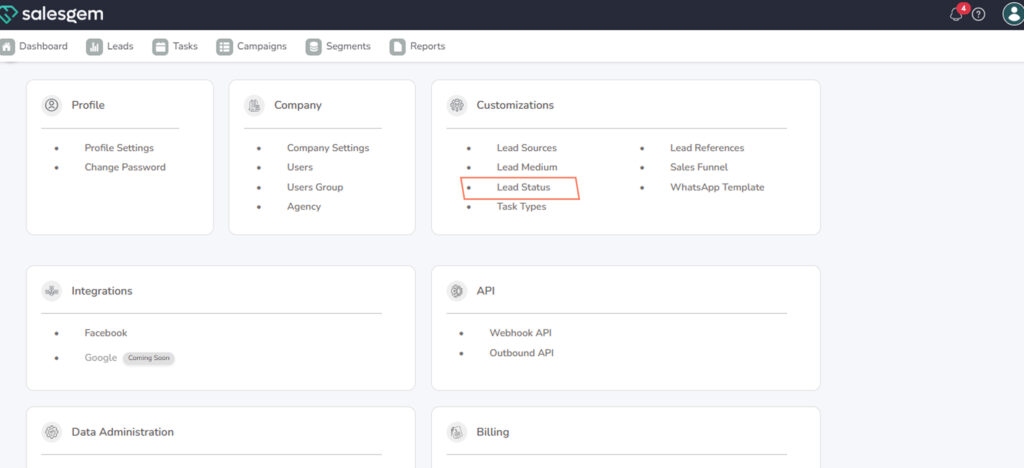
Select Status Change Reasons.
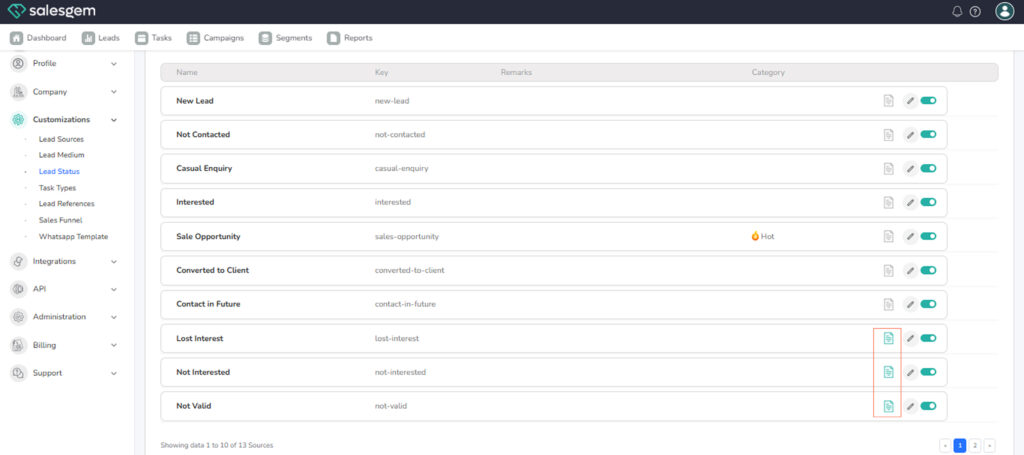
Click Add Reason (or New Reason).
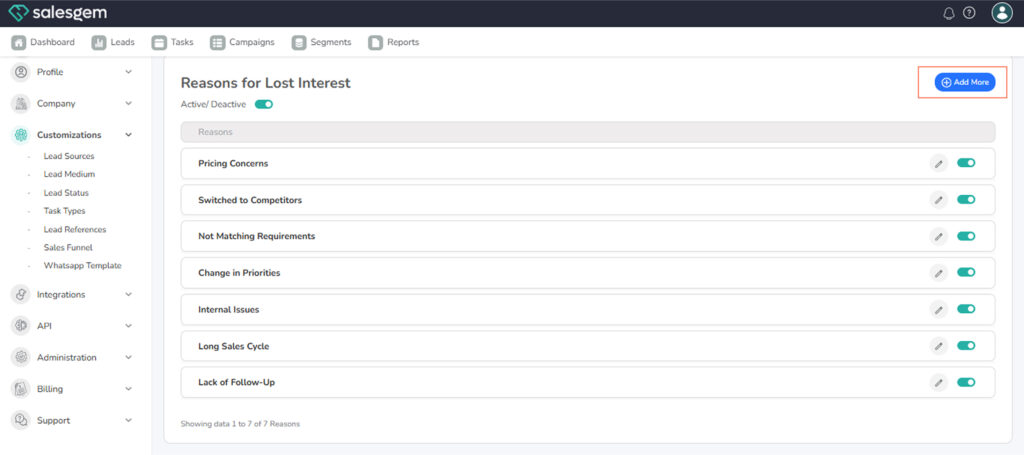
Enter the Reason Name
In Salesgem, lead status change reasons are managed from Settings → Lead Customizations → Status Change Reasons, and they allow you to track the exact reason a lead moves from one status to another. To add a new reason, simply click Add Reason, enter a clear name such as Customer Not Interested or Budget Issues, and save it as active so your team can use it right away. If you need to make adjustments, you can edit any existing reason by updating its name or description, and the changes will automatically reflect in dropdowns and reports.
When a reason is no longer relevant, it’s better to deactivate or archive it rather than deleting, which preserves historical reporting while keeping the list clean for current use. Since these reasons feed directly into the Status Change Reasons Report, keeping them clear, specific, and up to date ensures you always have actionable insights into why leads are moving through your pipeline.