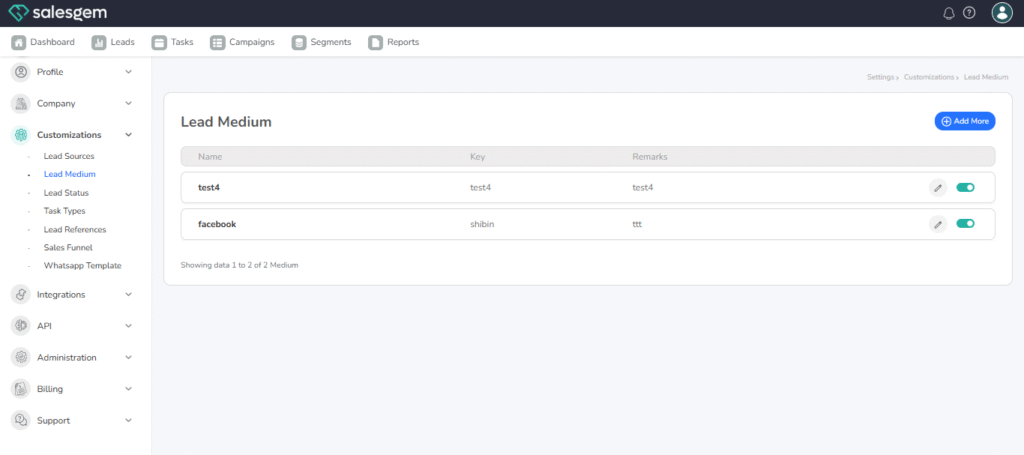
To add or edit a Lead Medium in Salesgem, first log in to your admin account and go to the Settings section from the main dashboard. Under settings, open Lead Customizations and then select Lead Medium. Here, you will find the existing list of mediums such as Calls, Emails, Social Media, or Website. To add a new medium, simply click the Add New button, enter the name of the medium you want to include, and save it. This ensures that your team can properly categorize and track leads coming from different sources.
If you want to edit an existing lead medium, select the medium from the list and click on the Edit option. Make the necessary changes, such as updating the name or description, and then save it. Once saved, the updated or newly added lead mediums will appear in the dropdown list whenever a lead is created or updated. This customization feature allows you to maintain consistency in lead tracking and generate more accurate reports about which mediums perform best in your sales process.