You can activate or deactivate a user in Salesgem from the Edit User page under Company Settings.
Steps:
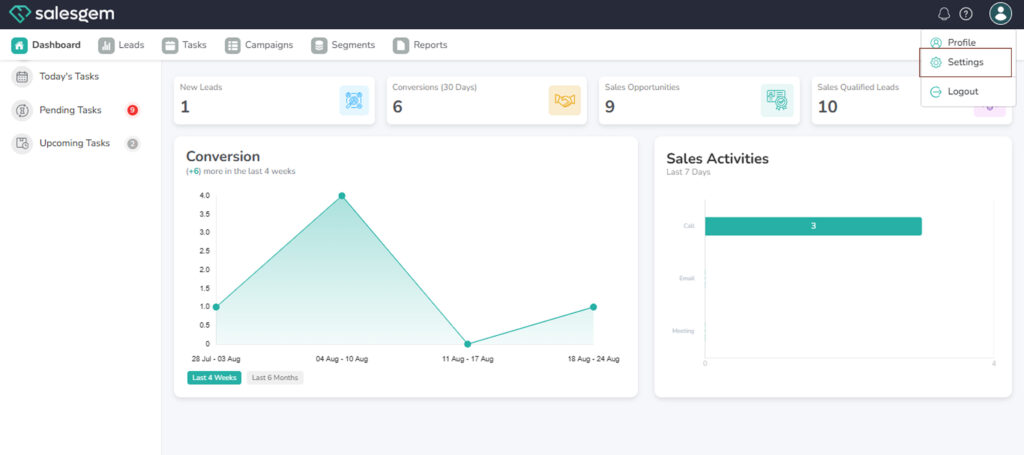
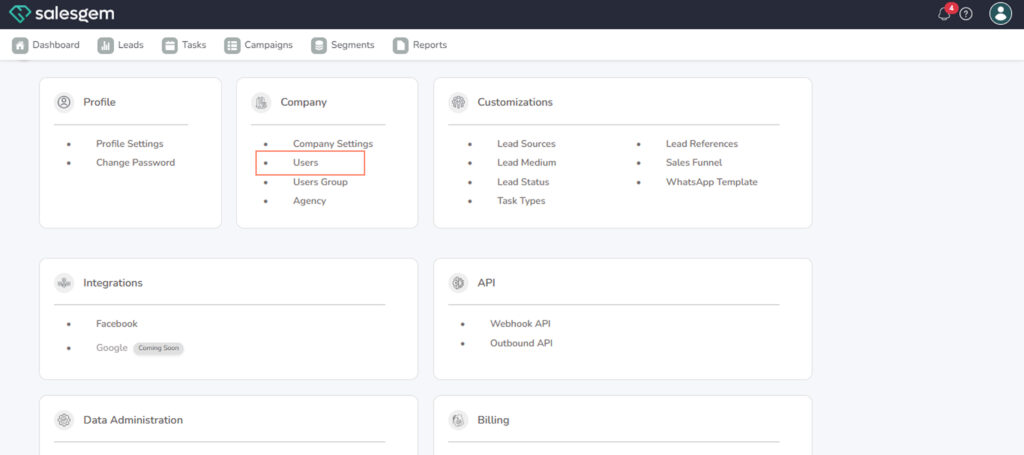
- Go to Settings → Company → Users.
2. Click Edit User.
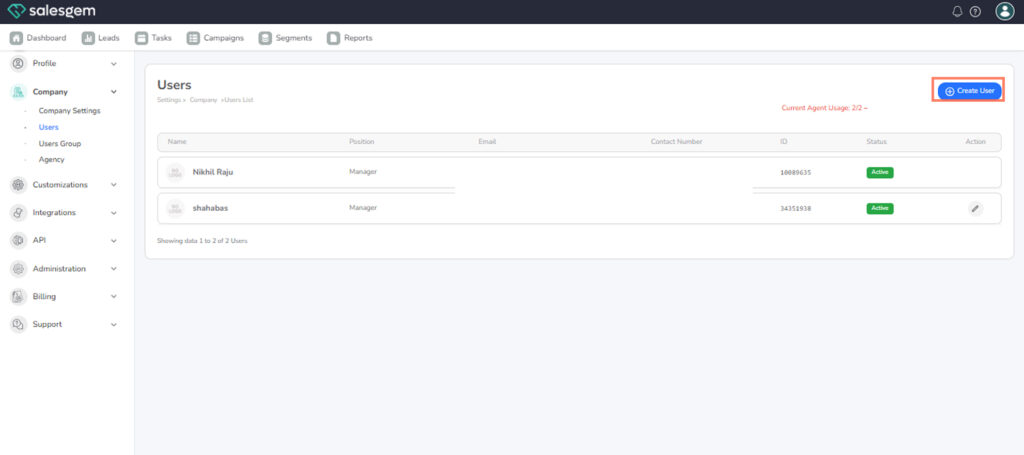
3. Find the user you want to update.
4. Change the status from Active to Inactive, or vice versa.
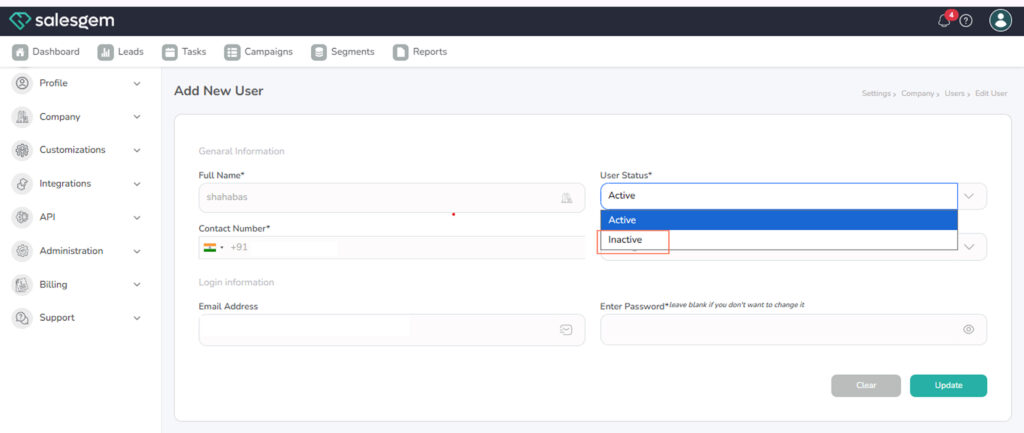
5. Save your changes.
FAQs:
- Q: Will deactivating delete their leads?
A: No, their leads remain in the system. - Q: Can I reactivate them later?
A: Yes, with their previous permissions restored.