What is Lead Status in Salesgem?
In Salesgem, Lead Status indicates the current stage or condition of a lead in the sales process. It helps sales teams understand where each lead stands, from the initial enquiry to the final conversion. Businesses can use different statuses based on their sales process, such as New, Contacted, Interested, Follow-up, Qualified, Converted, or Lost.
How is Lead Status useful to your business?
Lead Status helps sales teams track the progress of every lead, prioritize follow-ups, and understand which leads require further attention. For example, when a customer submits an enquiry for a property, the lead can initially be marked as New. After the sales representative contacts the customer and confirms their interest, the status can be updated to Interested. If the customer requests more information, it can be moved to Follow-up, and once the customer completes the purchase, the status can be updated to Converted. This helps the sales team clearly understand the progress of each lead and manage the sales process more effectively.
HOW TO ADD NEW LEAD STATUS:
Steps:
- Log in to your Salesgem account.
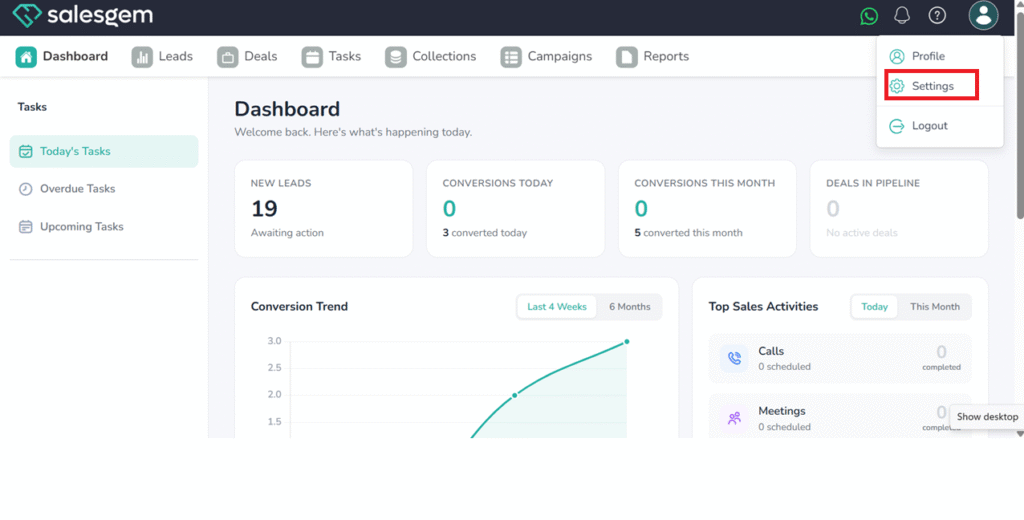
- click on settings
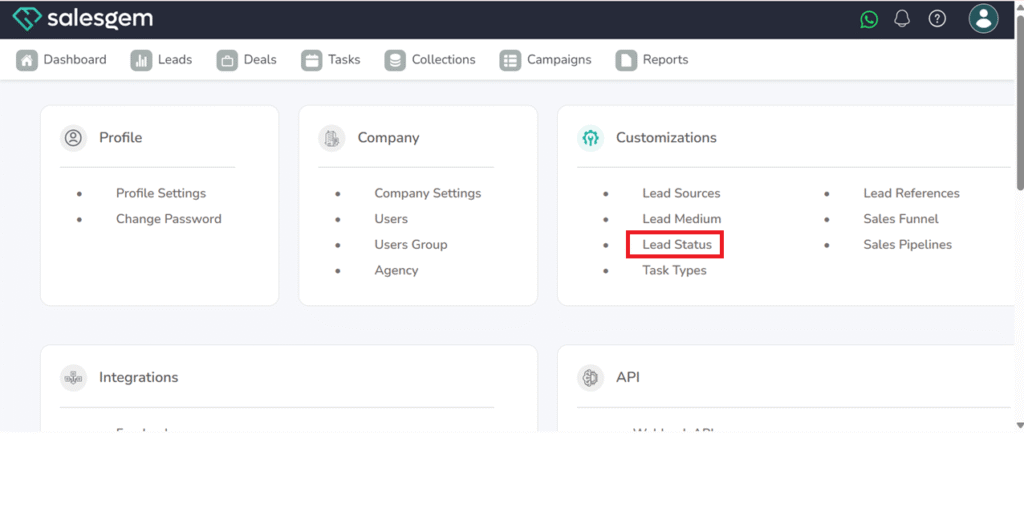
3. choose Lead status under Customizations
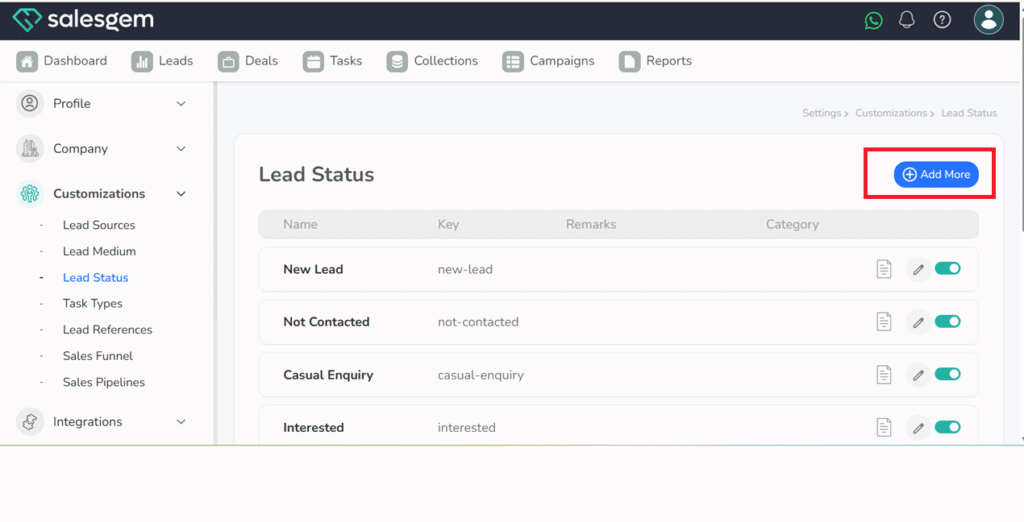
4. Cick on Add more
4. Add lead status name, choose sales funnel
5. click on Add now
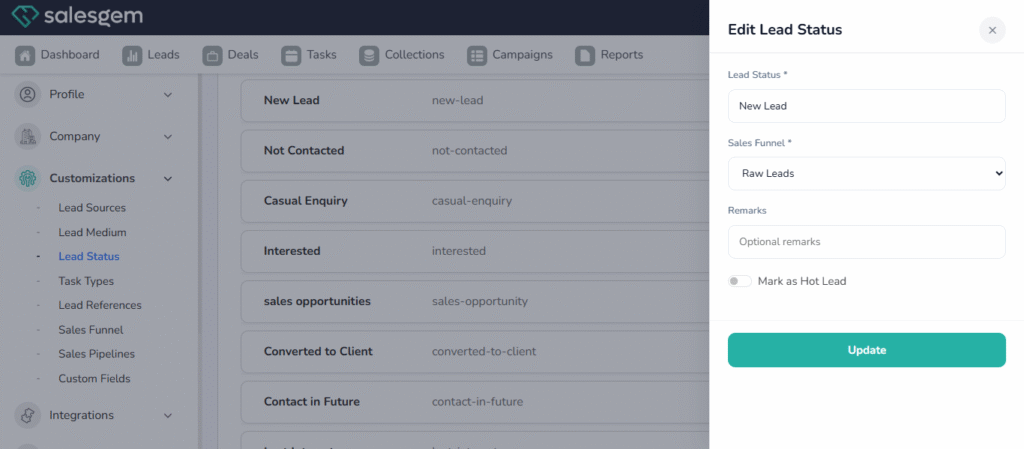
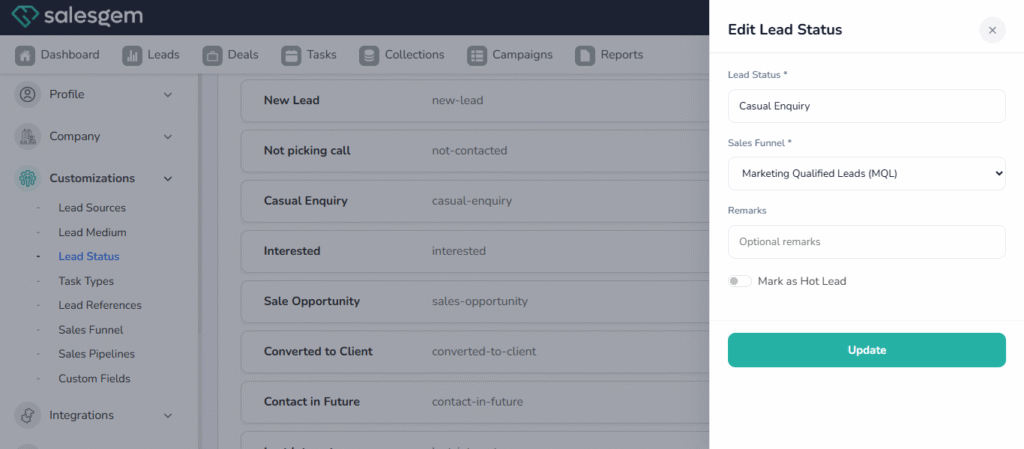
If you need to edit any Lead status
Steps:
- Log in to your Salesgem account.
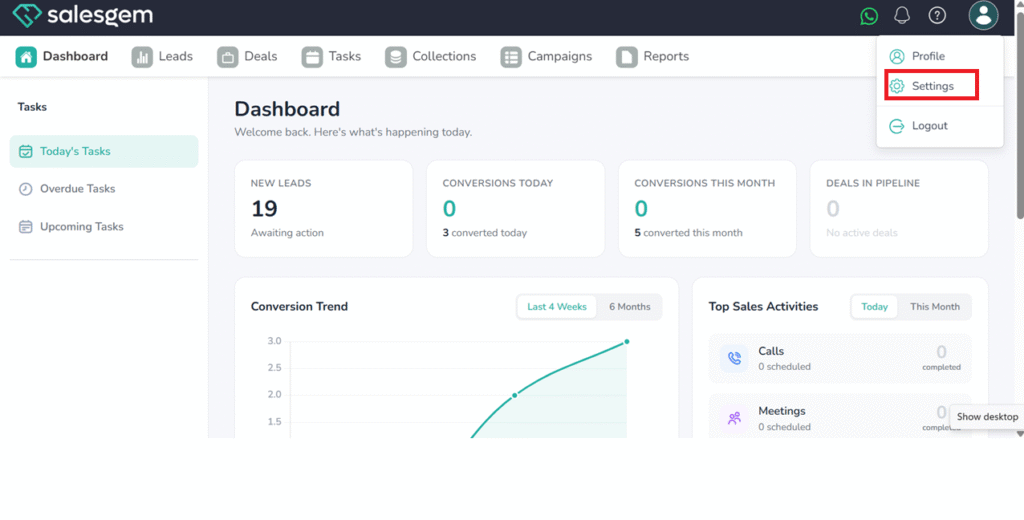
- click on settings
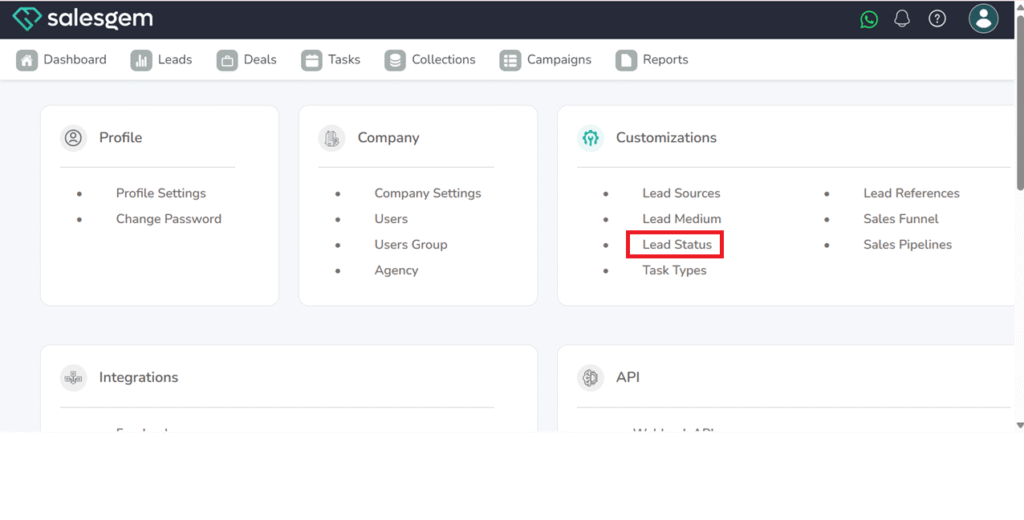
3. choose Lead status under Customizations
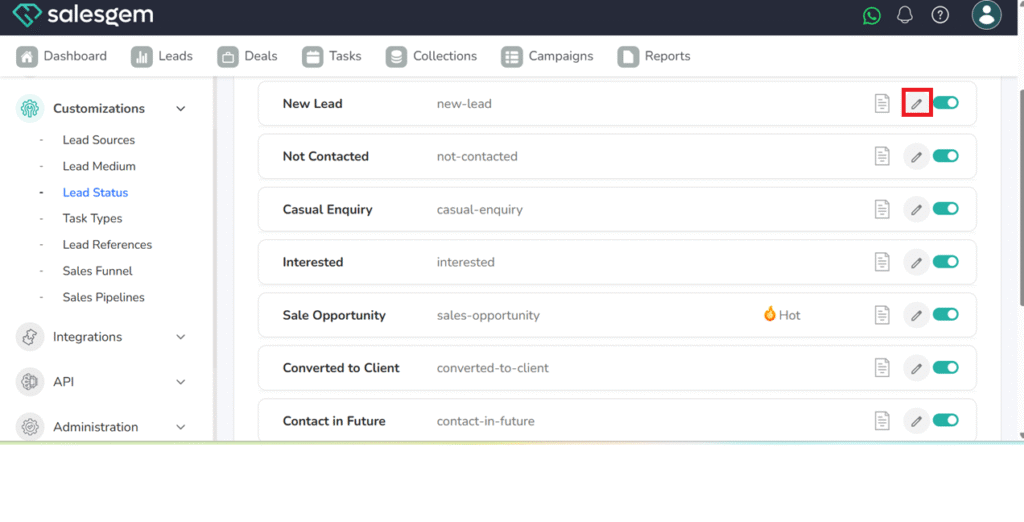
4. choose edit icon near lead status name
5. change the edit
6. click on Update