Step-by-step guide — Exporting leads from Salesgem
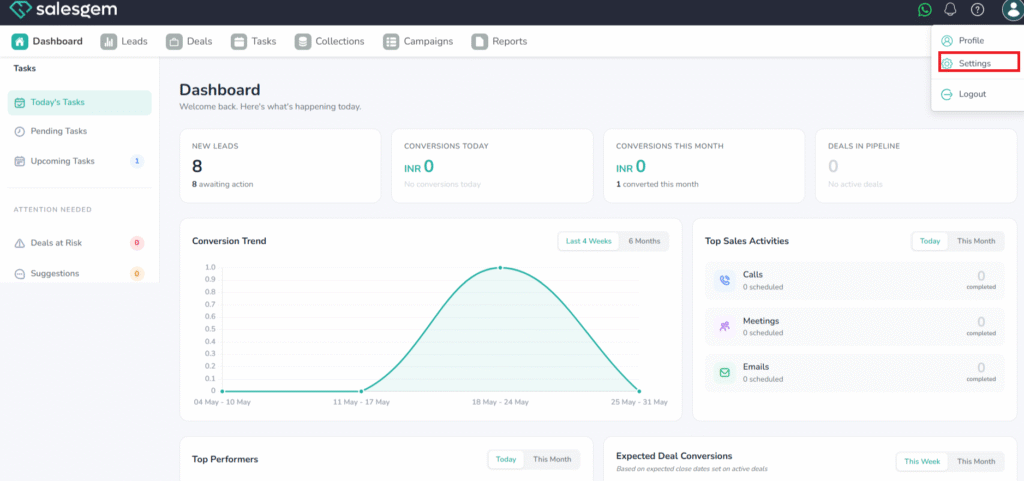
- Open Salesgem
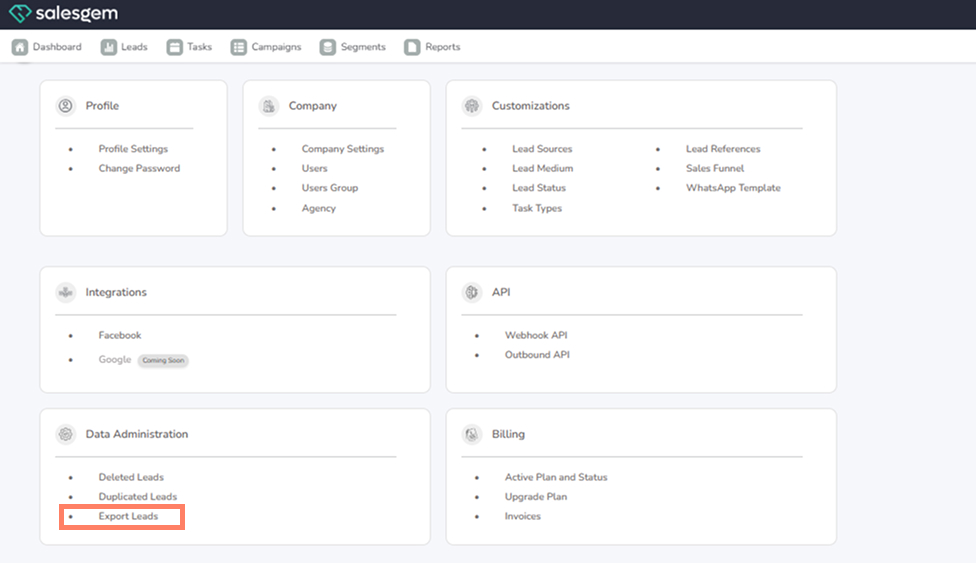
- Go to Settings → Data Administration → Export Leads.
3. Open the Export panel
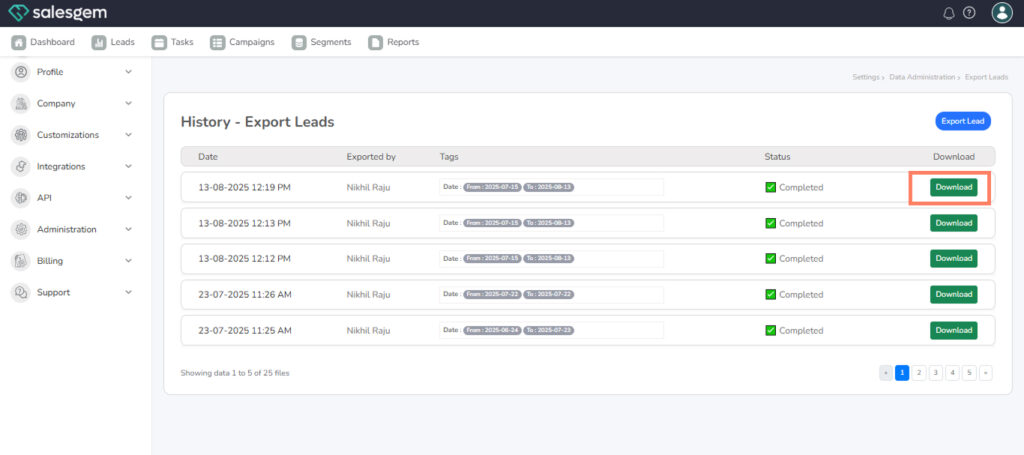
4. Download
OR CLICK EXPORT
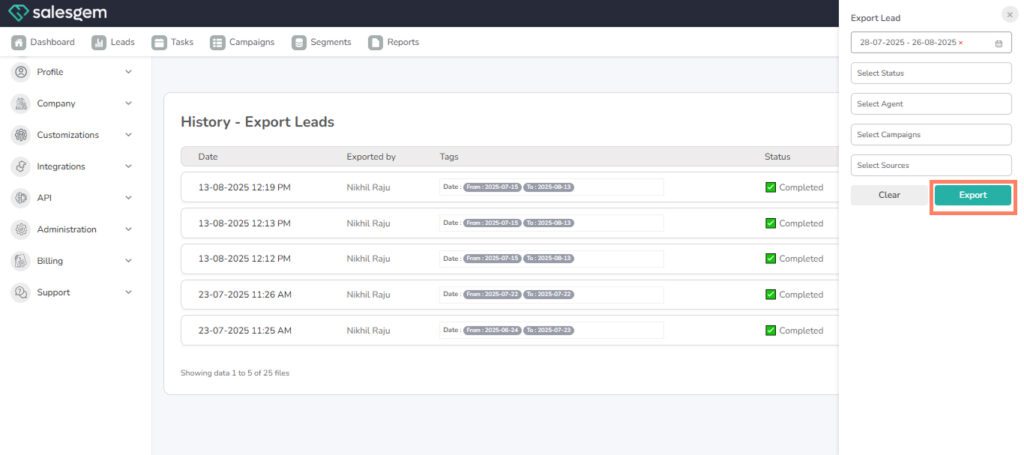
select the filter and EXPORT
The Export Leads tool lets you extract only the leads you need by applying filters — date range, lead status, agent, campaign, and source — so you can create targeted reports, backups or campaign analyses. After you run an export the job appears in the Export History where you can confirm who ran it and download the completed file. Make sure you have export permissions and handle exported files securely (personal data / GDPR considerations) and keep filter ranges narrow if your database is large to avoid timeouts or very large downloads.