If a lead is accidentally deleted in Salesgem, you can easily restore it from the Deleted Leads section under Data Administration. This ensures important records are not lost and all related details, such as activities and assignments, are reinstated.
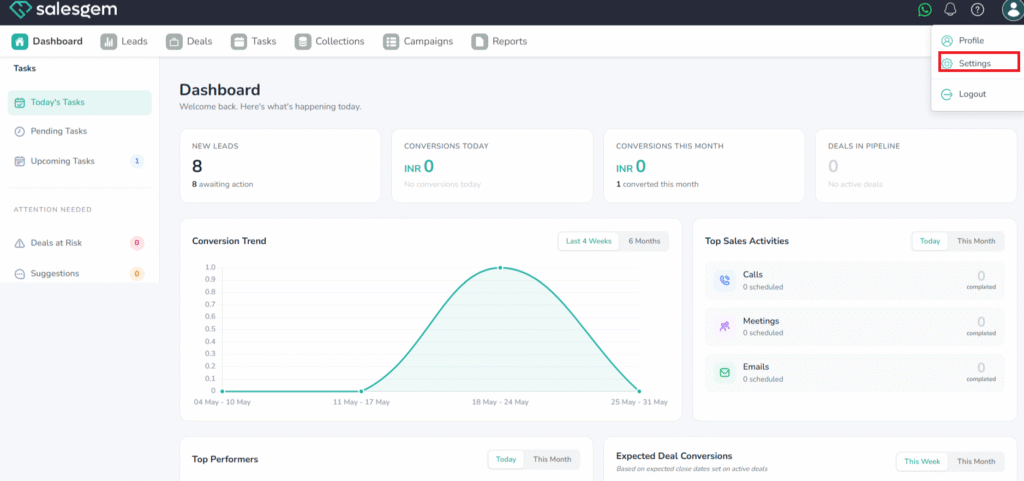
- From the top menu, click on Settings.
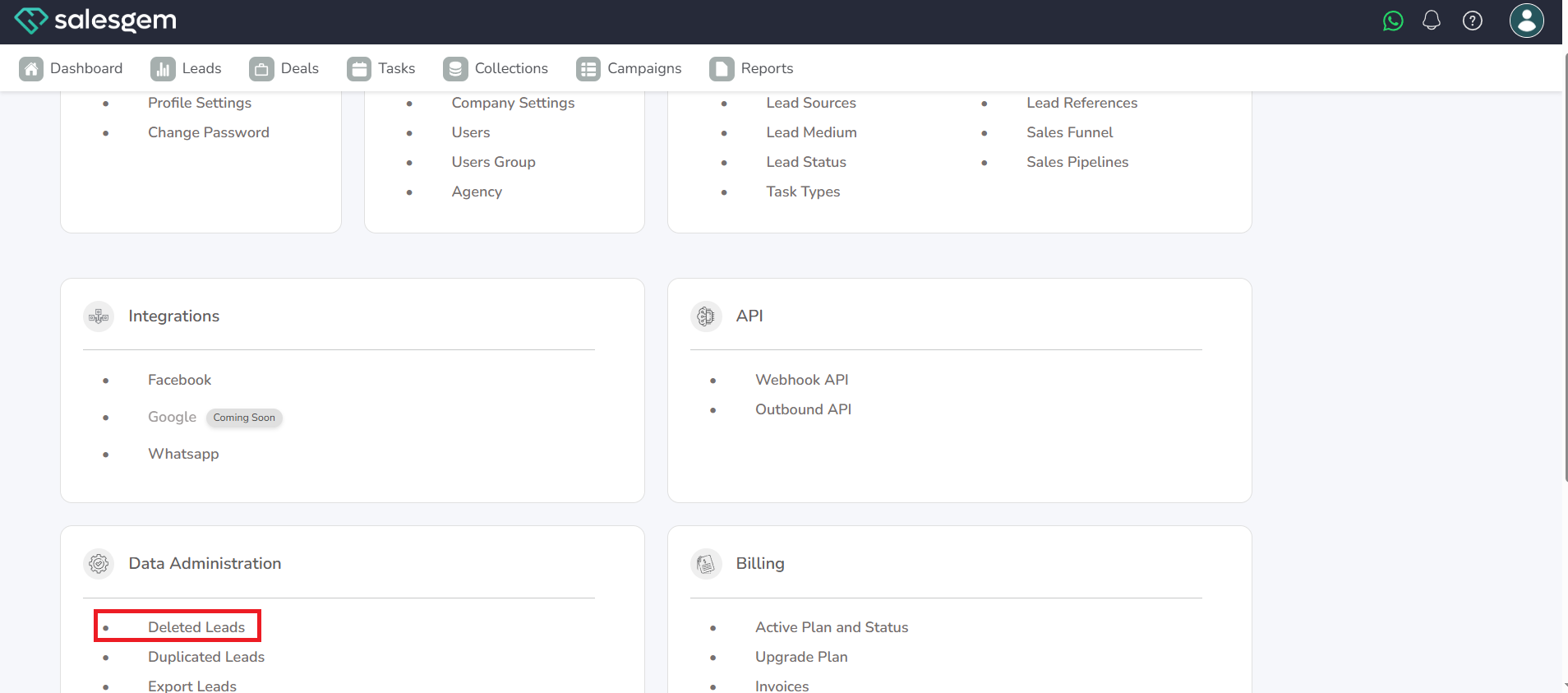
2. Under Data Administration, select Deleted Leads.
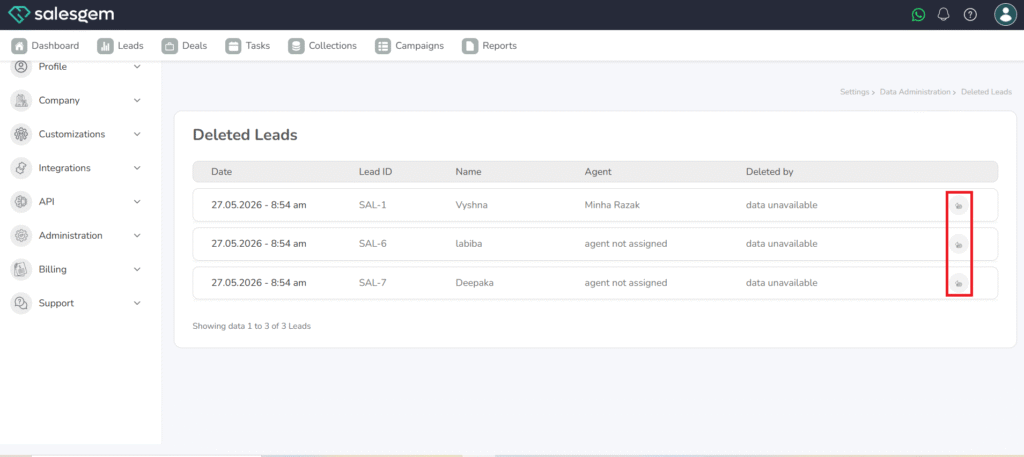
3. A list of all deleted leads will appear, including Lead ID, Name, Agent, and Deleted By.
4. Find the lead you want to recover. You can scroll or use the search filter.
5. Click the Restore (↻) icon next to the lead.
In Salesgem, deleted leads can be recovered from the Deleted Leads section inside Settings → Data Administration. Here, you will see a list of all removed leads along with their Lead ID, name, and agent details. To recover a lead, simply click the restore icon next to it, and the system will immediately move it back into your active leads list with all associated data intact.
Only authorized users have access to this feature, ensuring data recovery is secure. If a lead has been deleted for longer than your company’s retention window, however, it may not be possible to restore it.