Task Types in Salesgem help you categorize and organize the different activities your sales team performs, such as calls, meetings, follow-ups, or demos. Customizing these types ensures consistent tracking, better reporting, and improved productivity across the team.
HOW IT USEFUL FOR YOUR BUSINESS?
In Salesgem, Tasks help sales teams plan, manage, and track the activities that need to be completed for each lead. They ensure that important follow-ups and sales activities are not missed and help sales representatives stay organized throughout the sales process.
For example, if a sales representative speaks with a lead who is interested in a product but wants to discuss it again next week, the representative can create a task such as “Follow up with the customer” and set the required date and time. The task serves as a reminder to contact the lead at the scheduled time.
Tasks can be useful for activities such as:
- Following up with a lead
- Scheduling a customer call
- Arranging a product or property demo
- Sending a quotation or proposal
- Scheduling a meeting
- Checking the status of a potential customer
Example: A real estate agent speaks with a customer who is interested in a property and requests a site visit on Friday. The agent can create a task such as “Call customer and confirm site visit”, assign it to the appropriate team member, and set the due date. This helps the team ensure that the follow-up is completed on time.
Overall, Tasks in Salesgem help sales teams organize their daily activities, manage follow-ups, and ensure that important actions are completed on time, improving the overall sales process.
HOW TO ADD A TASK?
1.Go to Task Assigned.
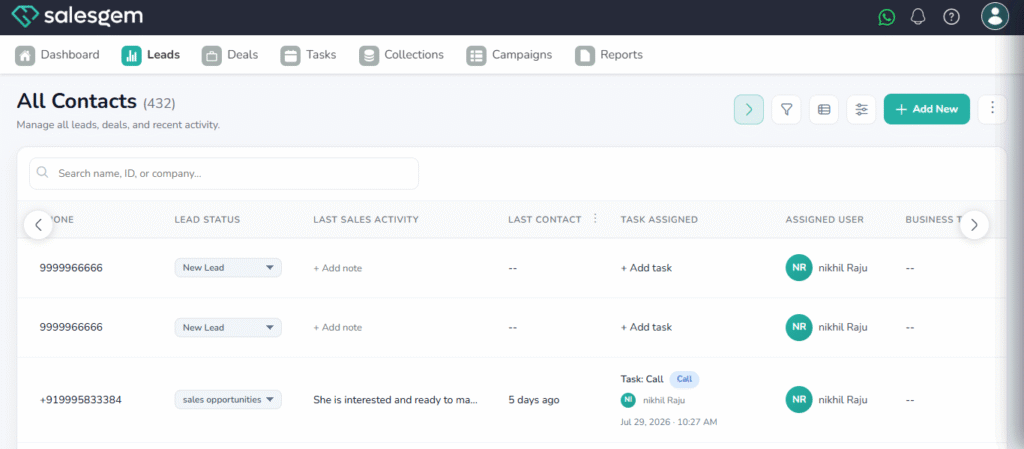
2.Find the task type you want to edit.
3.Click the Edit (pencil) icon.
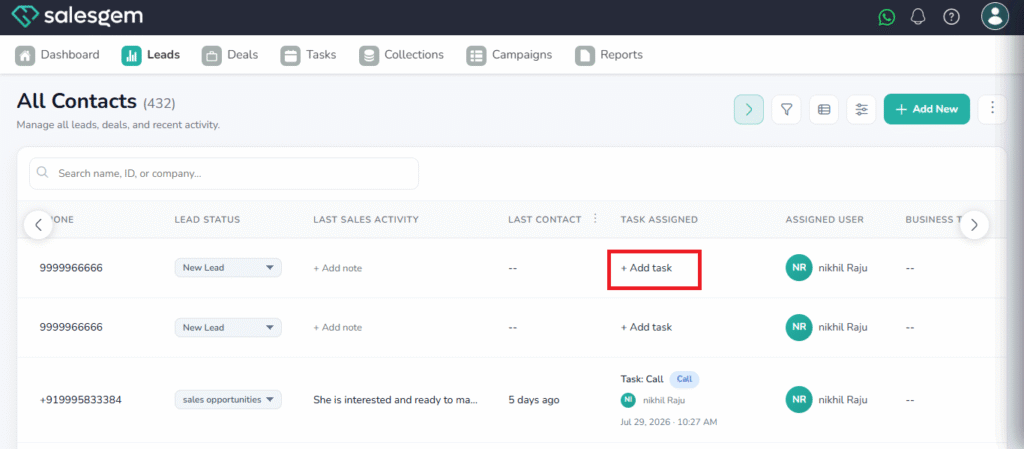
4. Click on ADD TASK.
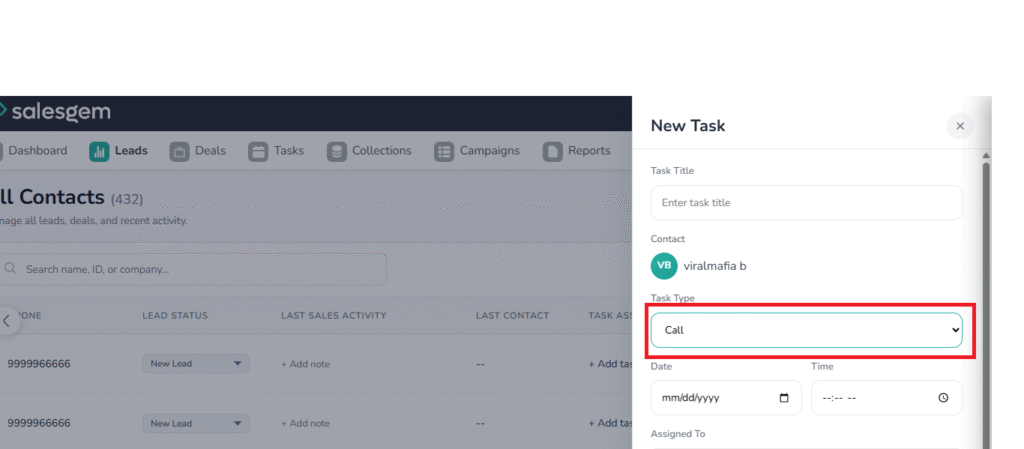
5. Choose the task type by clicking the down arrow
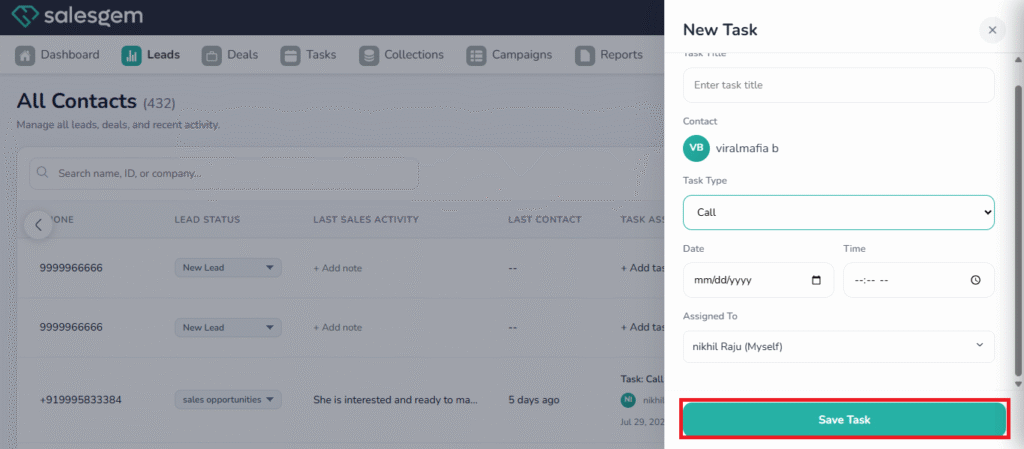
6. click on save task.
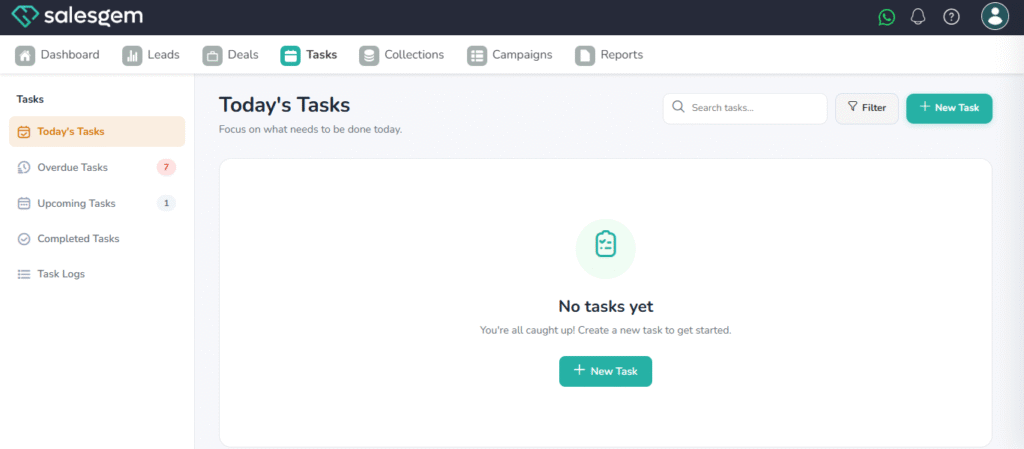
In the task page, you can view Todays task,overdue tasks, upcoming tasks, and completed tasks