What is Lead Status in Salesgem?
In Salesgem, Lead Status indicates the current position of a lead in the sales process. It helps the sales team understand whether a lead is new, contacted, interested, in follow-up, converted, or lost. By regularly updating the Lead Status, the team can easily track the progress of each lead and understand what action needs to be taken next.
How is Lead Status useful to your business?
For example, suppose a real estate company receives 100 property enquiries. Initially, these leads can be marked as New. After the sales team contacts them, the status can be updated to Contacted. Customers who show interest can be moved to Interested, while customers who need more time can be placed under Follow-up. Once a customer purchases the property, the status can be changed to Converted, while customers who are no longer interested can be marked as Lost.
This helps the company quickly understand the situation of all 100 leads. For example, if 20 leads are in the Interested stage and 15 are in Follow-up, the sales manager can focus on these leads because they have a higher possibility of conversion. The team can also identify leads that have not been contacted yet and take the necessary action. Therefore, Lead Status helps businesses track lead progress, prioritize follow-ups, identify potential customers, and improve the chances of converting leads into sales.
To add the status .
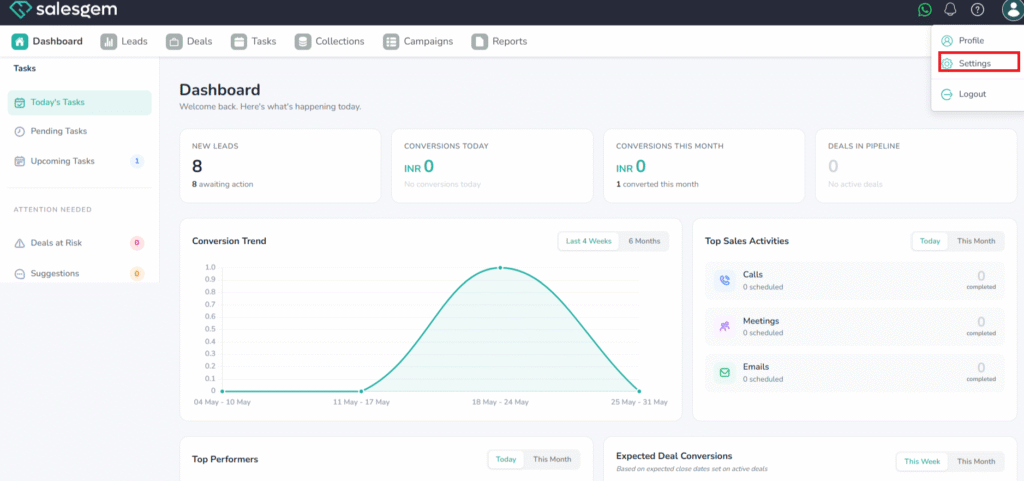
Go to the Settings menu from the left sidebar.
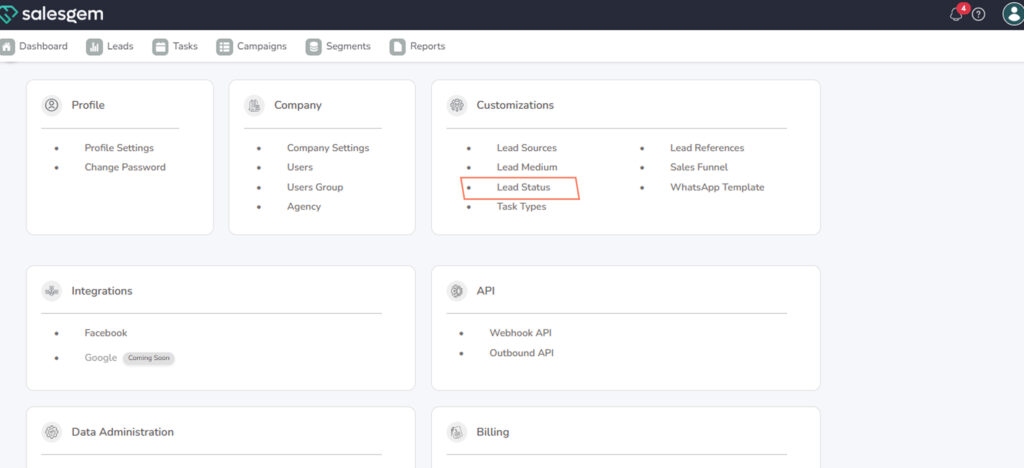
1.Select Lead Customizations.
2.Click on Lead Status.
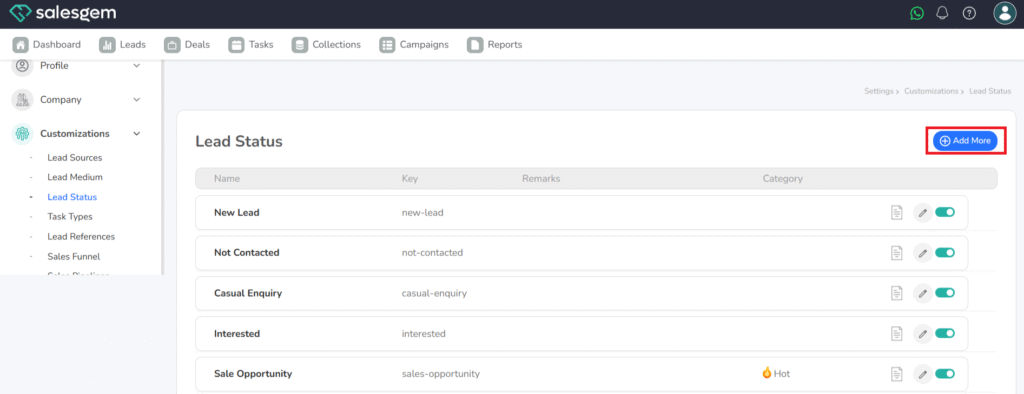
Choose Add Status.
In Salesgem, you can customize your sales process by editing lead statuses. From the Customizations section in Settings, select Lead Status to view all existing statuses. By clicking the edit option, you can update the name, description, or other details to better reflect your sales workflow. This helps ensure that leads move through stages that match your business process, making it easier for your team to track progress and manage the pipeline effectively.