In Salesgem, Segments are used to organize and identify leads based on specific conditions or criteria. They help sales teams filter leads according to details such as lead status, source, location, interest, or other available lead information. For example, a business can create a segment for leads who are interested in a particular product, have the status “Interested,” and are from a specific location. This makes it easier for the sales team to identify relevant leads, plan targeted follow-ups, and manage leads more efficiently. In simple terms, Segments help you filter and group leads based on specific criteria so you can focus on the leads that match your business requirements.
HOW IS IT USEFUL FOR YOUR BUSINESS?
In Salesgem, Segments are used to organize and identify leads based on specific conditions or criteria. They help sales teams filter leads according to details such as lead status, source, location, interest, or other available lead information. For example, a business can create a segment for leads who are interested in a particular product, have the status “Interested,” and are from a specific location. This makes it easier for the sales team to identify relevant leads, plan targeted follow-ups, and manage leads more efficiently. In simple terms, Segments help you filter and group leads based on specific criteria so you can focus on the leads that match your business requirements.
In Salesgem, both Groups and Segments are used to organize and manage leads, but they serve different purposes. A Group is used to manually categorize leads based on a common requirement or business category. For example, an education company can create a “CMA Course” group and add all leads interested in the CMA course. A Segment, on the other hand, is used to identify leads based on specific conditions or criteria. For example, a business can create a segment for leads who are interested in the CMA course, have an “Interested” lead status, and are from Calicut. In simple terms, Groups are useful for manually organizing similar leads, while Segments help filter and identify leads based on specific criteria.
HOW TO CREATE SEGMENT
- Log in to your Salesgem dashboard.
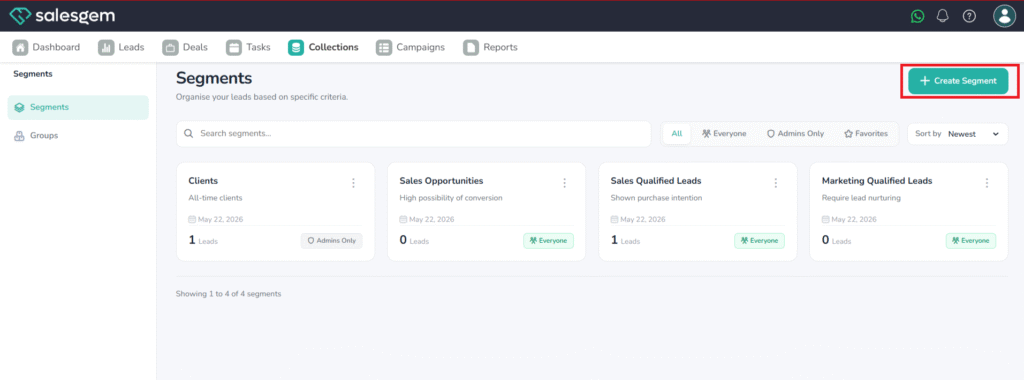
- Navigate to Collections from the main menu.
- Click Add New Segment.
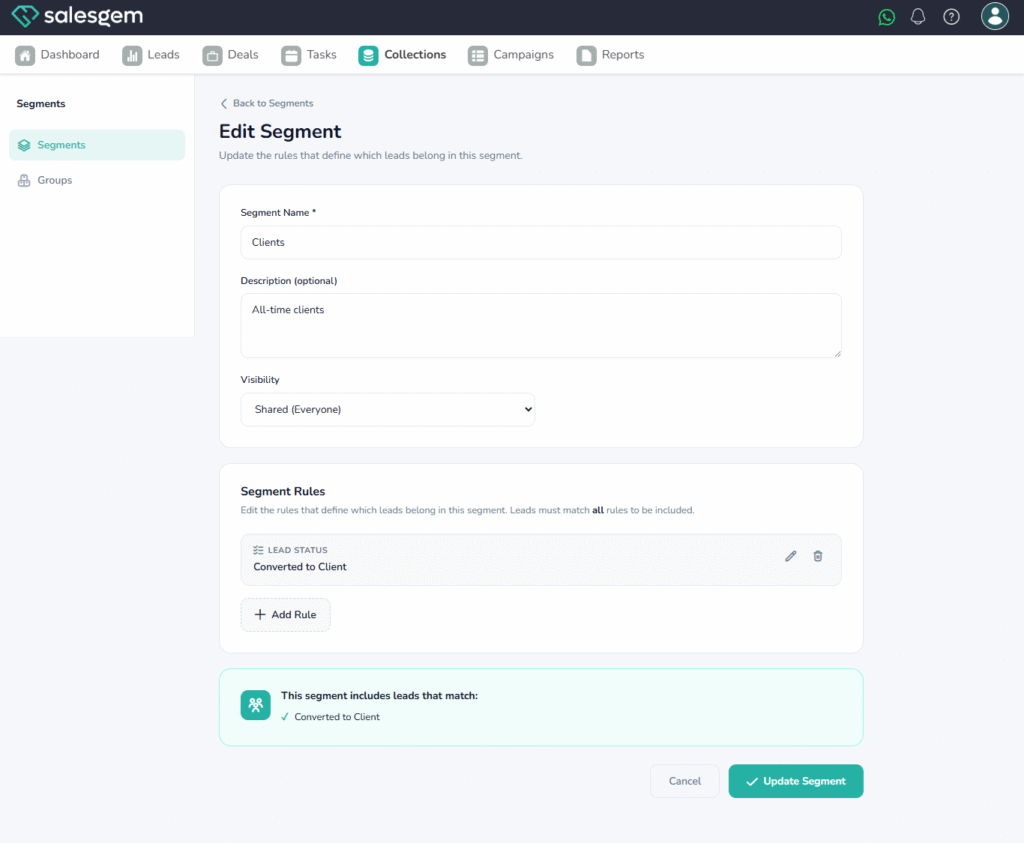
- Fill in the segment name, criteria, and other necessary details.
- Click Save to create the segment.
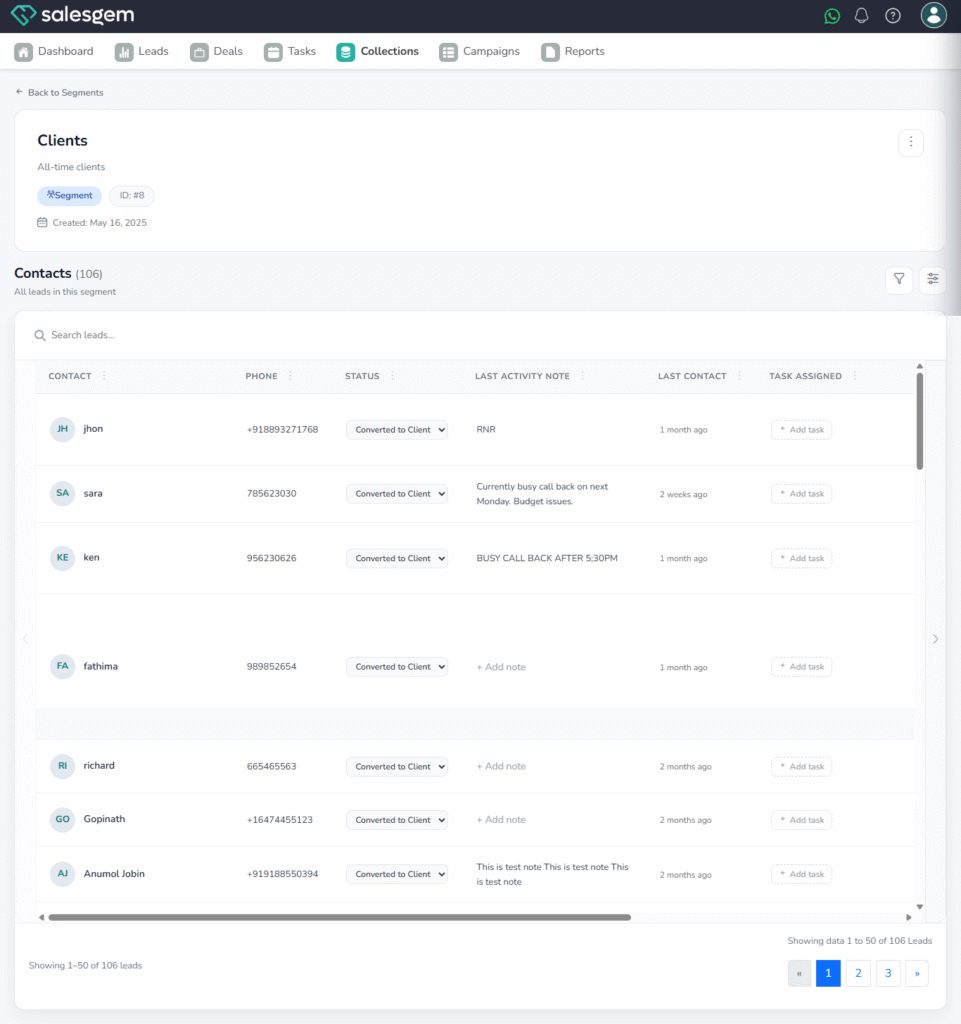
- To manage, select a segment from the list and edit or delete as needed
Q: Can I edit a segment after creating it?
A: Yes, you can edit any segment by selecting it from the Segments list and updating its details