Your display name appears in tasks, activities, and lead records in Salesgem.
Steps:
- Log in to Salesgem.
- Go to Settings.
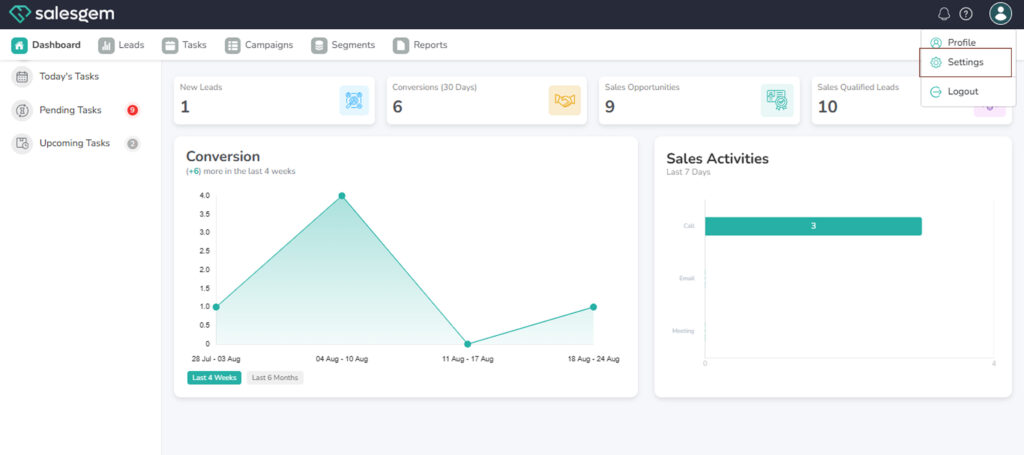
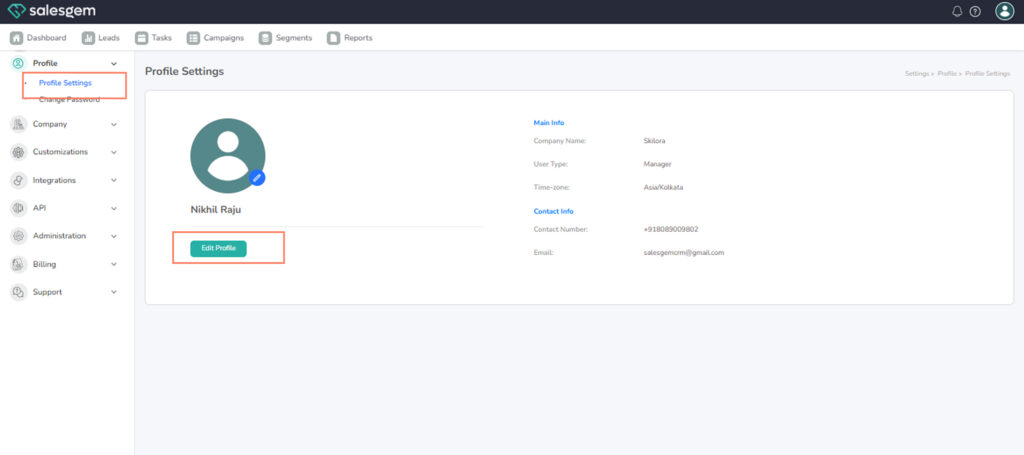
- Select Profile.
- Edit the Display Name field.
- Save your changes.
FAQs:
- Q: Can I use symbols in my display name?
A: Some special characters are supported, but avoid unsupported symbols. - Q: Will changing my display name affect my login?
A: No, your email address is still used for login.