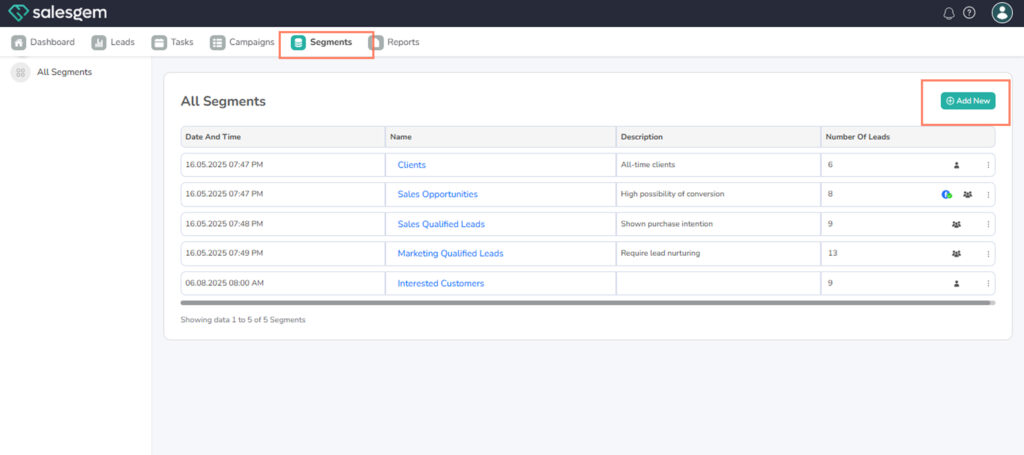
In Salesgem, you can create and manage segments by going to the Segments section, adding a new segment, filling in the required details, and saving it. This allows you to group leads or contacts based on specific criteria for targeted marketing.
Steps:
- Log in to your Salesgem dashboard.
- Navigate to Segments from the main menu.
- Click Add New Segment.
- Fill in the segment name, criteria, and other necessary details.
- Click Save to create the segment.
- To manage, select a segment from the list and edit or delete as needed
Q: Can I edit a segment after creating it?
A: Yes, you can edit any segment by selecting it from the Segments list and updating its details