You can connect a Salesgem segment to Facebook Audiences by selecting your segment, clicking the three-dot menu, and choosing the “Connect to Facebook” option for direct audience syncing.
Steps:
- Go to Segments in Salesgem.
- Select the segment you want to connect.
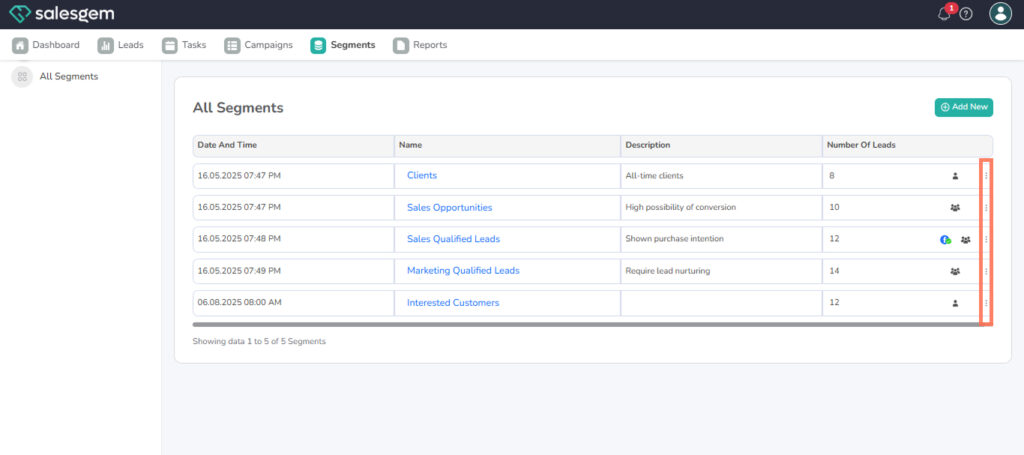
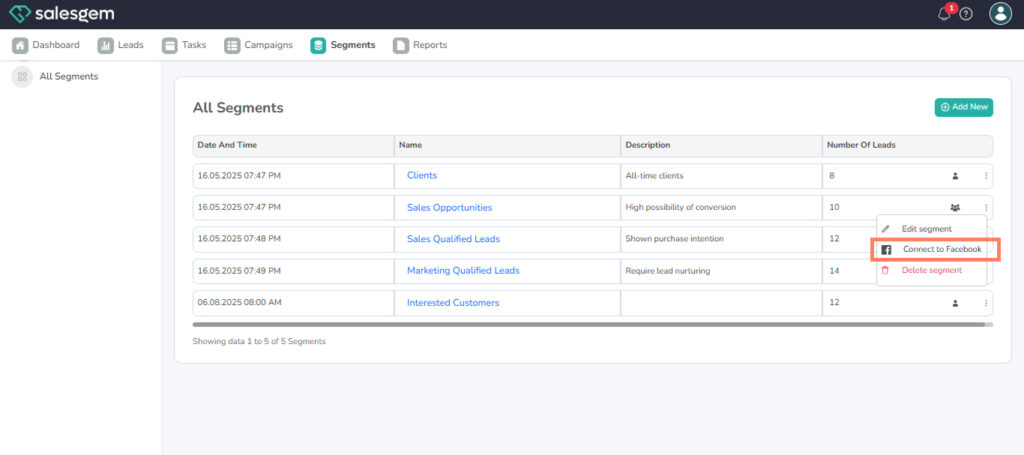
- Click the three-dot menu next to the segment.
- Choose Connect to Facebook.
- Follow the prompts to authenticate and link your Facebook account.
- Once connected, your segment will sync with Facebook Audiences.
FAQs on Salesgem Segments
Q: How often does Salesgem sync segments with Facebook?
A: Syncing is typically real-time or within a few minutes, depending on data size.
Q: Can I connect one segment to multiple Facebook accounts?
A: No, each segment can only be connected to one Facebook account at a time.