Changing your timezone in Salesgem ensures that all activity logs and reports reflect the correct local time.
Steps:
- Log in to your Salesgem account.
- Go to Settings.
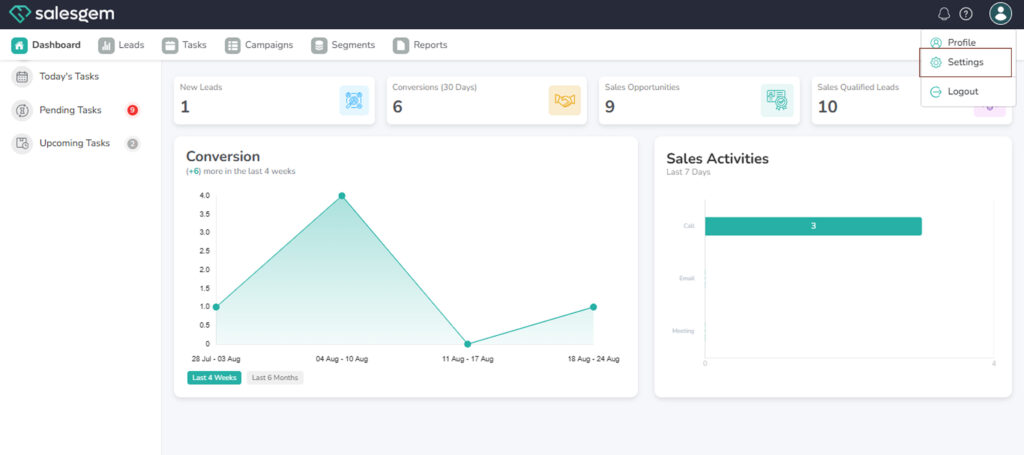
- Select Profile.
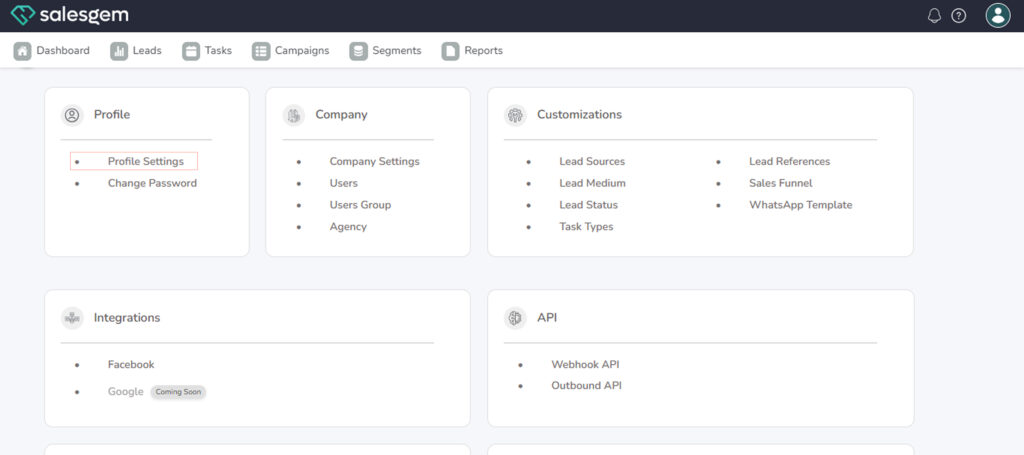
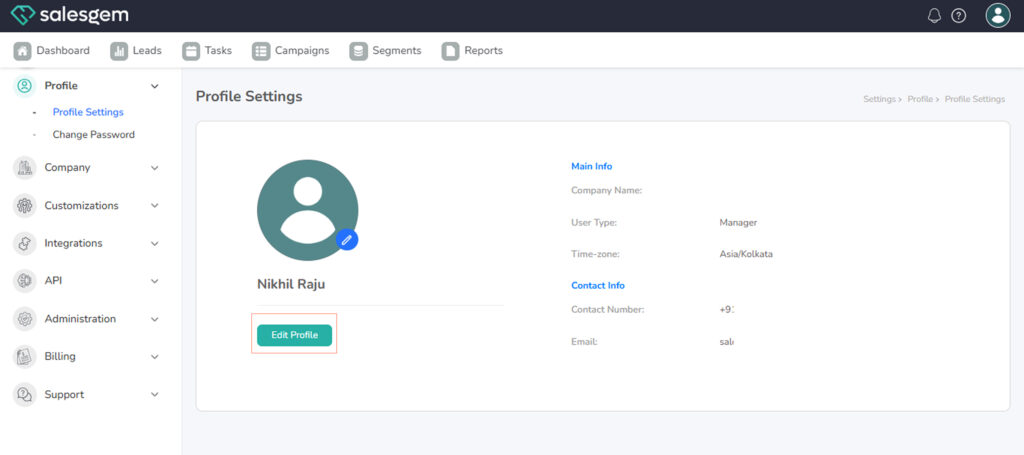
- Locate the Timezone dropdown menu.
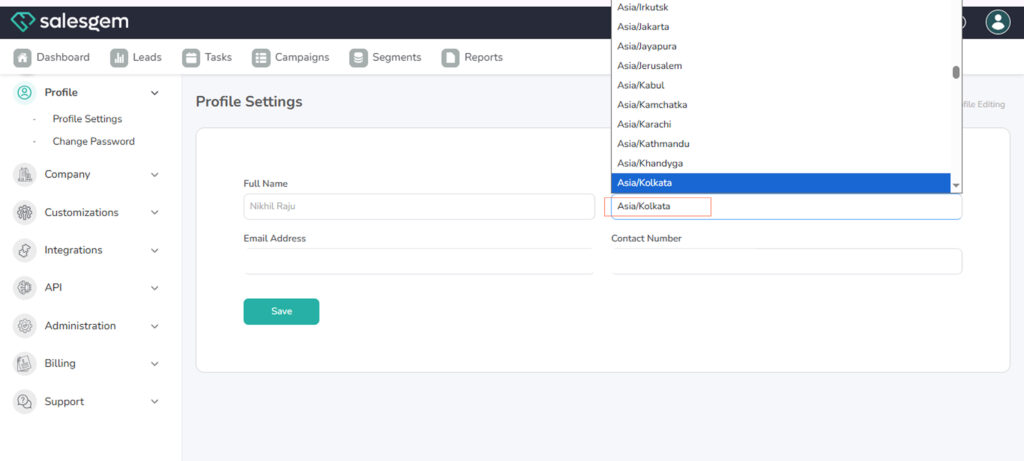
- Select your correct timezone.
- Save your changes.
FAQs:
- Q: Will this change affect other users?
A: No, it applies only to your account. - Q: Does Salesgem handle daylight savings automatically?
A: Yes.