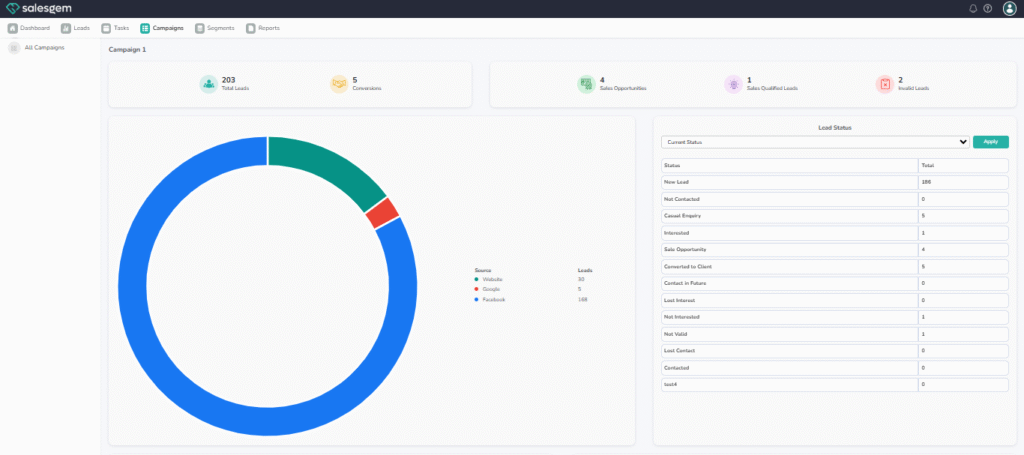
To analyze campaign results in Salesgem, log in to your account and navigate to the Campaigns section from the dashboard. Select the campaign you want to review, and you’ll be able to see a detailed performance overview. Salesgem provides key metrics such as the number of leads captured, conversion rates, response activity, and engagement levels. You can also track how leads progress through the sales funnel within that campaign, which helps identify strong performing strategies as well as bottlenecks that may require attention.
For deeper insights, use the built-in filters and reporting tools to segment results by lead source, medium, or assigned sales representative. This allows you to compare performance across different channels and teams. Salesgem’s analytics also include visual dashboards and export options, making it easier to share results with your team. Regularly analyzing these reports helps you measure ROI, optimize future campaigns, and make data-driven decisions to improve overall sales effectiveness.