To register a company in Salesgem, start by logging in to your admin account and navigating to the Companies section from the main dashboard. Here, click on the Add New Company button. A form will appear where you need to enter the company’s details such as company name, industry, website, address, and contact information. You can also add additional fields like assigned sales representative, lead source, or notes if required. Once all the details are filled in, click Save to create the company profile.
After registration, the company will appear in your Companies list within Salesgem. From there, you can link leads and contacts to the company, assign them to campaigns, and track all activities, communications, and deals related to that company. This ensures that your sales and marketing teams have a centralized view of every organization you are working with, helping improve relationship management and follow-up efficiency.
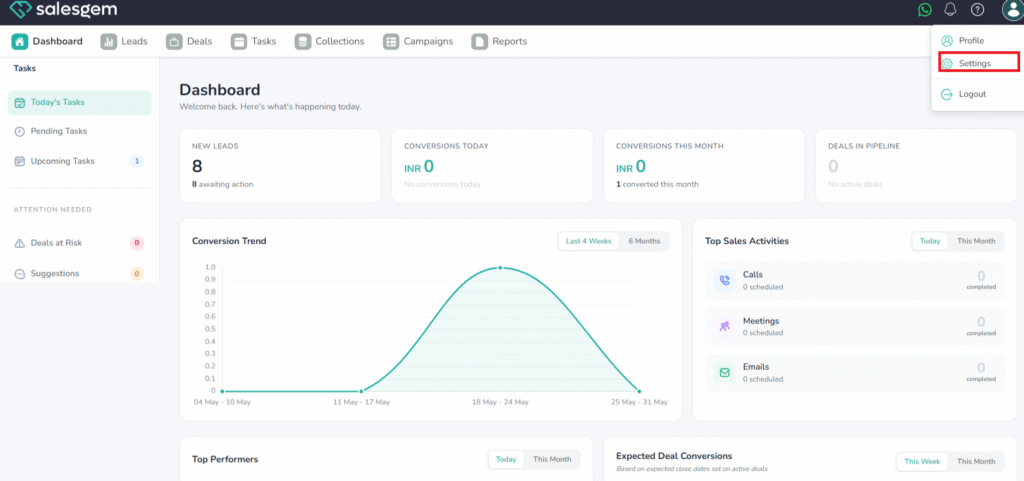
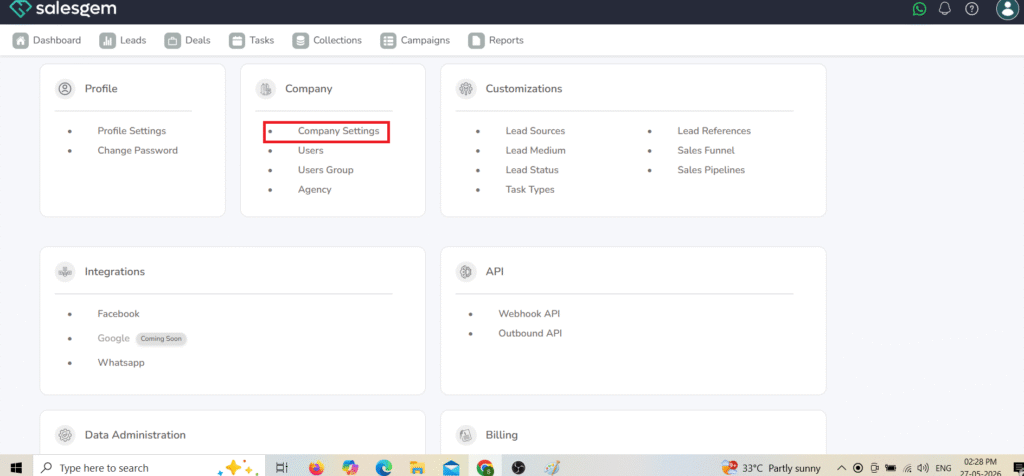
1.Go to Settings → Company → Company settings.