To download or print an invoice from Salesgem, log in to your account and go to the Billing or Subscription section under Settings. In this area, you’ll see a list of your previous transactions and active subscription details. Select the specific invoice you want to access, and click on the Download Invoice or View Invoice option. The invoice will usually open in PDF format, which you can then save to your device.
Step-by-Step guide .
Step 1: Log in to your Salesgem account.
Step 2: Go to Settings.
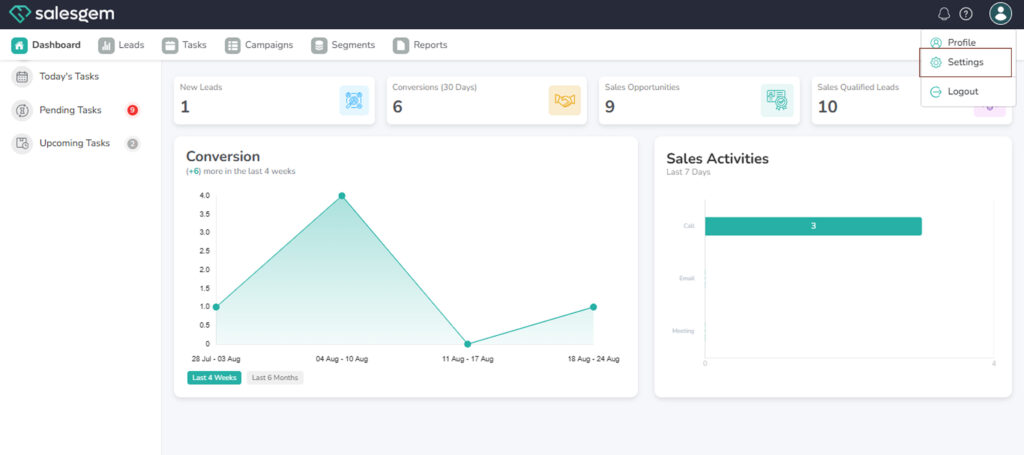
Step 3: Click on Billing.
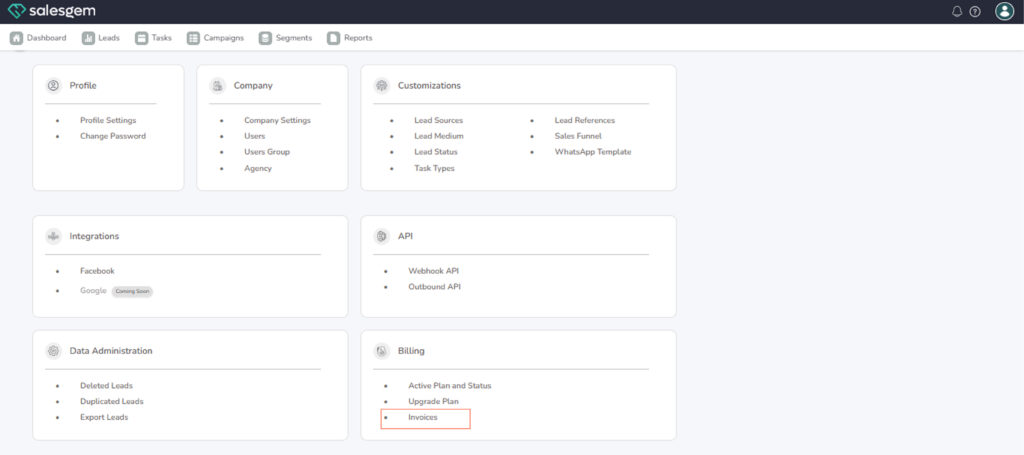
Step 4: Select Invoices.
Step 5: Choose the invoice you want and click View.
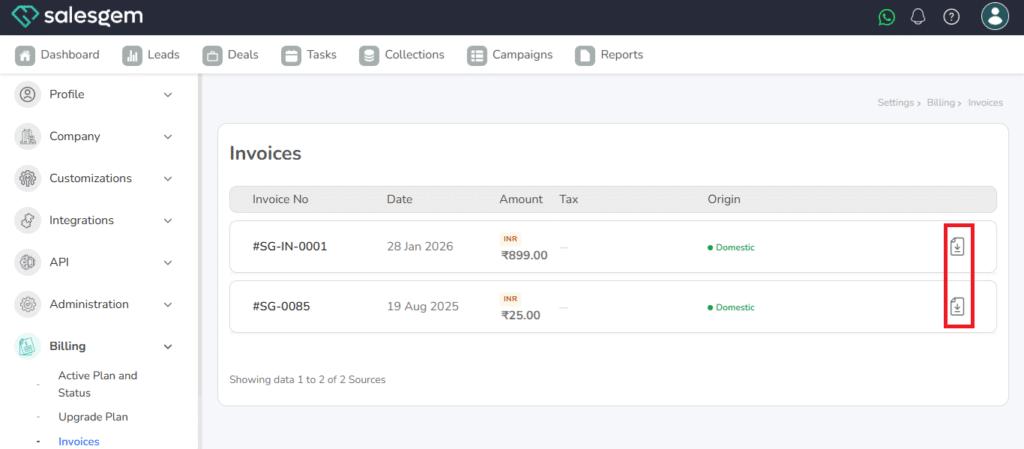
Step 6: To save it, click Download (PDF).
If you wish to print the invoice, simply open the downloaded PDF and choose the Print option from your PDF viewer or browser. This allows you to keep a hard copy for accounting or compliance purposes. In case the invoice option isn’t visible, you may need to check your subscription level or contact Salesgem support to have invoices emailed directly to your registered email address.