Go to Settings.
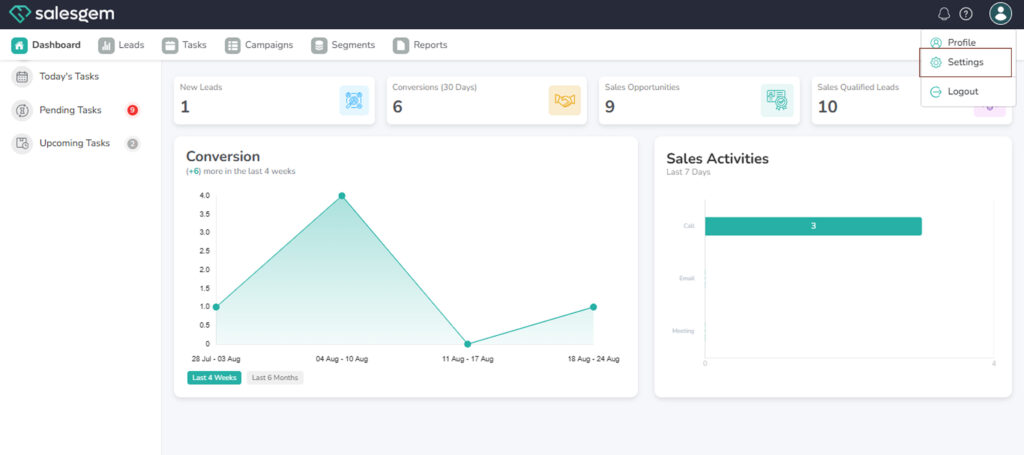
- From the left-hand menu, select Billing.
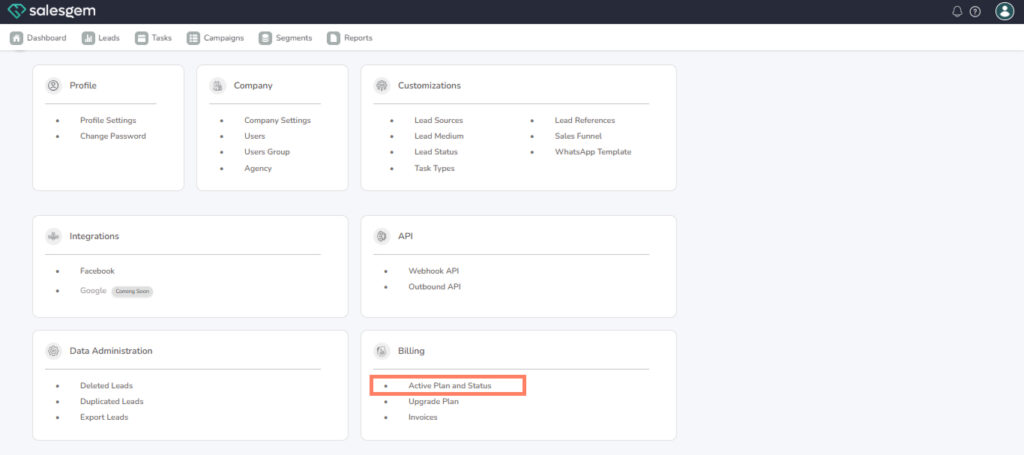
Click on “Active Plan and Status.”
- This section shows details of your current subscription.
View Plan Details.
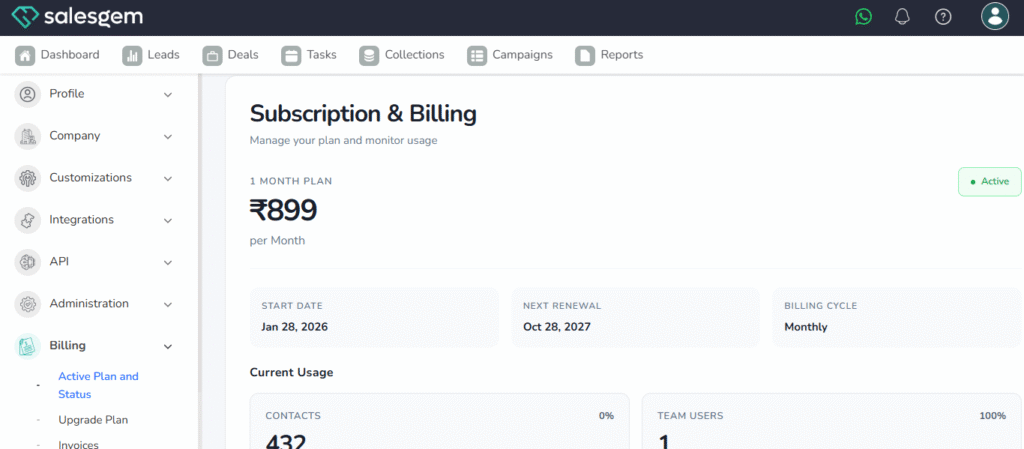
In Salesgem, you can easily keep track of your subscription and system usage through the Billing section under Settings. The Active Plan and Status option displays your current plan, its validity, and whether it is active. It also shows your usage details such as the number of leads, users, or campaigns utilized out of your plan limit. This helps ensure you don’t exceed restrictions and know when it’s time to upgrade. By regularly checking your plan and usage, you can avoid interruptions in service and scale your CRM efficiently as your business grows.