Campaign (e.g., Code: 45467 or Name: new Campaign)
agent
Agent ID Or Agent Group ID
ip_address
IP address of lead
Preferred method is getting this data is via a form

$name = "john doe";
$phone = "9989898989";
$email = "johndoe@gmail.com";
$description = "Lorem ipsum dolor sit amet, consectetur adipiscing elit.";

Preferred method is getting this data is via a form

$utm_source = "mail"; // Short Code from sources
$utm_medium = "email";
$utm_term = "keyword";
$utm_content = "loginlink";
$utm_id = "utm_id"; // campaign id
$agent = "agent_id"; // agent id
$ip_address = "ip_address"; // IP address of lead

Prepare data for POST request

$data = array(
    "apikey" => $apiKey,
    "name" => $name,
    "phone" => $phone,
    "email" => $email,
    "description" => $description,
    "utm_source" => $utm_source,
    "utm_medium" => $utm_medium,
    "utm_term" => $utm_term,
    "utm_content" => $utm_content,
    "utm_id" => $utm_id,
    "agent" => $agent, //Agent ID Or Agent Group ID
    "ip_address" => $ip_address
);
Send the POST request with cURL

$ch = curl_init("https://api.salesgem.io/webhook");
curl_setopt($ch, CURLOPT_POST, true);
curl_setopt($ch, CURLOPT_POSTFIELDS, $data);
curl_setopt($ch, CURLOPT_RETURNTRANSFER, true);
$response = curl_exec($ch);
curl_close($ch);
Process your response here

if ($response) {
    echo $response;
}
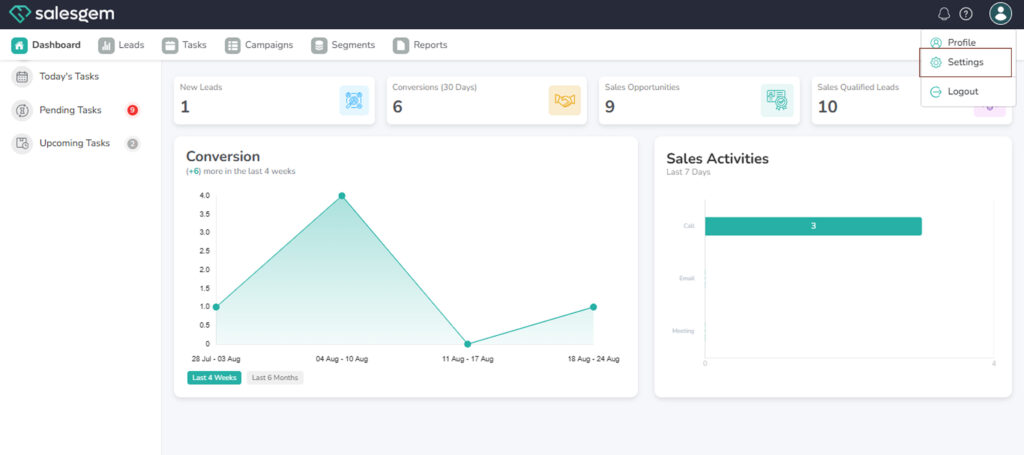
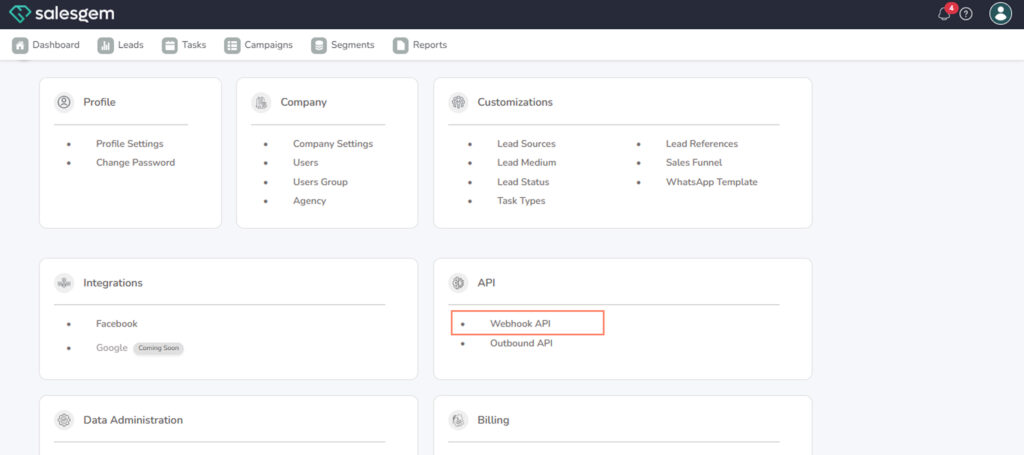
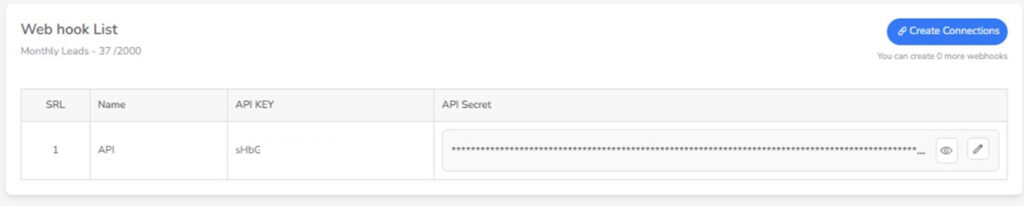
The Webhook API in Salesgem allows you to receive real-time updates from your Salesgem account whenever specific events occur, such as creating or updating leads, contacts, or deals. To configure a webhook, go to Settings > API > Webhook API, then click Add Webhook. Provide your server’s endpoint URL, select the events or triggers you want to listen to, and optionally add headers or a secret key for secure communication. Once saved, Salesgem will send an HTTP POST request with a JSON payload to your specified URL whenever the chosen events occur. Your server should respond with a 2xx status code to acknowledge receipt. You can also test the webhook within Salesgem to ensure the integration is functioning correctly.