Steps to Create a Webhook API Key in Salesgem
- Login to Salesgem
- Navigate to API Settings
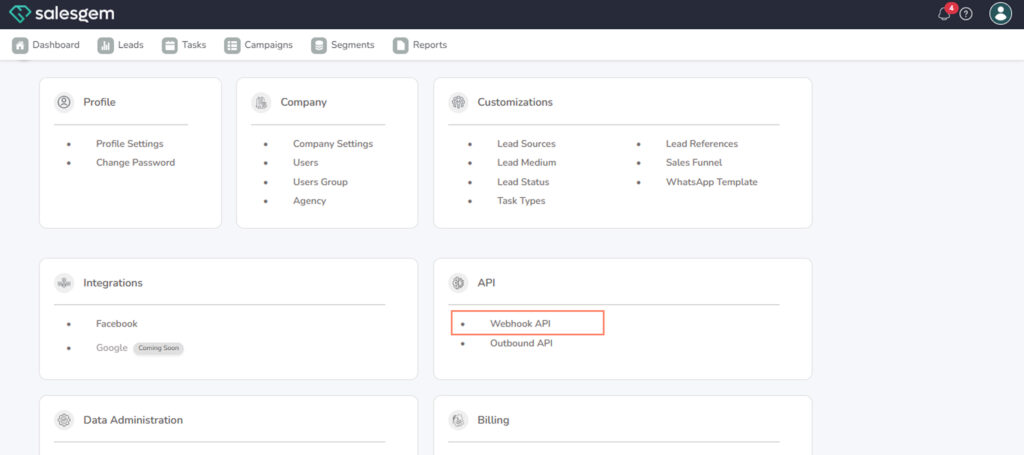
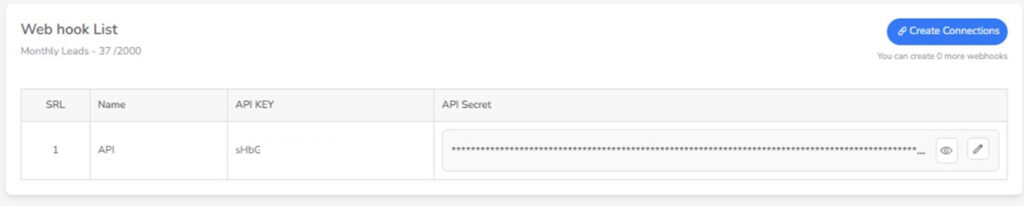
To create and manage Webhook API keys in Salesgem, log in to your admin account and go to the Settings section. From there, open Integrations and select Webhook API. Inside this section, you’ll find the option to generate a new API key. Click Create New Key, provide a label or description (for example, “Lead Capture Form” or “CRM Sync”), and Salesgem will generate a unique API key along with an endpoint URL. Copy this key securely, as it will be used to authenticate external systems when pushing or pulling data to Salesgem.
For managing existing API keys, return to the same Webhook API section. You will see a list of previously created keys with details such as name, creation date, and status. From here, you can enable, disable, or delete keys depending on your security needs. Disabling is useful if you want to temporarily stop data sync without deleting the key entirely, while deleting permanently revokes access. Regularly reviewing your API keys helps keep your integration secure and ensures only authorized applications are connected to your Salesgem account.