To connect Facebook Lead Forms to Salesgem, log in to your Salesgem account and go to the Settings section. From there, open Integrations and select Facebook Lead Ads. You’ll be prompted to log in with your Facebook credentials and authorize Salesgem to access your Facebook Pages and Ad Accounts. Once connected, Salesgem will pull in the list of pages associated with your account.
Login to Salesgem
- Go to your Salesgem dashboard and sign in with your credentials.
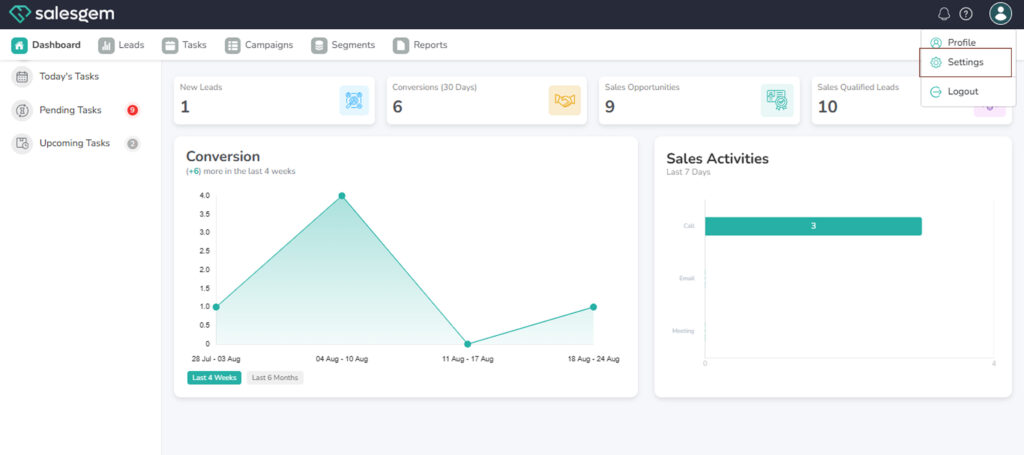
Navigate to Integrations
- From the left-hand menu, click on Settings → Integrations.
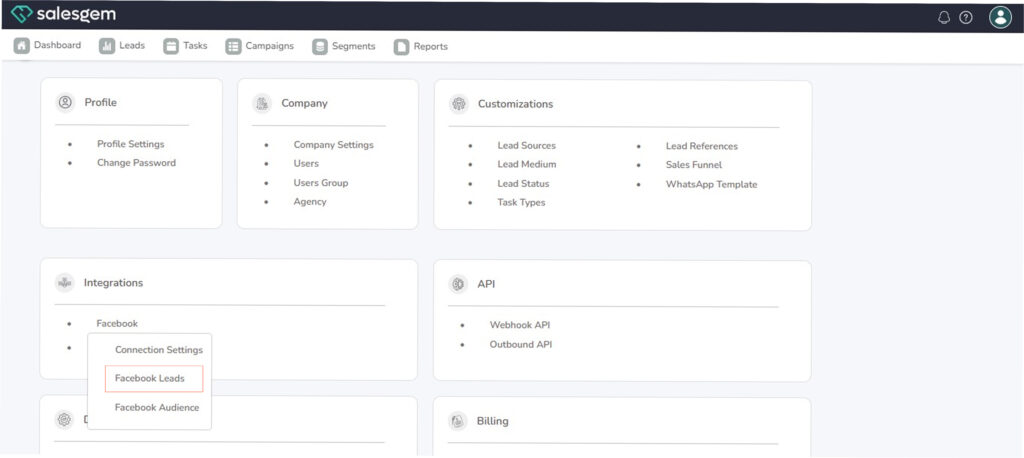
Choose Facebook
- Click on Facebook → then select Facebook Lead.
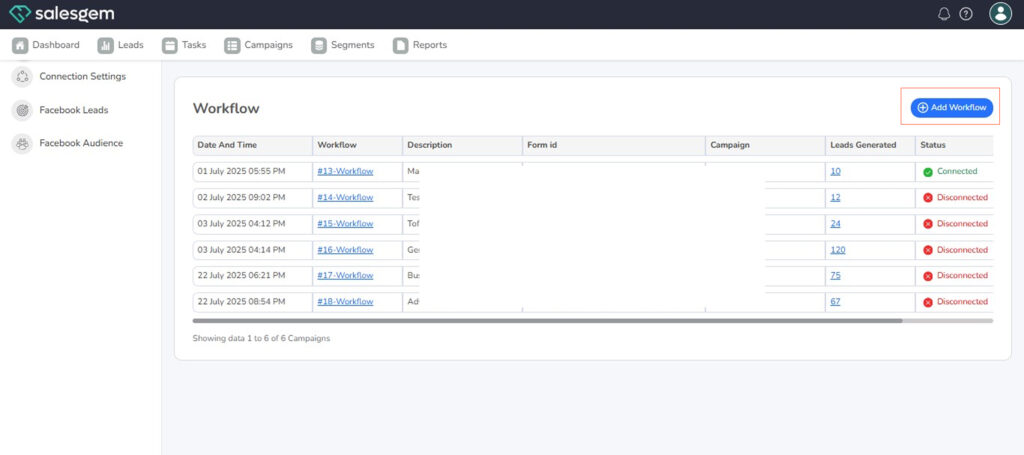
Add Workflow
- Go to Automation/Workflow in Salesgem.
- Click Add Workflow.
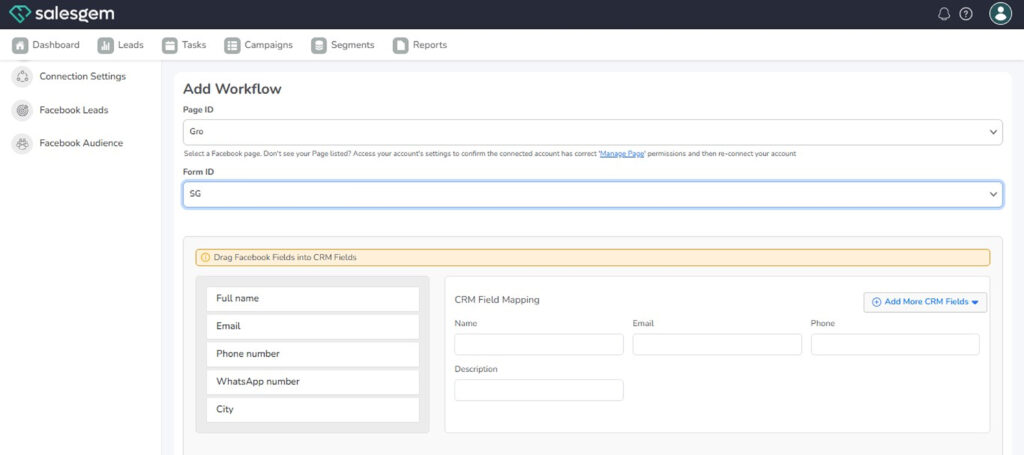
Map Fields
- Match Facebook fields (Name, Email, Phone, etc.) with Salesgem CRM fields.
- Save settings.
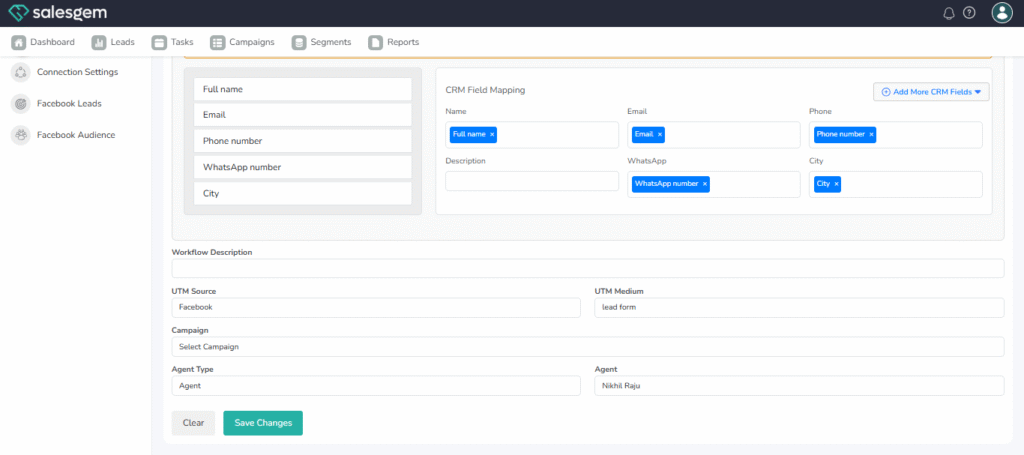
Test the Setup
- Submit a test lead in Facebook.
- Check if it appears in Salesgem Leads and triggers the workflow actions.
Next, choose the Facebook Page that has the lead form you want to use, and then select the specific Lead Form. After selecting the form, map the Facebook form fields (like name, email, and phone number) to the corresponding fields in Salesgem. Finally, assign the leads from this form to a specific campaign in Salesgem and save the integration. From this point, any new leads collected through your Facebook Lead Form will flow directly into the chosen campaign in Salesgem, ensuring real-time syncing and better lead management.