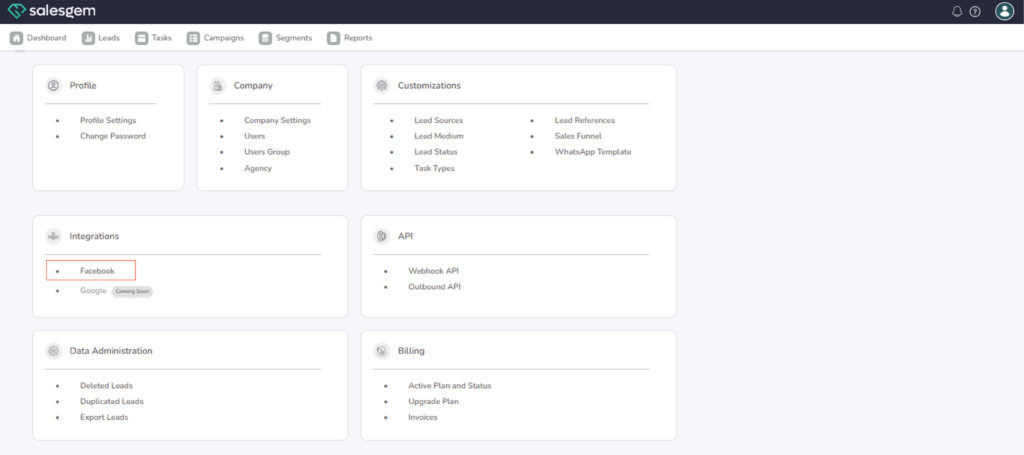
To connect Facebook to Salesgem, log in to your Salesgem account and go to the Settings section. From there, open Integrations and select Facebook. You’ll then be asked to sign in with your Facebook credentials and give Salesgem permission to access your Facebook Business Manager, Pages, and Ad Accounts. Once you authorize, Salesgem will automatically pull in the connected Facebook assets.
Steps to Connect Facebook with Salesgem
- Login to Salesgem and go to Settings.
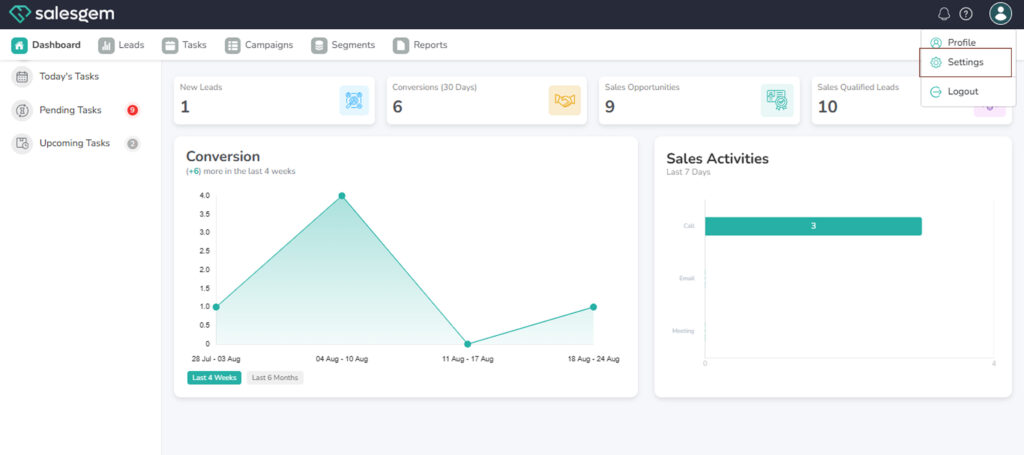
Under Integrations / Connect, select Facebook.
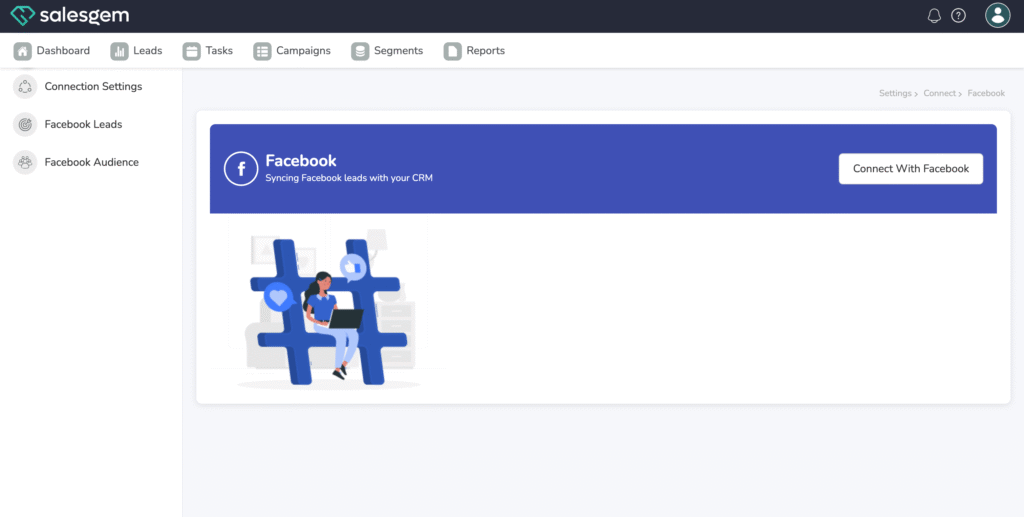
Click Connect Facebook.
A Facebook login window will appear — sign in with your Facebook account credentials.
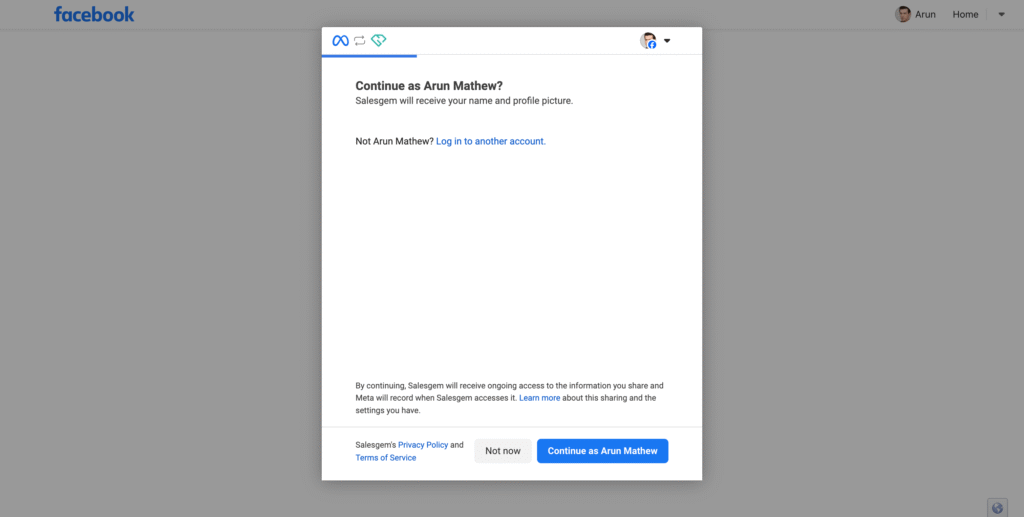
Choose the Facebook Page(s) you want to connect with Salesgem
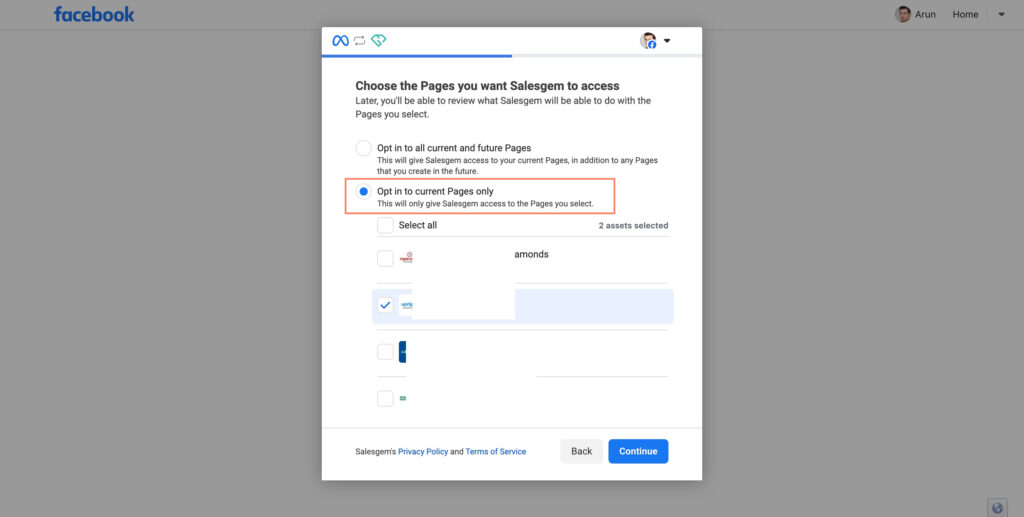
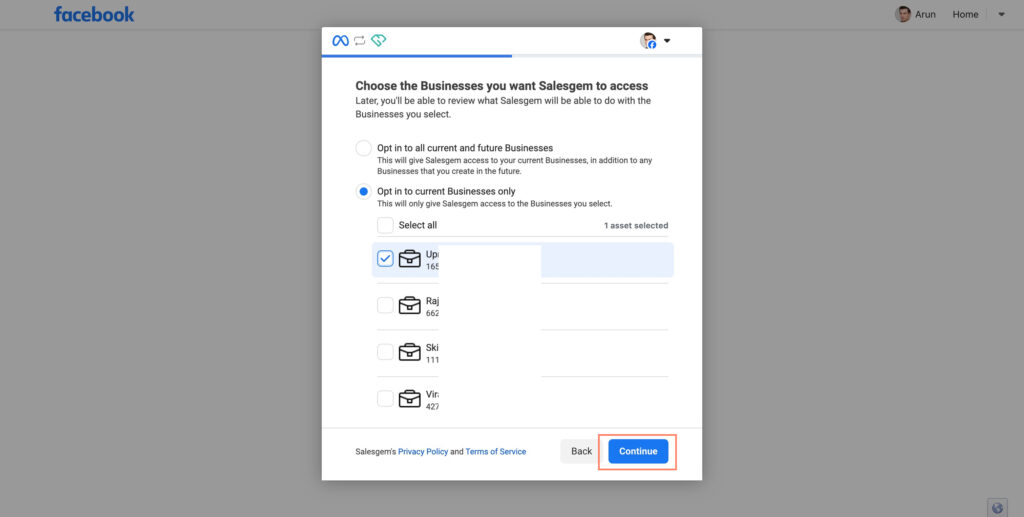
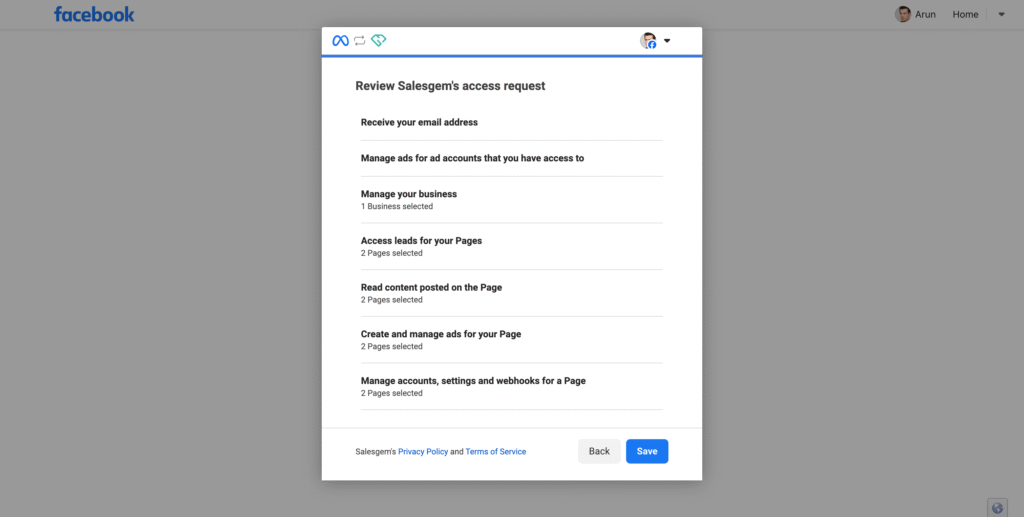
Grant the required permissions so Salesgem can access leads, messages, or campaigns.
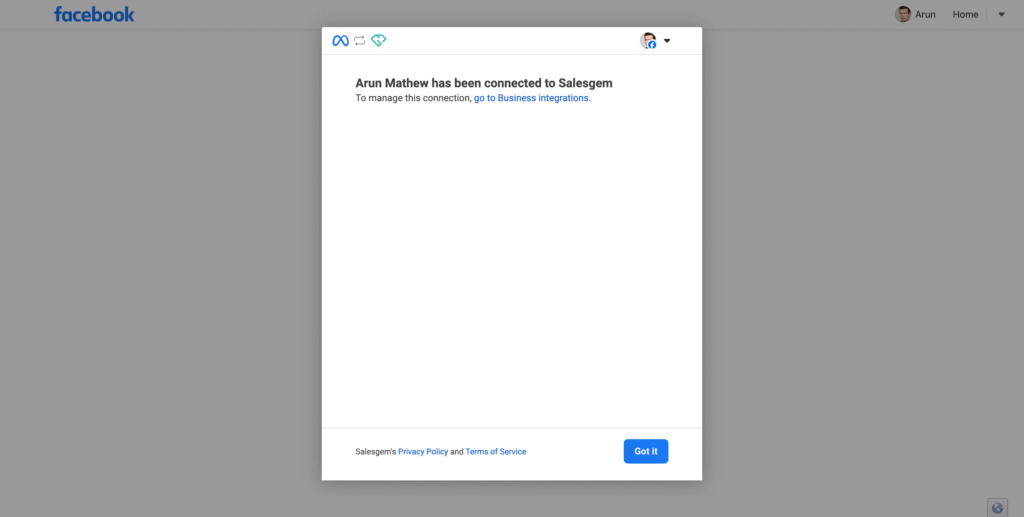
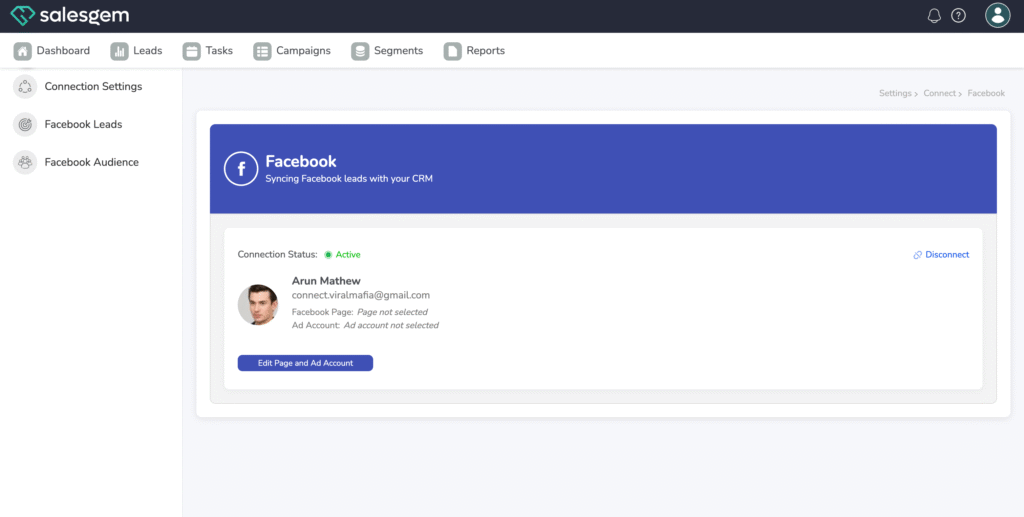
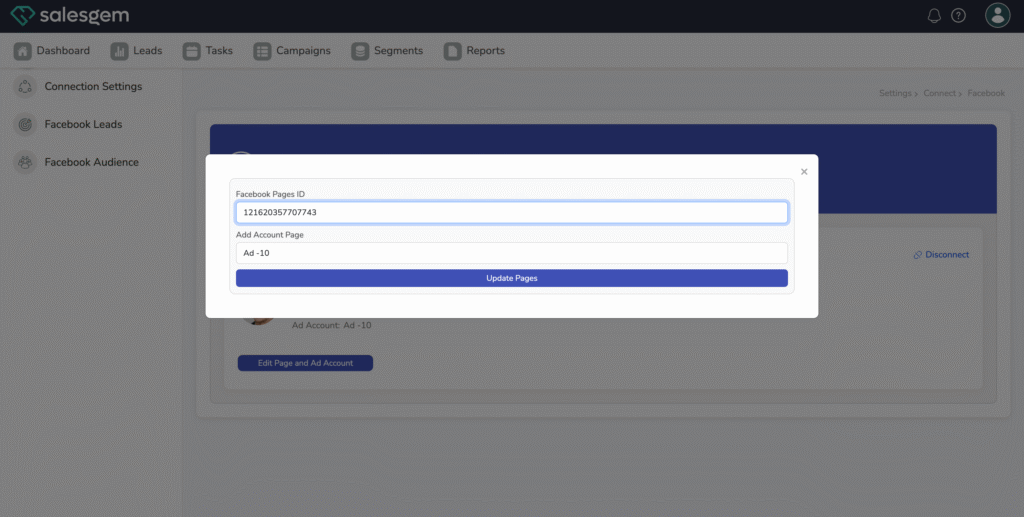
After the connection is established, you can link your Facebook Lead Forms, Custom Audiences, and Ad Accounts directly to Salesgem. This allows you to capture leads from Facebook ads in real time, sync them to specific campaigns, and even retarget audiences more effectively. Once saved, the integration keeps running in the background so that your Facebook and Salesgem data remain in sync without manual uploads.