The Lead Source Report shows where your leads are coming from, helping you evaluate the performance of each marketing channel
Steps to View Lead Source Report:
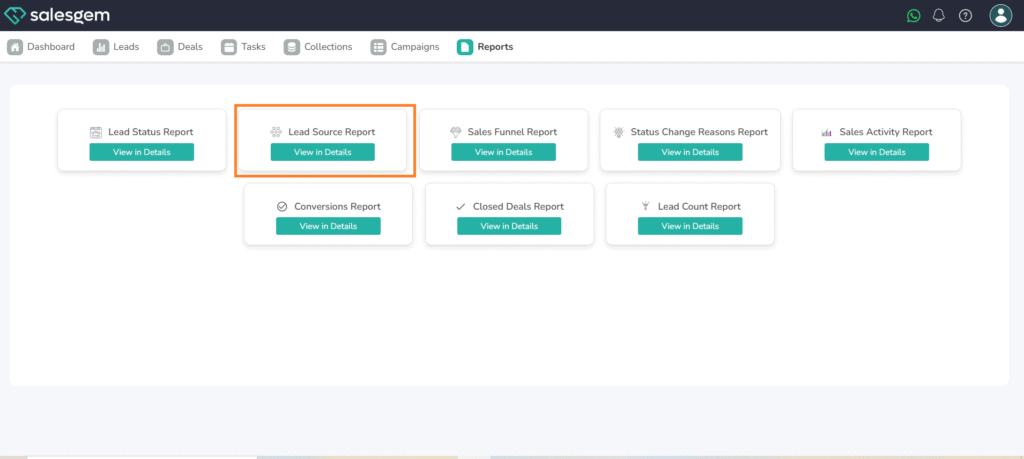
- Navigate to the Reports section.
- Select Lead Source Report.
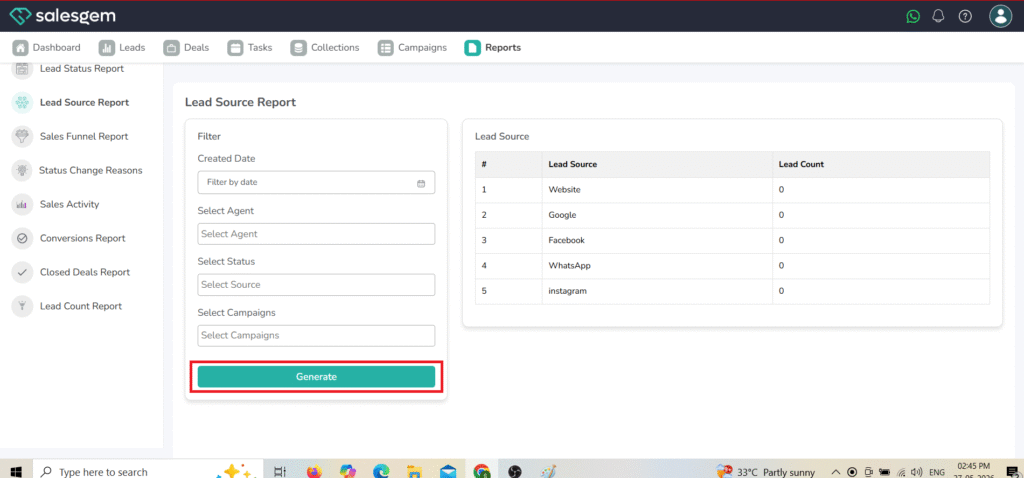
- Choose the desired date range.
- Review data showing the number of leads from each source.
FAQs:
- Q1: Can I compare two sources side-by-side?
A: Yes, you can apply filters to focus on specific sources. - Q2: Is this data pulled from integrated platforms?
A: Yes, all connected channels update in real time. - Q3: Can I identify conversion rates from each source?
A: Yes, the report includes conversion data if available.