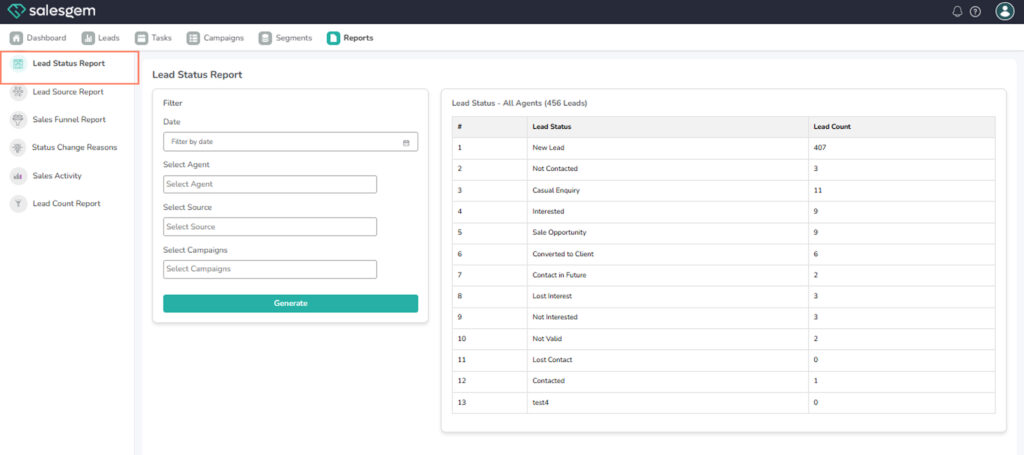
The Lead Status Report in Salesgem helps you track the current stage of all leads, making it easier to manage conversions and follow-ups effectively
Steps to View Lead Status Report:
- Go to the Reports section in your Salesgem dashboard.
- Select Lead Status Report from the list.
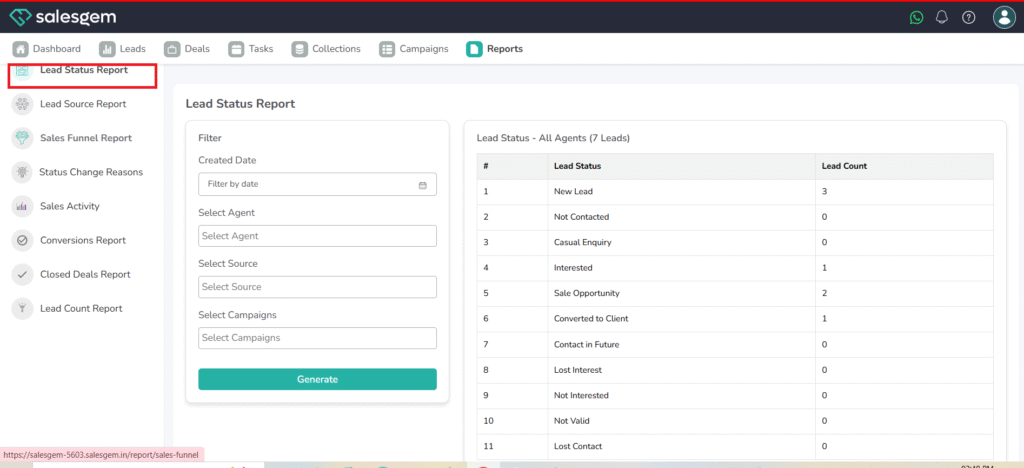
- Filter by date range or team if required.
- Review the visual data and charts to identify leads in each status.
FAQs:
- Q1: Can I export the Lead Status Report?
A: Yes, use the export option at the top right to download in CSV or PDF format. - Q2: Can I filter by individual sales reps?
A: Yes, apply the team or user filter before generating the report. - Q3: How often is the data updated?
A: It’s updated in real time whenever a lead’s status changes.