You can create and manage campaigns in Salesgem to target specific audiences and track engagement.Campaigns in Salesgem allow you to plan, execute, and track marketing or sales initiatives. By creating campaigns, you can organize leads, monitor responses, and evaluate performance. This helps teams improve lead generation and conversion while keeping all campaign data centralized.
Steps:
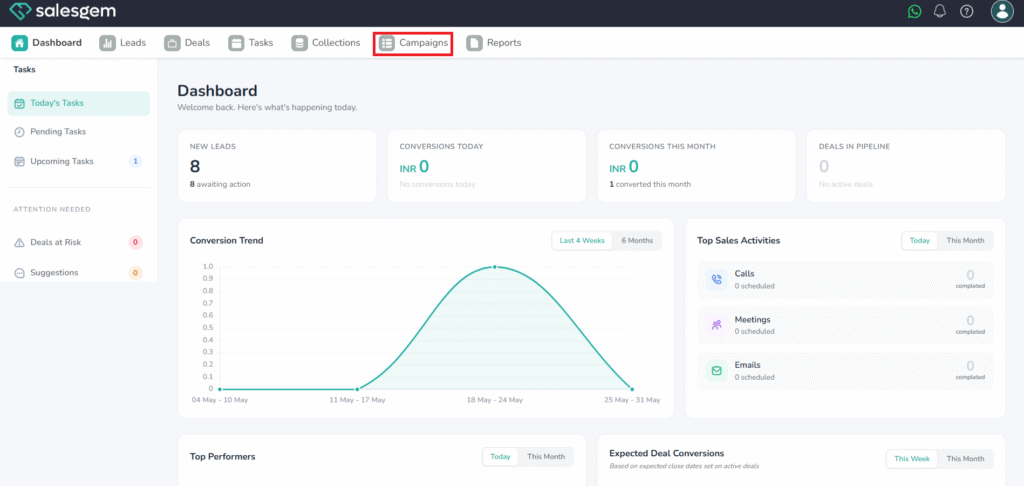
- Go to Campaigns.
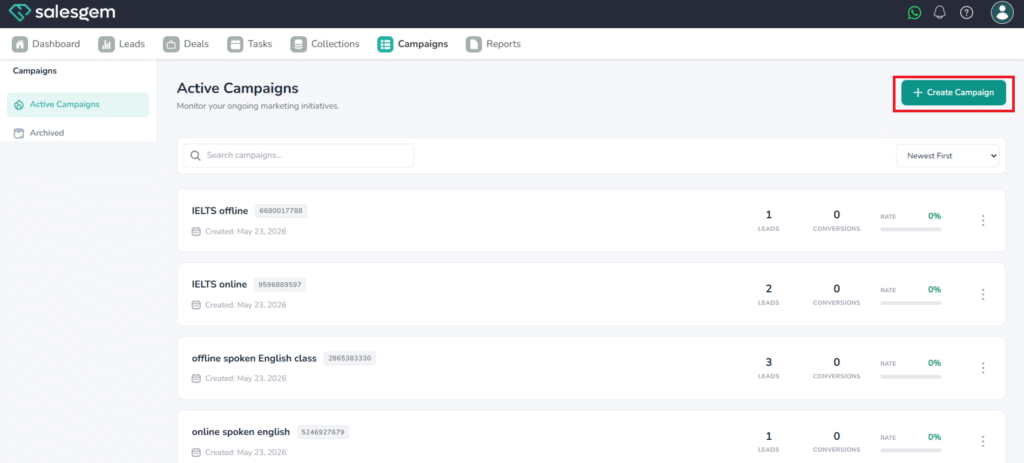
- Click Add Campaigns.
- Enter the Campaign Description.
- Click Save.
In Salesgem, campaigns can be created from the Campaigns tab by adding details like campaign name, type, dates, and assigned team. Once saved, campaigns can be managed through the campaign details view, where you can edit information, assign leads, track responses, and monitor progress. Campaigns can be updated throughout their lifecycle and marked as completed when finished. By maintaining campaign data and using performance insights, teams can better measure effectiveness and optimize future sales or marketing initiatives.