You can upload or change your profile picture in Salesgem from your profile settings.
Steps:
- Log in to your Salesgem account.
- Go to Settings.
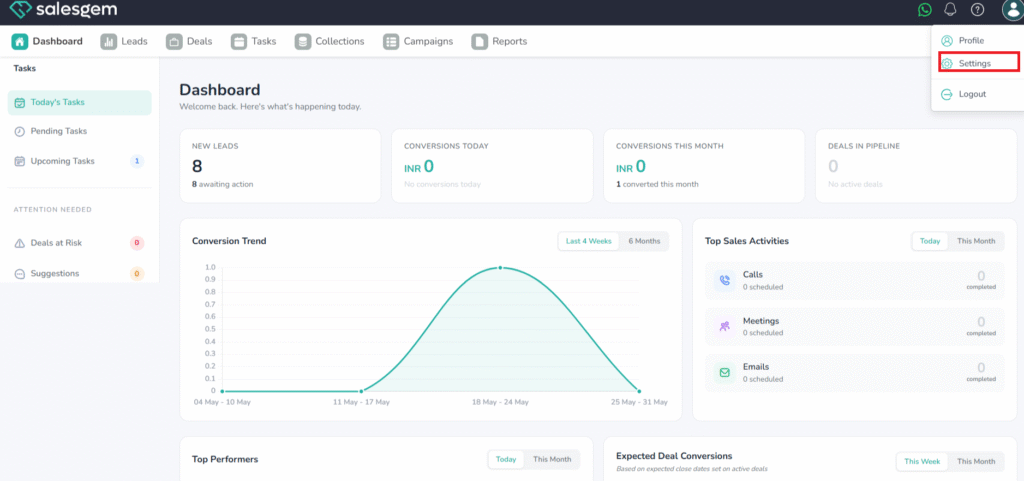
3. Select Profile.
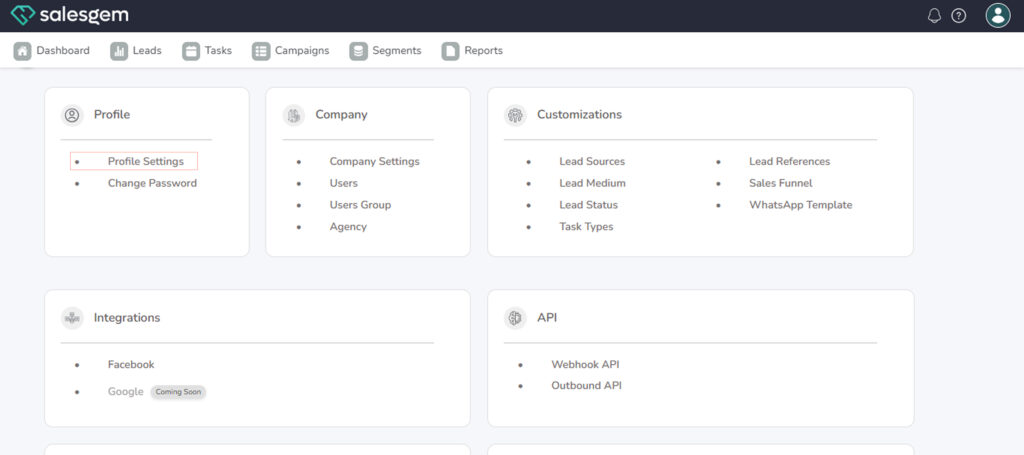
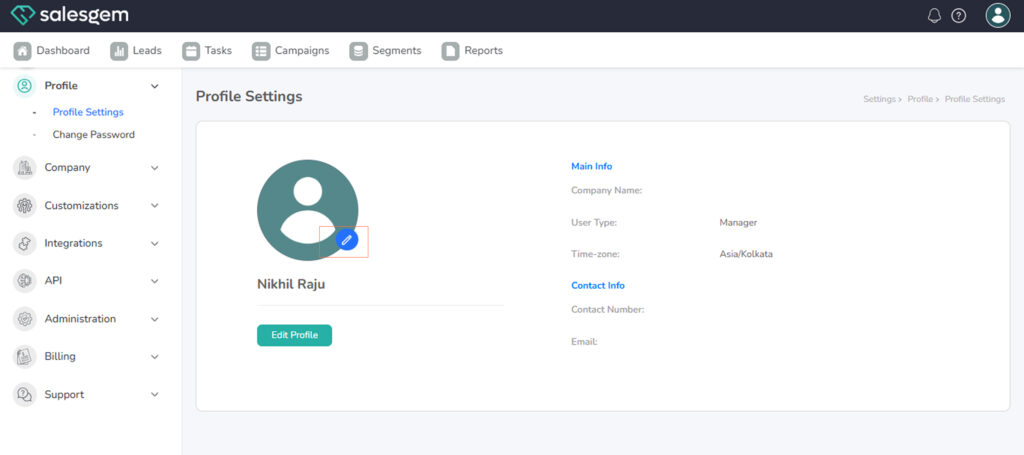
- Click on your current profile picture (or placeholder).
- Upload a new image from your device.
- Save your changes.
FAQs:
- Q: Which file types are supported?
A: JPG and PNG. - Q: Can I remove my profile picture?
A: Yes, select the remove option in the same menu.